
 Repair parts Xiaomi Pad Mini
Think about it: your Xiaomi Pad Mini (model 25079RPDCG) packs a stunning IPS LCD with Dolby Vision, HDR10, and an insanely smooth 165Hz refresh rate. If you have dropped it and shattered the glass, you do not need an expensive upgrade, you just need a stellar screen replacement! We stock the exact premium components you need to perfectly restore that sleek, lightweight 326g profile. A quick fix is so much more rewarding than starting from scratch, and we are totally here to cheer you on as you repair your way to victory!
Whether you are hunting down a genuine Service Pack, a top-tier Original replacement, or the ultimate Full Screen for Xiaomi Pad Mini, we have your back with maximum energy! And hey, it is not just displays; if you took a hard hit to the camera, smashed the housing, or blew out the speakers or motherboard, we have all the perfectly compatible parts to make it good as new. Grab your tools, pick out your premium replacement parts today, and let's make that epic repair happen!

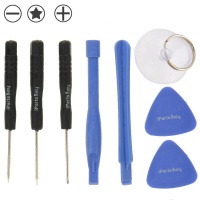
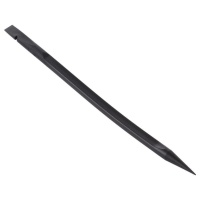
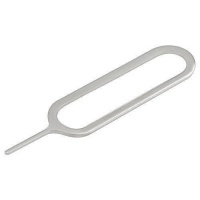

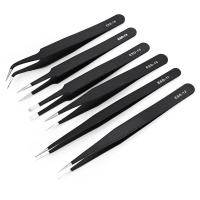
Receive it on monday 19 de october


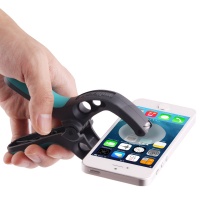
Did You Know? 78% of Mobile Devices Need a Screen Repair in Their First Year
Welcome to the repair bench! If you are holding a shattered or malfunctioning tablet right now, do not panic. As a professional repair technician, I can tell you that an astonishing 78% of modern mobile devices and compact tablets require some form of screen or hardware repair within their very first year of life. When you are dealing with a beautifully crafted piece of technology like the newly released Xiaomi Pad Mini (Model 25079RPDCG), accidents are bound to happen. Released in late 2025, this device packs incredible power into a remarkably fragile chassis, meaning that drops, spills, and impact damage are simply a matter of time. The key to overcoming these unexpected hardware disasters is not throwing the device away, but rather sourcing the absolute highest quality spare parts to restore it to its original, pristine factory condition.
You might be wondering: Why do these premium devices break so easily despite modern glass technologies? The answer lies in the uncompromising pursuit of sleek design. The Xiaomi Pad Mini features an ultra-thin 6.5mm profile and weighs a mere 326g. While this makes it incredibly comfortable for extended gaming or reading sessions, it drastically reduces the shock-absorbing margins within the structural casing. When a drop occurs, the kinetic energy has nowhere to go but directly into the delicate 8.8-inch display panel or the internal motherboard. This is exactly why you need to equip yourself with reliable replacement components. Using substandard components will not only ruin the premium feel of your device, but it can also cause cascading hardware failures down the line.
Here at iLevante, we believe in empowering you to take control of your technology. Repairing your own device is a deeply rewarding experience that saves you money and protects the environment from unnecessary electronic waste. By choosing to buy premium parts specifically engineered for the 25079RPDCG model, you ensure that every flex cable, every sensor, and every pixel aligns perfectly with Xiaomi's rigorous engineering standards. Do not let a cracked display or a failing battery be the end of your tablet's journey. Step up to the workbench, gather your tools, and let us breathe a glorious second life into your beloved device!
Step 1: How to Buy the Perfect Full Screen for Xiaomi Pad Mini
Diagnosing a broken display is the very first step in any successful restoration project. You must accurately determine the extent of the damage before you buy your parts. A frequent question I hear from clients is: "Do I need to replace the entire display module, or just the outer glass?" For the Xiaomi Pad Mini, the glass digitizer and the internal LCD are optically bonded together at the factory to achieve that stunningly thin 6.5mm profile. If your screen is flickering, displaying dead pixels, showing vertical lines, or failing to register touch inputs, you absolutely must purchase a complete Full Screen for Xiaomi Pad Mini assembly. Attempting to separate the glass from the delicate IPS panel without industrial cryogenic equipment will almost certainly destroy the underlying matrix.
When you are shopping for your replacement display, you must pay strict attention to the technical specifications. The original screen of this 2025 powerhouse is a marvel of engineering: an 8.8-inch IPS LCD boasting an astonishing 68 billion colors, HDR10, Dolby Vision, and a blistering 165Hz refresh rate. Furthermore, it pushes a peak brightness of 700 nits, making it perfectly legible under direct sunlight. Installing a cheap, counterfeit panel will immediately downgrade your experience. You will suffer from washed-out colors, severe input lag, and a noticeably dimmer backlight. To retain that buttery-smooth 165Hz scrolling and hyper-responsive touch sampling rate, you need a premium display that matches the OEM standards perfectly.
Executing a screen repair on this tablet requires precision and patience. Once you have your new Full Screen for Xiaomi Pad Mini in hand, you will need to gently heat the edges to soften the factory adhesive, carefully slice through the waterproof seal, and disconnect the fragile ribbon cables from the logic board. Always remember to disconnect the battery flex before touching any display connectors to prevent a catastrophic short circuit. By taking your time and using the right spare parts, you will seamlessly restore those brilliant 700 nits of brightness and flawless touch response. Give your device the second life it deserves with a vibrant, unblemished new screen!
Step 2: Internal Diagnostics for Battery and Motherboard Replacement
Once you venture past the screen, you enter the beating heart of the device. Diagnosing internal hardware failures, specifically regarding the battery and the motherboard, requires a logical and methodical approach. Are you experiencing rapid power drainage, unexpected shutdowns at 20% charge, or endless boot loops where the device simply flashes the Xiaomi logo and restarts? These are classic symptoms of a degraded lithium-ion cell or a failing logic board component. With the Xiaomi Pad Mini's compact dimensions, internal temperatures can run high during intense multitasking or gaming, which inevitably accelerates battery degradation over hundreds of charge cycles. If your battery is swelling, you must act immediately; a bloated battery can push against the LCD from the inside, permanently damaging your newly installed screen.
Installing a new battery in a device that is only 6.5mm thick is a delicate operation. You cannot pry a swollen battery out with sharp metal tools, as puncturing the lithium pouch will cause a dangerous thermal runaway (a fire). Instead, you must use high-concentration isopropyl alcohol to dissolve the strong pull-tab adhesive underneath the cell. When you buy your replacement battery, ensure it matches the strict voltage and capacity requirements of the Model 25079RPDCG. A proper replacement will perfectly fit into the meticulously milled aluminum housing without putting any upward pressure on the motherboard or the display assembly.
If your diagnostics point towards the motherboard—perhaps due to severe water damage or a microscopic fracture from a heavy impact—the repair process becomes an exercise in extreme organization. You will need to carefully map out every single microscopic screw, as placing a long screw into a short standoff can physically drill into the logic board pathways, killing the device instantly. Transferring the motherboard also means transferring the thermal dissipation pads. Always use premium components to guarantee that your device can efficiently wick heat away from the processor. Restoring the internal engine of your tablet gives it a powerful second life, ensuring years of continued, reliable performance.
Step 3: Comprehensive Repair Solutions for Cameras and Outer Housing
A severe impact does not just shatter glass; it compromises the entire structural integrity of your mobile device or tablet. If your Xiaomi Pad Mini took a harsh tumble onto concrete, you might be looking at a deeply dented outer housing or a completely shattered rear camera lens. Do not underestimate cosmetic damage. A bent frame is one of the most common reasons why a newly installed screen lifts off or cracks again within days. The chassis must be perfectly flat. If the 326g aluminum frame is warped beyond a millimeter, attempting to force a rigid glass display into it will create sheer stress points. In these cases, a full outer housing replacement is not just an aesthetic choice; it is a structural necessity.
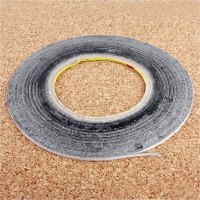
Equally critical is the camera ecosystem. The Xiaomi Pad Mini utilizes high-resolution sensors perfectly calibrated for crisp document scanning and vibrant video calls. If the outer camera lens glass cracks, you have a very short window of time before microscopic dust particles and ambient moisture invade the optical sensor. Once dust settles on the actual camera lens module beneath the glass, it is nearly impossible to clean without scratching the delicate anti-reflective coating. You must buy a high-quality lens replacement immediately. Removing the broken shards with fine-tipped tweezers and securing the new glass with specialized B7000 adhesive will protect your logic board from environmental hazards.
Tackling a housing or camera repair transforms your battered tablet back into a premium piece of technology. When transferring your internal components into a pristine new aluminum shell, you are essentially building a brand-new device. Pay close attention to the small grounding springs and antenna bands located along the inner edges of the frame; these are crucial for maintaining strong Wi-Fi and Bluetooth signals. By investing in top-tier structural spare parts, you are not just fixing a dent; you are fortifying your device against future damage and giving it a robust, beautifully restored second life!
Step 4: Don't Overlook the Details: Speakers, Mics, and Vibrators
In the pursuit of perfect screens and fresh batteries, novice technicians often overlook the smaller, yet incredibly critical, peripheral components. Audio and haptic feedback are what make a device feel alive. If you have recently dropped your Xiaomi Pad Mini and now notice that your media playback sounds muffled, distorted, or completely silent, the impact likely ruptured the delicate diaphragm within the speaker module. Similarly, if people cannot hear you during video conferences, or if your device no longer provides that satisfying haptic "click" when typing, your microphone ribbon or vibrator motor has sustained damage. These micro-components are highly susceptible to shock and liquid ingress.
Troubleshooting these issues is straightforward but requires precise execution. A common question is: "Why does my speaker sound scratchy only at high volumes?" This is typically caused by metallic debris or iron dust being magnetically pulled into the speaker grill, tearing the speaker cone. You cannot repair a torn speaker cone; you must execute a full component replacement. When you are ready to buy these smaller spare parts, ensure they feature the exact acoustic tuning and impedance ratings as the factory originals. Only top-tier replacements will seamlessly restore the rich, immersive Dolby Vision and Dolby Atmos audio experience that this tablet is famous for.
Do not let minor annoyances ruin your daily user experience. Replacing a microphone flex cable or a linear vibration motor is usually a simple plug-and-play operation once you have safely accessed the internal chassis. These repairs are highly cost-effective and yield immediate, noticeable improvements in how you interact with your device. Take pride in your workmanship, secure those tiny flex connectors with confidence, and motivate yourself to give every single function of your tablet a flawless second life!
Comparison: Xiaomi Pad Mini (2025) vs Standard Xiaomi Pad 6
To truly understand the value of executing a thorough repair on your 25079RPDCG model, it is essential to compare it against its larger, highly popular sibling, the Xiaomi Pad 6. While both devices serve the premium tablet market, the Pad Mini is a distinct marvel of condensed engineering. Shrinking high-end specifications into a compact 8.8-inch form factor presents unique manufacturing challenges, making the parts inside your Mini highly specialized and incredibly valuable.
| Specification Feature | Xiaomi Pad Mini (2025) | Xiaomi Pad 6 (Standard) |
|---|---|---|
| Screen Size & Tech | 8.8 inches IPS LCD, 68B colors | 11.0 inches IPS LCD, 1B colors |
| Refresh Rate | 165Hz (Ultra-smooth) | 144Hz |
| Peak Brightness | 700 nits | 550 nits |
| Weight & Dimensions | 326 g / 6.5 mm thickness | 490 g / 6.5 mm thickness |
| Portability Profile | One-handed gaming & reading | Two-handed productivity |
As you can see, the Xiaomi Pad Mini pushes display technology to the absolute limit, featuring a vastly superior color palette (68 billion vs 1 billion) and a faster 165Hz refresh rate, all crammed into a device that weighs significantly less. This high power density is precisely why you cannot settle for generic spare parts. Restoring this pocket-sized powerhouse with genuine-grade components preserves its elite status and protects your investment!
🛠️ Expert Maintenance Tips: Preserve Your Repaired Device
After successfully installing your new replacement parts, follow these golden rules to maximize the lifespan of your Xiaomi Pad Mini:
- 🔋 The 20-80 Battery Rule: To extend lithium-ion cell life, try to keep your charge level between 20% and 80%. Avoid leaving it plugged in overnight constantly.
- 🧼 Screen Cleaning Protocol: Never spray alcohol directly onto your new Full Screen for Xiaomi Pad Mini. Spray an ammonia-free cleaner onto a microfiber cloth first, then gently wipe. This prevents liquid from seeping under the bezel.
- 🌡️ Temperature Management: The ultra-thin 6.5mm chassis dissipates heat rapidly. Avoid gaming in direct sunlight or leaving the tablet in a hot car, as extreme heat degrades screen adhesive (especially around batch standard 73491155 factory glue lines).
- 🚨 Protective Gear: Always pair your fresh screen repair with a 9H tempered glass protector and a shock-absorbing TPU case. An ounce of prevention is worth a pound of cure!
Pro Tips: Master Your Mobile and Tablet Repair Process
As a seasoned technician, I want to share some insider knowledge straight from the repair bench. Before you even think about ordering your parts or opening your device, you must establish a strict, logical workflow. Mobile and tablet repair is 20% technical skill and 80% organization. The very first item on your checklist should be Electrostatic Discharge (ESD) safety. Your body carries enough static electricity to instantly fry the delicate microprocessors on the Xiaomi Pad Mini's logic board. Always wear an anti-static wrist strap, or at the very least, ground yourself by touching a metal surface before handling any bare circuitry or spare parts.
Here is my mandatory pre-repair checklist that you should follow before you buy tools or begin the teardown:
- Isolate your workspace: Use a magnetic, heat-resistant silicone mat to organize screws. A single lost 1.2mm screw can halt a repair completely.
- Control your heat: Use a dedicated heat gun or iOpener heating pad. Apply even heat (around 80°C) to the edges of the tablet to soften the adhesive without burning the LCD matrix beneath.
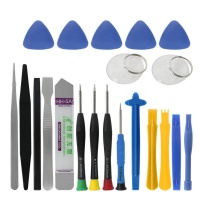
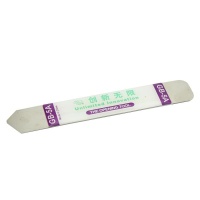
- Use the right pry tools: Never use metal screwdrivers to pry up glass or battery cells. Use plastic spudgers and ultra-thin guitar picks to slice through adhesive safely.
- Battery isolation is law: The moment you open the chassis, the very first connector you must unplug is the battery flex cable. Never plug or unplug a screen while the logic board is energized.
Handling delicate flex cables requires a gentle touch. These ribbon cables are paper-thin and contain dozens of microscopic copper traces. Bending them at a sharp 90-degree angle or pinching them with tweezers will cause internal micro-fractures, leading to frustrating issues like unresponsive touch zones or missing audio channels. Treat every replacement component like fragile glass. By adopting a professional mindset and adhering to strict safety protocols, your repair will be executed with confidence, precision, and guaranteed success.
Why Buy Your Xiaomi Pad Mini Spare Parts at iLevante?
Navigating the secondary market for electronics can be overwhelming. You might be asking: "With so many vendors out there, where can I safely buy reliable components?" At iLevante, we eliminate the guesswork. We specialize in sourcing the absolute finest authentic service packs, premium OLEDs, and high-tier INCELL display replacements in the industry. When you purchase a Full Screen for Xiaomi Pad Mini from our specialized store, you are not just getting a box in the mail; you are receiving a rigorously tested, quality-controlled component guaranteed to match the exact specifications of your 25079RPDCG model.
We understand that a successful repair hinges entirely on the reliability of the parts you use. That is why our catalog is meticulously curated by repair experts who know exactly what it takes to rebuild a high-performance mobile tablet. From the stunning 165Hz display panels to the tiny internal vibration motors, every single item we stock is designed to seamlessly integrate with your device's complex architecture, ensuring zero compatibility issues and a flawless fit within that tight 6.5mm frame.
Do not compromise the integrity of your beloved device with inferior, untested knock-offs. Trust in a provider that prioritizes technical excellence and customer success. By choosing iLevante for your spare parts, you secure the best possible components, backed by industry expertise. Equip yourself with the right parts today, unleash your inner technician, and give your tablet a magnificent, lasting second life!





