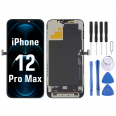
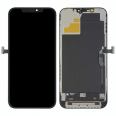
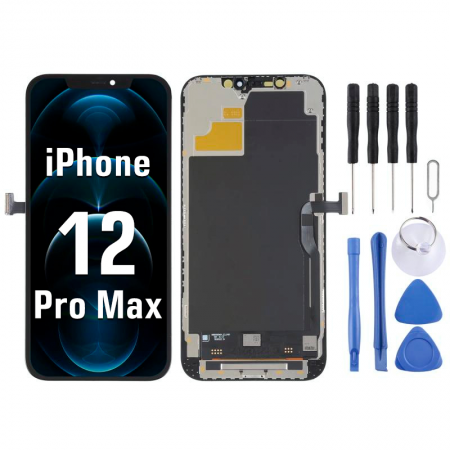
iPhone 12 Pro Max screen: see your phone like new again
You dropped it, the screen is covered in cracks and the touchscreen has a mind of its own. We’ve seen it thousands of times. The 12 Pro Max’s Ceramic Shield can take a lot more than older glass, but one bad knock on a corner or against the kerb can still break it. Here you’ll find the complete screen for iPhone 12 Pro Max in Premium quality: the glass, touchscreen and panel come pre-assembled as one piece, so there’s no need to separate layers or improvise a fix.
What this iPhone 12 Pro Max screen is like
It’s a 6.7-inch panel with the same resolution as the original: 2778 × 1284 pixels at 458 ppi. The iLevante team measured its brightness at around 720 nits typical.
- Integrated touchscreen that responds right to the edges. Haptic Touch works as before.
- Wide P3 colour gamut, the same range used to display the photos you take with the iPhone itself.
- The same thickness and fit in the frame, with no raised edges or gaps.
Important: this screen is only compatible with the 12 Pro Max. The iPhone 12 and 12 Pro screens are 6.1 inches and won’t fit. It’s compatible with all four 12 Pro Max model numbers: A2342, A2410, A2411 and A2412. If you’re unsure, go to Settings > General > About and tap “Model” to check.
What’s in the box (and what we include for free)
Along with the screen, you’ll get a free screen protector. Fit it as soon as you’ve finished, because there’s nothing worse than scratching a freshly replaced screen. We also include a FREE tool kit with the basics you need to open your phone without damaging it. If you’re planning to do the repair yourself, you can add the screen to your basket now, as you won’t need much else.
Replacing the iPhone 12 Pro Max screen: what you need to know
The iLevante team has fitted quite a few of these, and there are a few things worth knowing before you open your phone. Allow one to two hours and take your time. The repair is of medium difficulty: it’s manageable with patience, but there are a couple of steps where you need to be careful.
The speaker and sensors: this is where Face ID is
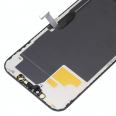
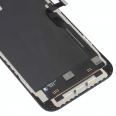
A small assembly containing the earpiece speaker and front sensors is attached to the back of the old screen. It includes the illuminator used by Face ID and is factory-paired with your logic board. You’ll need to transfer it from the broken screen to the new one with great care. If you damage it or replace it with another unit, Face ID will stop working, and only Apple can fix it. Take your time, use tweezers and don’t pull on the flex cables.
Quick step-by-step guide
- Make sure the battery is below 25% and the phone is switched off. Accidentally puncturing a charged battery can be very dangerous.
- Remove the two P2 pentalobe screws on the bottom edge, next to the connector.
- Gently heat the edges with a hairdryer or a low-powered heat gun, then use a suction cup and opening pick. Don’t insert the pick more than about 3 mm, as there are cables and the panel underneath.
- Open it from the right, like the cover of a book. The flex cables are on the left, so lifting the screen upwards can damage them.
- Remove the metal shield with a Y000 tri-point screwdriver and disconnect the battery first, then the screen.
- Transfer the speaker and sensor assembly to the new screen.
- Connect everything, switch the phone on and test it before closing: check touch response in all four corners, Face ID, calls through the earpiece and auto-brightness.
- Thoroughly clean any adhesive residue from the frame, apply new adhesive, close the phone and press it down for a while.
A note about water resistance: as soon as you open the phone, the original seal is no longer effective. With new adhesive correctly applied, it’ll be protected for everyday use, but don’t take it swimming: it won’t retain its original factory water resistance.
Frequently asked questions about the iPhone 12 Pro Max screen
Why does “Unknown Part” appear in Settings?
Since the iPhone 11, iOS has checked parts and displays an Unknown Part message in Settings > General > About when a screen isn’t made by Apple or hasn’t been paired using Apple’s tools. This happens with any non-genuine screen and is for information only: your phone will work as usual, won’t be locked and the message won’t affect everyday use.
What about True Tone?
For years, replacing the screen meant losing True Tone, the setting that adapts the colour to the ambient light. Since iOS 18, Apple also allows it to be enabled on third-party screens. Apple notes that the calibration may not be as precise as with an original part. If you’re not happy with the result, turn it off in Settings > Display & Brightness. Make sure your phone is up to date before fitting the screen to avoid any complications.
I can see a greenish tint on grey backgrounds at low brightness
Don’t worry. All OLED displays, including the original iPhone 12 Pro Max screen, can show a slight green tint on dark grey backgrounds when the brightness is very low and the room is dark. When the model was released, many people thought this was a fault and started lengthy discussions on Apple forums. It’s a characteristic of the technology. However, if you see spots, lines or areas that don’t light up, get in touch with us.
The touchscreen is behaving strangely after the replacement
In most cases, a connector isn’t seated properly or a flex cable has been pinched while closing the phone. Open it, disconnect the battery, reseat the screen connector until it clicks firmly into place, then test it again. That’s why we recommend testing everything before sealing the phone.
If you have any questions about your model or the repair, get in touch. The iLevante team will be happy to help — it’s what we do.
• Product Weight: 0.10 kg.The technical specs of Apple iPhone 12 Pro Max
can help you to choose the correct repair part for your device. Make sure your model reference is the same as this element. Here are some tech specs to help you:
- Brand: Apple
- Apple iPhone 12 Pro Max Size: 160.8 x 78.1 x 7.4 mm.
- Release date: 2020, October 13.
- Weight: 228 g.
- Screen specs: Super Retina XDR OLED, HDR10, Dolby Vision, 800 nits , 1200 nits.
- Screen size: 6.7 inches, 109.8 cm2.
PVP:
SNK.IP8P028322.55€ AvailableInStockNewCondition