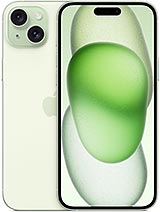
Available Colors for the iPhone 15 Plus Back Cover
This replacement is available in several colors to match your style or the original color of your phone:
- Blue: ideal if you prefer a modern and elegant touch.
- Black: classic, discreet, and perfect to hide small scratches.
- Yellow: bright and cheerful, for those who want their iPhone to stand out.
- Green: fresh and different, very much in line with current Apple colors.
- Pink: soft and attractive, goes well with the colored glass design.
All colors maintain the original look of the iPhone 15 Plus, with that characteristic tinted glass that complements the Super Retina XDR display and aluminum frame.
Common Causes of iPhone 15 Plus Back Cover Damage
The glass back of the iPhone 15 Plus is beautiful, but also one of the areas most susceptible to daily wear and tear. The most common breaks usually occur due to:
- Falls from hands, pockets, or tables to the floor.
- Impacts on corners or edges causing the glass to crack.
- Pressure from sitting with the phone in the back pocket.
- Sudden temperature changes that can exacerbate existing micro-cracks.
Although the back cover does not directly affect the performance of the A16 Bionic processor or the quality of the 48-megapixel camera, it is crucial to protect the internal components, the long-lasting battery, and keep the phone sealed against debris.
Signs You Need to Replace Your iPhone 15 Plus Back Cover
You might think it’s just aesthetic, but a damaged back cover can ultimately affect the phone's interior. Some clear signs that it’s time to look for a new piece include:
- Cracks or chip-outs that could cut your hand.
- Dust or lint visible on the edges or near the camera module.
- Condensed moisture inside, visible when backlit.
- Misalignment between the cover and the aluminum frame, leaving a small gap.
If you notice any of these issues, it's best to replace the back cover as soon as possible to continue enjoying your iPhone 15 Plus, its large Super XDR Retina display, and long-lasting battery without worries.
How to Replace the iPhone 15 Plus Back Cover Step by Step
Replacing the iPhone 15 Plus back cover is easier when the replacement part already has pre-installed adhesive, like this one. So you don't have to worry about cutting or aligning complicated stickers. Generally, the process consists of:
- Turn off the iPhone 15 Plus and remove any case or accessories.
- Gently heat the old back to soften the adhesive.
- Slowly lift the damaged cover, being careful not to bend the chassis.
- Clean adhesive residues and dirt from the edges.
- Align the new back cover with a large camera hole and attach it by pressing around the entire edge.
With the integrated adhesive, installation is cleaner and quicker, helping maintain a good seal and the original appearance of the device.
Key Features of the iPhone 15 Plus Back Cover
To give you a quick overview of what this piece offers, here is a summary of its strengths:
| Feature | Detail |
| Type of Piece | Back cover with adhesive for iPhone 15 Plus |
| Compatibility | Exclusive for iPhone 15 Plus (large camera hole version) |
| Finish | Colored glass, original device appearance |
| Colors | Blue, Black, Yellow, Green, Pink |
| Adhesive | Pre-installed adhesive for convenient and clean installation |
| Approximate Weight | Around 50 g (including packaging) |
Why Choose This Back Cover for Your iPhone 15 Plus
The iPhone 15 Plus stands out with its large screen, 48 MP cameras, and up to 26 hours of battery life, so it’s worth keeping it in perfect condition. With this back cover with adhesive, you achieve:
- Preserving the original design with tinted glass and rounded edges.
- Protecting internal components, camera, and battery from dirt.
- Improving aesthetics if the cover is scratched, cracked, or heavily damaged.
- Extending the mobile's lifespan without changing phones.
It’s an ideal replacement part if you love your iPhone 15 Plus and want to continue enjoying its power, large XDR screen, and comfortable feel, but with a like-new look at the back.