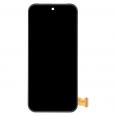
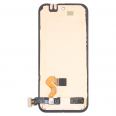
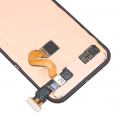
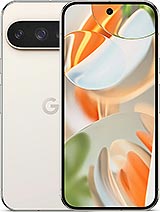
Original Google Pixel 9 Pro screen: just like the one fitted at the factory
One careless drop, a corner hitting the ground and the glass is covered in cracks. Or worse: the display goes dark in places and the touchscreen stops responding. This original complete screen for Google Pixel 9 Pro replaces the entire assembly: the OLED panel, touchscreen digitiser and ultrasonic fingerprint reader, which is bonded to the panel itself.
There’s no loss of quality because this is the same part fitted by Google. It retains the original resolution of 1280 × 2856 pixels at 495 ppi and the original brightness: up to 2,000 nits in HDR and a peak brightness of 3,000 nits—just like your phone had when you first took it out of the box. It’s just as easy to read in bright sunlight as before.
What’s inside the Google Pixel 9 Pro screen
Google calls this panel Super Actua. It’s a 6.3-inch LTPO OLED made using Samsung Display’s M14 generation of materials, from the same panel family used in the iPhone 16 Pro. Here are the key specifications:
- Size and aspect ratio: 6.3 inches, 20:9.
- Variable refresh rate from 1 to 120 Hz (Smooth Display): drops to 1 Hz for static content to save battery.
- Contrast ratio: over 2,000,000:1, with HDR10+ and 24-bit colour.
- Glass: Corning Gorilla Glass Victus 2.
- Fingerprint reader: Qualcomm 3D Sonic Gen 2, measuring 8 × 8 mm. It’s 50% faster than the Pixel 8’s optical reader and can read wet fingers.
- Colour: black. Gross weight: 110 g.
This screen is compatible only with the Google Pixel 9 Pro (models GR83Y, GEC77 and GWVK6). It won’t fit the Pixel 9 or Pixel 9 Pro XL, as they have different sizes, resolutions and mounting points.
How to replace the Google Pixel 9 Pro screen without breaking anything
Here’s something that catches many people out: on the Pixel 9 series, the screen is removed from the front, without touching the back cover. Google designed the phone with dual access (front and rear), and the screen is accessed from the front. You’ll need a suction cup, picks and a spudger—all included, as we give you a tool kit with the screen.
- Reduce the battery charge to below 25% before you start. A charged lithium battery can catch fire if punctured.
- Heat the screen with a hair dryer or heat gun until it’s almost too hot to touch. Stop if the frame starts to burn.
- Place the suction cup in the centre of the top edge and insert the pick no more than 3 mm. There are very fine spring contacts around the frame that can bend easily.
- Lift slowly: the screen flex cable is in the bottom-right corner. Leave that side until last and don’t pull on it.
- Disconnect the connector and thoroughly remove the old adhesive with the spudger.
- Connect the new screen and test it before sticking it down, without removing the film or labels.
- Fit the new adhesive into the frame channel, close the phone and press firmly all the way around.
Allow between 45 minutes and an hour if you’ve repaired phones before. If it’s your first time, it’s best to have a technician do the repair.
Common mistakes when fitting a Pixel 9 Pro screen
In our testing, the iLevante team sees three problems most often.
The first is delamination. This model’s OLED layers can separate easily if you apply too much force or don’t use enough heat, and a delaminated screen won’t work. This is mainly a concern if you want to reuse the old panel; with the new one, just take your time when heating it.
The second is the connector. When fitting it, press on the edges rather than the centre to avoid bending the pins.
The third causes the most headaches: the fingerprint reader doesn’t work after the screen replacement. This usually isn’t a fault. The new panel comes with the ultrasonic sensor, but the phone needs to recognise and calibrate it. To do this, run Google’s official software repair tool (Pixel Update and Software Repair) with the phone connected to a computer, open the diagnostics built into the Pixel and register your fingerprints again.
Free screen protector, with one important note
It’s included as a gift: the screen comes with a screen protector. There’s something worth knowing because of how the Pixel 9 Pro fingerprint reader works. The ultrasonic reader uses sound waves and is more sensitive to glass thickness than optical readers. Some third-party screen protectors can make it stop working altogether.
If the fingerprint reader doesn’t work properly after you fit the protector, go to Settings > Display & touch > Touch sensitivity, turn on Screen protector mode and register your fingerprints again. This usually fixes the problem.
Is your screen flickering or showing a line, even though it isn’t broken?
Check before you buy. Google acknowledged an issue affecting some Pixel 9 Pro phones: screen flickering or a vertical line running from top to bottom. For these cases, Google offers an extended repair programme of up to three years from the date of purchase, provided the phone has no impact damage, cracks or liquid damage. If your screen was broken in a drop, this isn’t covered—and this is the replacement part you’ll need.
• Product Weight: 0.11 kg.The technical specs of Google Pixel 9 Pro
can help you to choose the correct repair part for your device. Make sure your model reference is the same as this element. Here are some tech specs to help you:
- Brand: Google
- Google Pixel 9 Pro Size: 152.8 x 72 x 8.5 mm.
- Release date: 2024, August 13.
- Weight: 199 g.
- Screen specs: LTPO OLED, 120Hz, HDR10+, 2000 nits , 3000 nits.
- Screen size: 6.3 inches, 96.3 cm2.
PVP:
SNK.AS14936769.75€ AvailableInStockNewCondition