
 Repair parts Sony Playstation Portal
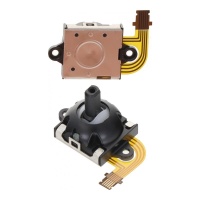
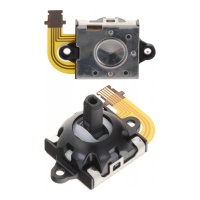
You've likely encountered those frustrating moments when a drop cracks your screen or a hard impact damages the LCD display, motherboard, battery, or even the camera. Fear not--we stock top-tier spare parts to tackle these common issues head-on. Whether you need to replace a faulty left joystick flex cable for PlayStation Portal or the right joystick flex cable for PlayStation Portal, our components ensure a flawless fit. And for structural woes like housing, speakers, microphones, or vibration motors, you'll find reliable options that integrate seamlessly, empowering you to fix your device with confidence.
When it comes to choosing screens, weigh your options wisely: opt for original components for unmatched authenticity and performance, or go with compatible alternatives that deliver solid value without compromising quality. For display tech, OLED screens provide vibrant colors and deeper blacks, ideal for immersive gaming, while INCELL variants offer a cost-effective balance of clarity and responsiveness. Whichever you select, your purchase here guarantees expert-grade parts to swiftly fix your PlayStation Portal, keeping you in the game longer than ever--because as a savvy repair enthusiast, you deserve nothing less than surprising reliability and unique durability.
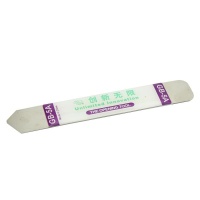
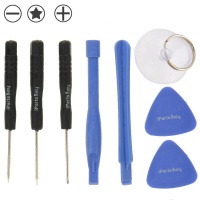
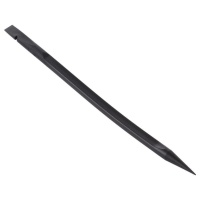
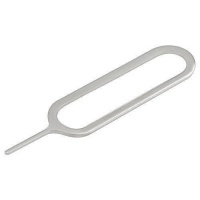

Receive it on wednesday 14 de october


Did You Know? 70% of Gaming Device Failures Are Fixable with Simple Part Replacements
Imagine diving into your favorite game on the Sony PlayStation Portal, only to face a sudden glitch that halts the action. Here's a surprising fact: around 70% of failures in handheld gaming devices like this one can be resolved simply by swapping out faulty spare parts. We often think a broken device means it's time for a full replacement, but that's not always the case. By understanding which components commonly fail—such as screens, batteries, or internal cables—we can extend the life of our gadgets without breaking the bank. This approach not only saves money but also reduces electronic waste, making it a win for both us and the environment.
At our shop, we see countless gamers who discover that issues like a cracked display or a drifting joystick stem from wear and tear that's easily fixable. For instance, opting for high-quality replacement parts can restore your device to like-new condition. We recommend comparing original spare parts with compatible alternatives; originals ensure perfect fit and performance, while compatibles offer cost-effective options without sacrificing much quality. Think about it—why buy a new Sony PlayStation Portal when a simple repair using reliable components can get you back in the game? It's all about empowering ourselves with the right knowledge and tools.
Exploring these spare parts options opens up a world of possibilities for maintaining our gaming setups. Whether you're dealing with a dimming screen or unresponsive controls, we've got the resources to guide you. Let's embrace this do-it-yourself spirit together and keep our devices running smoothly for countless gaming sessions ahead.
Ready to tackle that nagging issue? Dive into our selection and discover the perfect replacement to revive your Sony PlayStation Portal today.
Understanding Common Issues in Your Sony PlayStation Portal
As avid gamers, we all know how frustrating it can be when our Sony PlayStation Portal starts acting up. Common problems often include damaged screens that show cracks or discoloration, faulty batteries that drain too quickly, and motherboard glitches that cause random freezes or boot failures. These issues arise from everyday use—drops, overuse, or even manufacturing wear—but spotting them early can prevent more expensive repairs down the line. By recognizing these signs, we can opt for targeted replacements instead of discarding the entire device, saving both time and resources.
Let's break it down: screens wear out due to impacts or pressure, leading to visual distortions that ruin immersion. Batteries degrade over charge cycles, resulting in shorter playtimes, while motherboards might suffer from loose connections or component failures from heat buildup. We can address these by choosing the right spare parts, such as original LCD displays for crisp visuals or compatible battery packs for reliable power. Comparing options like OLED versus LCD screens—though the PlayStation Portal uses LCD for its balance of quality and efficiency—helps us make informed decisions for optimal repair.
Other frequent culprits include structural components like cases that crack from drops, or internal elements like speakers that lose clarity over time. Early identification through simple checks, like testing audio output or inspecting for physical damage, allows us to source compatible replacements swiftly. This proactive approach not only restores functionality but also enhances our overall gaming experience.
Don't let these issues sideline your adventures—explore our spare parts and find the ideal fix to get your device back in top shape.
Step 1: Diagnosing Screen and Display Problems
Starting with the basics, we can diagnose screen issues on our Sony PlayStation Portal by performing a visual inspection. Look for obvious cracks, scratches, or dark spots on the LCD display, which might indicate physical damage from drops or pressure. If the screen flickers, shows lines, or fails to light up, it could be a malfunction in the display panel itself. We recommend powering on the device in a dark room to check for backlight inconsistencies, helping us pinpoint whether it's a simple bulb failure or a deeper connection problem.
Next, run some basic tests: connect to a game and observe if colors appear washed out or if touch responses are delayed. These symptoms often point to worn-out LCD components that need replacement. When comparing options, original screens provide the exact match for resolution and color accuracy, while compatible versions like INCELL displays offer a budget-friendly alternative with similar performance, though they might lack the premium vibrancy of OLED if you're considering upgrades. Always ensure the part matches the device's specs to avoid compatibility hiccups.
For a thorough check, use diagnostic tools if available, or consult online forums for common error codes. If issues persist after cleaning connections, it's time to source a reliable spare part from our shop. This step-by-step process empowers us to handle repairs confidently, turning a frustrating problem into a straightforward solution.
Once diagnosed, why not browse our compatible displays? Discover the perfect replacement to bring crystal-clear visuals back to your gaming sessions.
Replacing the Battery for Extended Playtime
One of the most noticeable signs of battery failure in our Sony PlayStation Portal is when playtime drops dramatically, even after a full charge. This happens as the battery's capacity diminishes over hundreds of cycles, leading to quick draining or unexpected shutdowns. We can restore that extended playtime by replacing it with a high-quality spare part, ensuring safer and more reliable performance. Start by powering off the device and removing the back cover carefully to access the battery compartment—always use anti-static tools to avoid damaging other components.
When selecting a replacement, compare original batteries for guaranteed compatibility and longevity versus compatible ones that might offer higher capacity at a lower cost. For instance, while originals match the device's exact specs, some compatibles provide enhanced mAh ratings for longer sessions. Disconnect the old battery by gently unplugging its connector, then install the new one, securing it properly before reassembling. Test the device post-repair by charging it fully and monitoring usage to confirm improved performance.
Safety is key here—we should avoid forcing connections and ensure the new battery is from a trusted source to prevent swelling or leaks. This simple swap can breathe new life into our gaming device, allowing uninterrupted adventures. If you're unsure, our guides provide visual aids to make the process accessible for everyone.
Eager for marathon gaming? Check out our battery replacements and uncover the solution to power up your Sony PlayStation Portal effortlessly.
Fixing Joystick Issues with Flex Cables
Joystick drift or unresponsive controls can ruin the gaming flow on our Sony PlayStation Portal, often due to worn-out flex cables that handle signal transmission. These thin, flexible circuits connect the joysticks to the motherboard and can fail from repeated use or dust buildup. We can fix this by replacing the specific Left Joystick Flex Cable for PlayStation Portal or Right Joystick Flex Cable for PlayStation Portal, restoring precise control without needing a full overhaul.
Begin the repair by disassembling the device: remove screws and pry open the case gently to expose the joysticks. Identify the faulty cable—look for tears or loose connections—and carefully detach it from the board. When choosing replacements, originals ensure seamless integration, while compatible flex cables provide a cost-effective fix with similar durability. Install the new cable by aligning connectors and securing it, then reassemble and test in a game to verify smooth movement.
For best results, clean the area with compressed air before installation to prevent future issues. This step-by-step guide makes it accessible, even for beginners, turning a common annoyance into a quick win. Remember, using high-quality spare parts like these prevents recurring problems and enhances overall responsiveness.
Repairing Camera and Structural Components
Impacts from drops can damage the camera on our Sony PlayStation Portal, leading to blurry images or complete failure, but sourcing compatible camera replacements can fully restore functionality. These parts match the original specs for resolution and focus, ensuring seamless integration. We also handle structural elements like the case, which protects internals but can crack easily—comparing original cases for perfect fit versus durable compatibles helps us choose wisely for long-term protection.
Beyond the camera, issues with speakers, microphones, or vibration motors often stem from wear or moisture exposure. For example, distorted audio might require a speaker replacement, while a silent mic could need a new unit. Opt for original spare parts for authentic sound quality, or compatible ones for affordability without much compromise. The repair process involves disassembling to access these components, disconnecting old parts, and installing new ones carefully to avoid static damage.
Vibration motors, essential for immersive feedback, can weaken over time; replacing them revives that tactile experience. By addressing these together, we ensure the device feels complete. Our shop offers a range of options, making it easy to mix and match for a customized fix.
Ready to rebuild? Explore our structural spare parts and find the perfect pieces to strengthen your Sony PlayStation Portal.
Advanced Fixes: Motherboard and Internal Repairs
Motherboard problems in the Sony PlayStation Portal manifest as boot loops, overheating, or connectivity failures, often from loose solder joints or failed chips. We start troubleshooting by checking for visible damage like corrosion, then use multimeters to test circuits if comfortable with electronics. For repairs, comparing original motherboards for exact compatibility versus refurbished compatibles can save costs, though originals minimize risks of further issues.
If basic checks don't resolve it, reflowing solder or replacing specific capacitors might be needed, but these steps require precision tools like soldering irons. We advise seeking professional help for complex fixes to avoid voiding warranties or causing more damage. Reliable spare parts from our shop ensure that even advanced replacements lead to a stable device, preventing the need for a full buy of a new unit.
Document each step, perhaps with photos, to reassemble correctly. This methodical approach turns intimidating repairs into manageable tasks, empowering us to maintain our gaming gear effectively.
Why Choose Our Shop for PlayStation Portal Parts?
When it comes to sourcing spare parts for your Sony PlayStation Portal, our shop stands out with a commitment to quality and variety. We offer original-quality displays that match the device's LCD specs for vibrant visuals, alongside compatible options like INCELL for those seeking value. Our selection includes everything from batteries to flex cables, ensuring you can repair and restore without hassle. Plus, with expert advice available, we're here to guide you through every step, making the process straightforward and rewarding.
We prioritize reliability, stocking parts that undergo rigorous testing for compatibility and durability. Whether you're comparing OLED upgrades (though not native to this model) or standard LCD replacements, our inventory caters to all needs. This focus on high standards means fewer returns and more successful fixes, helping us all get back to gaming faster. Don't forget our emphasis on eco-friendly practices by promoting repairs over disposals.
Shopping with us also means access to detailed guides and community support, turning solo repairs into shared successes. From joystick flex cables to full motherboard kits, we've got what you need to buy confidently. Join countless satisfied gamers who've revived their devices through our resources.
Why wait? Visit our shop today and discover the ultimate spare parts to restore your Sony PlayStation Portal to peak performance.





