
 Repair parts Sony Playstation 4
Imagine you're deep into an epic gaming session when suddenly your console's disc drive grinds to a halt, refusing to read your favorite titles - a common headache for PlayStation 4 owners where components like the laser lens or drive motor often bear the brunt of wear and tear. Or picture this: your controller's battery drains faster than your character's health bar, leaving you tethered to a charger mid-battle; that's where understanding the role of high-quality replacement batteries comes in, ensuring sustained power without interrupting your gameplay. Educating yourself on these spare parts, from cooling fans that prevent overheating to flexible cables that maintain connectivity, empowers you to tackle repairs confidently and keep your setup running smoothly.
Envision dropping your controller during an intense match, only to find the vibrating motors no longer rumble with feedback, or a strong impact damaging the speaker, muting those immersive sound effects - relatable mishaps that highlight the vulnerability of internal elements like motors and audio components in PlayStation 4 accessories. Learning about the motherboard's critical function in processing commands or the HDMI port's role in delivering crisp visuals teaches you why timely replacements are key to restoring full functionality. Our selection of compatible spare parts, including power supply cables and network card ports, addresses these issues directly, making it straightforward to repair and enhance your gaming experience.
Whether it's swapping out a faulty disc drive unit or upgrading to a reliable WiFi antenna flex cable, buying the right replacement parts transforms potential downtime into a quick fix. Dive into our range designed specifically for models like CUH-1000 or CUH-1200, where each component is crafted for perfect compatibility, teaching you the ins and outs of your device's architecture along the way. Embrace the ease of repair with premium spare parts that not only fix but also educate, ensuring your PlayStation 4 remains your ultimate gaming companion.


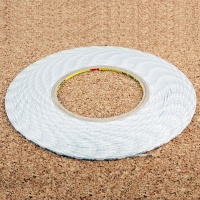
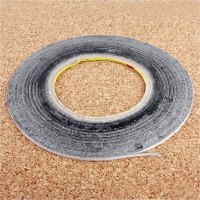
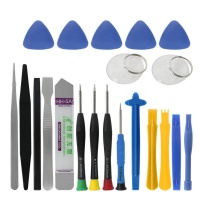
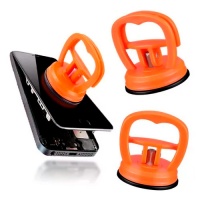

Receive it on wednesday 14 de october


Revive Your PS4: Quick Fixes for Common Issues
If your Sony PlayStation 4 has been acting up, don't worry—you can bring it back to life with some straightforward repairs using high-quality components. Many users encounter issues like cracked screens, failing batteries, or overheating problems, often from everyday wear and tear or accidental drops. Understanding the core parts of your console, such as the display, cooling system, and power supply, is key to diagnosing and fixing these glitches. In this guide, you'll learn how to identify common failures and restore functionality step by step, ensuring your gaming sessions remain uninterrupted. Our shop offers reliable spare parts that match your device's specifications, making the fix process accessible even for beginners.
Start by assessing the problem: if visuals are distorted or the console shuts down unexpectedly, it could stem from damaged internal components like the LCD display or motherboard. For instance, a cracked display often results from impacts, but replacing it with a compatible screen can restore crystal-clear graphics. We'll walk you through logical steps, from gathering tools like screwdrivers and anti-static mats to safely disassembling your PS4. Remember, always power off and unplug the device before starting any repair to avoid electrical hazards. By educating yourself on these elements, you'll not only fix the issue but also prevent future breakdowns through proper maintenance.
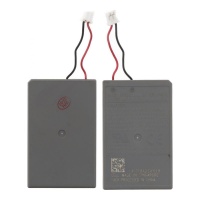
Upgrading faulty parts isn't just about immediate fixes; it's about enhancing your console's longevity. Consider how a worn-out battery in your controller drains quickly during intense gameplay—replacing it with a durable alternative ensures hours of reliable power. Our selection includes precise matches for models like the Battery for PS4 1000 1100 1200, designed for seamless integration. As you explore these solutions, think about combining repairs for optimal performance, such as checking the cooling fan while addressing display issues. 🛠 To get started, review our options for original and compatible screens to find the perfect fit for your setup.
Finally, embracing a DIY approach empowers you to handle repairs confidently. Educate yourself on the interplay between components like the HDMI port and audio speakers, which can affect overall immersion. If you're new to this, follow video tutorials or consult compatibility charts to ensure the parts align with your PS4 model. This knowledge turns a frustrating malfunction into an opportunity to learn more about your device's architecture, from circuit boards to vibration motors.
Dealing with a Cracked Display? Here's How to Restore It
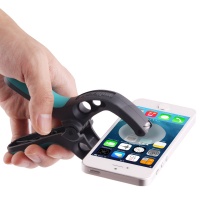
A cracked display on your PS4 controller or console can ruin your gaming experience, often caused by accidental drops or pressure. The screen, a vital component made of LCD technology, handles visuals and inputs, but cracks can lead to unresponsive areas or distorted images. To fix this, you'll need to replace the damaged part with a compatible LCD unit from our shop, ensuring it matches your model's specifications for perfect alignment. Begin by powering down your device and removing any outer casing to access the internals safely.
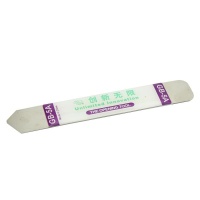
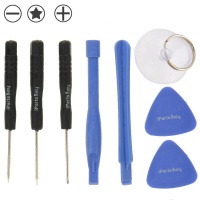
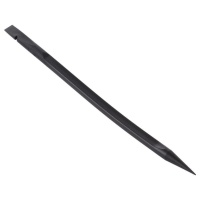
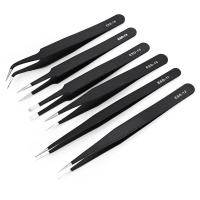
Step one: Gather your tools, including a precision screwdriver set and plastic pry tools to avoid further damage. Carefully disconnect the flex cables connected to the display, noting their positions for reassembly. Install the new screen by aligning it precisely and securing it with screws—this restores the vibrant, clear visuals you expect from your PS4. Our compatible LCD parts are tested for durability, preventing issues like backlight failures that plague older screens. 🔍 Remember, handling these components with care minimizes static electricity risks, which could harm sensitive electronics.
After installation, test the display by booting up a game to check for responsiveness and color accuracy. If everything looks good, you've successfully revived your console's interface. This repair not only fixes the crack but also teaches you about the layered structure of modern displays, including protective glass and touch-sensitive layers. For those dealing with smartphone-like interfaces on controllers, similar principles apply, emphasizing the importance of quality spare parts.
Battery Draining Too Fast? Upgrade and Restore Power
Fast-draining batteries in your PS4 controllers are a common headache, stemming from age, overuse, or manufacturing wear. The battery, a rechargeable lithium-ion component, powers wireless gameplay, but degradation leads to shorter sessions and frequent recharges. To fix this, opt for a direct swap with our high-quality Battery for PS4 1000 1100 1200, which offers extended life and easy installation. Start by opening the controller's back panel with a screwdriver, exposing the battery compartment for a hassle-free replacement.
Disconnect the old battery by gently unplugging its connector, then insert the new one, ensuring the wires align correctly to avoid short circuits. This upgrade restores reliable power, allowing you to game without interruptions. Educate yourself on battery health: factors like temperature and charging habits affect longevity, so store your controller in a cool place. Our batteries are compatible with various models, providing a seamless fix that matches original specs. 🔋 If you're experiencing similar issues in other devices like smartphones, the principles of battery management remain consistent.
Post-replacement, calibrate the battery by fully charging and discharging it a few times to optimize performance. This step ensures maximum capacity and teaches you about energy cycles in gaming components. With this knowledge, you'll prevent future drains and maintain peak efficiency. Consider reviewing our options for original and compatible screens if your controller's display is also affected by power issues.
For advanced users, monitor battery voltage using simple multimeters to diagnose deeper problems before they escalate. Understanding these components empowers you to handle repairs proactively, turning a simple fix into a lesson in device maintenance.
Overheating Woes: Cool Down Your Console Effectively
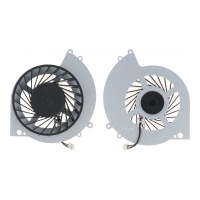
Overheating in your PS4 often results from dust buildup or fan failures during extended play, causing shutdowns or performance lags. The cooling fan, a crucial component, circulates air to dissipate heat from the processor and graphics unit. To fix this, replace the faulty fan with our Cooling fan for PS4 consoles CUH-1216B, designed for quiet, efficient operation. Begin by unplugging the console and removing the outer shell to access the internal fan assembly.
Clean any accumulated dust with compressed air before installing the new fan, securing it with the appropriate screws and reconnecting power cables. This restores proper airflow, preventing thermal throttling and ensuring smooth gameplay. Learn about thermal paste application too—it's often needed alongside fan replacements for optimal heat transfer. Our fans are precision-engineered to match your model's RPM and size, making the fix straightforward. 🌫 Similar cooling principles apply to other electronics like smartphones, where ventilation is key.
Test the console after reassembly by running a demanding game and monitoring temperatures with built-in diagnostics if available. This confirms the repair's success and educates you on signs of overheating, like unusual noises or hot exteriors. By addressing this, you extend your PS4's lifespan significantly.
Disc Drive Malfunctions: Simple Parts to Get It Spinning Again
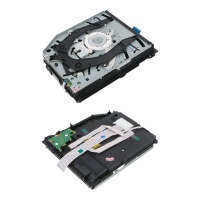
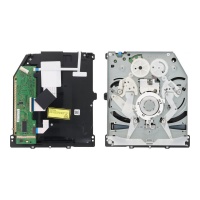
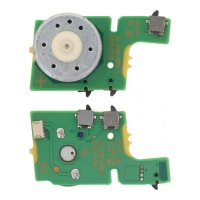
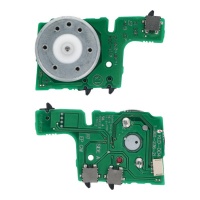
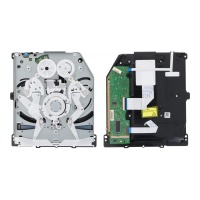
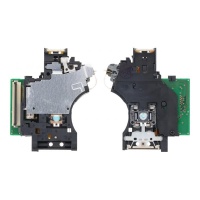
Disc drive issues in your PS4 can halt your gaming library access, often due to worn motors or laser lens failures from heavy use. The disc drive component reads physical media, but malfunctions like ejection problems or read errors are fixable with targeted replacements. Our shop provides options like the Disc Drive Motor for PS4 KLD-003 or the full Disc Drive for PS4 / PS4 Pro CUH-1200, promising a quick return to spinning discs. Approach this by first diagnosing the error codes on your console to pinpoint the faulty part.
Disassemble the drive unit carefully, replacing the motor or lens as needed—for example, the KES-490 Laser Lens for PS4 / PS4 Slim / PS4 Pro restores accurate reading. Realign components logically, ensuring belts and gears are intact for smooth operation. This fix not only revives functionality but also teaches you about optical drive mechanics, similar to those in older computers or smartphones with disc capabilities. 💿 Use a clean workspace to avoid contaminating sensitive parts.
After installation, test with multiple discs to verify performance, adjusting if necessary. Combining this with cleaning routines prevents recurrence, enhancing your understanding of maintenance. Review our options for original and compatible screens if display issues accompany drive problems.
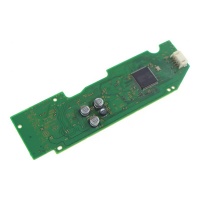
For comprehensive repairs, consider the BDP-020 Disc Drive PCB Board for PS4, which handles electronic controls and integrates seamlessly.
Vibration Motors Gone Silent? Restore the Rumble
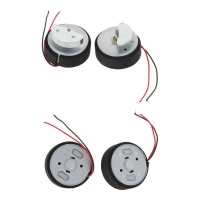
Silent vibration motors in your PS4 controllers diminish immersion, usually from impact damage or wear over time. These small motors, key components for haptic feedback, provide rumble effects during gameplay. Restore them easily with our Left and right vibrating motors for PS4 controllers, offering a direct swap. Open the controller, locate the motors on either side, and disconnect them carefully to begin the fix.
Install the new motors by soldering or clipping them in place, ensuring polarity matches for proper function. This revives the tactile experience, making actions like driving or combat feel realistic again. Educate yourself on motor types—they're eccentric rotating masses that create vibrations, a technology shared with smartphone alerts. 🔥 Test post-installation with a game that utilizes rumble to confirm success.
Prevent future failures by handling controllers gently and avoiding drops. This repair highlights the importance of internal components in user experience.
HDMI Port Problems: Connect and Play Without Interruptions
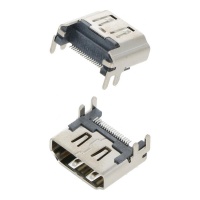
Faulty HDMI ports on your PS4 disrupt video output, often from cable strain or port wear. This component transmits high-definition signals to your TV, but damage causes flickering or no signal. Fix it with our HDMI V1 Port for PS4 Consoles, a reliable replacement. Access the port by removing the console's back panel and desoldering the old one if needed.
Secure the new port and reconnect, restoring seamless connections. Learn about HDMI standards to appreciate its role in audio-video transmission, akin to ports in smartphones. 📺 Verify with different cables after repair.
This fix ensures uninterrupted play, teaching you about connectivity components.
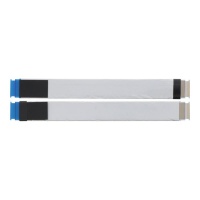
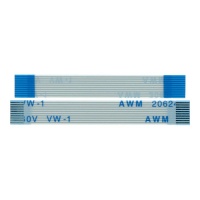
Consider the Flex cable for DVD unit PS4 if related issues arise.
Speaker and Audio Glitches: Hear Every Detail Again
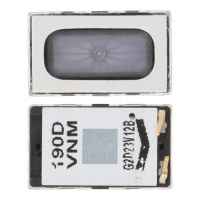
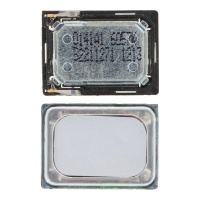
Distorted audio from damaged speakers or microphones in your PS4 setup ruins immersion, caused by exposure or failures. These components handle sound output and input for clear communication. Replace with our 1.5 x 1.7 cm speaker for PS4 controllers or Speaker for Playstation 4 controllers 1.1 x 1.5 cm to restore crisp sound. Disassemble to access and swap the faulty unit.
Reconnect and test with voice chat or games, ensuring volume levels are balanced. This educates on audio transducers, similar to those in smartphones. 🔊 Clean contacts for better performance.
Maintain by avoiding liquids, prolonging component life.
Power Supply Failures: Stable Energy for Endless Gaming
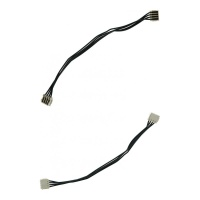
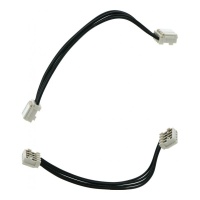
Power supply failures in your PS4 lead to unexpected shutdowns, often from faulty cables or switches. The power system, including flex cables, ensures stable energy flow. Use our Power flex cable for PS4 ADP 200ER with 4 pins or Power supply cable for PS4 ADP 240CR 4 pins for a fix. Inspect and replace damaged parts after opening the console.
Secure connections to restore consistent power, learning about voltage regulation. ⚡ Test thoroughly post-repair.
This prevents interruptions, enhancing gaming reliability.
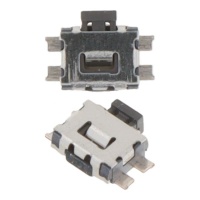
Include the Power Switch for PS4 if buttons are unresponsive.





