
 Repair parts Samsung Galaxy Tab S10 Lite


Receive it on tuesday 27 de october


Tablet (SM-X400) or Mobile (SM-G770F)? Don't Confuse Your Device
The "S10 Lite" market is confusing, as Samsung released two very different devices with almost identical names. The parts for them are NOT interchangeable.
- THIS ARTICLE (AND ITS PARTS) IS FOR THE TABLET: The Samsung Galaxy Tab S10 Lite. Its model numbers are SM-X400 (Wi-Fi version), SM-X406, or SM-X406B (5G/Cellular version). It is characterised by its large 10.9-inch screen.
- THE OTHER (INCOMPATIBLE) DEVICE IS THE MOBILE: The Samsung Galaxy S10 Lite (phone). Its model number is SM-G770F. It is a phone with a 6.7-inch screen.
Before adding any part to your basket, check your model number. Go to Settings > About tablet > Model number. If you see "SM-X400" or "SM-X406", you are in the right place. If you see "SM-G770F", you need parts for the S10 Lite phone, which you will find in another section of our shop.
Quick Tech Specs: Samsung Galaxy Tab S10 Lite (SM-X400/SM-X406)
Knowing your tablet's factory specifications is essential to understand which parts you need. Here are the key technical details relevant to any repair:
- Screen: 10.9-inch TFT LCD panel, with a 90Hz refresh rate and 1320 x 2112 pixel resolution.
- Battery: A powerful 8000 mAh Li-Po unit, non-removable, with 25W fast charging support.
- Processor: Exynos 1380 (5 nm).
- Chassis: "Armor Aluminum" Unibody, giving it rigidity and durability.
- Cameras: Main (rear) 8 MP and Front (selfie) 5 MP.
- Factory Colours: Gray, Silver, and Coral Red.
- Dimensions: 254.3 x 165.8 x 6.6 mm.
The Broken Screen: The Star Replacement Part for the Tab S10 Lite 💎
The most exposed component and the most in-demand replacement part. A drop is the most common cause, but not the only one. Here, we'll teach you how to diagnose the problem and choose the perfect replacement.
Common Symptoms: When Do I Need to Change the Screen?
It's not always obvious that the screen is the problem. Review this list of symptoms to confirm that a screen replacement will solve your issue:
- Broken Glass: The most obvious symptom. The touch may still work, but the glass is shattered or cracked.
- Touch Not Responding (Digitiser Failure): The glass is intact, but the tablet doesn't react to touch in some or all areas. (Note: Be sure to read our software section below to rule out a system freeze).
- Blemishes or Vertical Lines: The screen shows "ink spots" (dead pixels) or flickering coloured lines. This is an LCD panel failure.
- Black Screen: The tablet turns on (you can hear notification sounds), but the screen shows no image.
Technical Quality Analysis: A Guide to Choosing Your Screen
This is where technical jargon can be confusing, but we're here to clarify it. Your choice of replacement part will depend on your budget and the quality you're looking for.
The Original Screen: TFT LCD
The Samsung Galaxy Tab S10 Lite comes from the factory with a high-quality 90Hz TFT LCD panel. TFT (Thin-Film Transistor) is a mature, reliable LCD technology with excellent colour reproduction and brightness. Samsung chose it for the "Lite" line for its fantastic balance between performance and cost. A TFT quality replacement will be the closest match to your factory original.
The Premium Option: INCELL Screens
INCELL technology is an evolution of LCD screens. In a traditional TFT panel, the touch sensor (digitiser) and the LCD are separate layers. In an INCELL panel, the touch sensor is integrated within the LCD structure itself.
What does this mean for you? An INCELL replacement offers noticeable advantages: it's slightly thinner, eliminates layers of air and glass, resulting in sharper, brighter colours, and a more direct and responsive touch. At iLevante.com, we recommend INCELL screens as the "Premium Compatible" option for those seeking the best possible visual quality in their repair.
The "Upgrade" Myth: What About OLED/AMOLED Screens?
You may have heard of OLED and AMOLED screens, famous for their "pure blacks". It's important to understand that these screens use a completely different self-emissive pixel technology. The Galaxy S10 Lite (SM-G770F) phone does use a Super AMOLED screen.
However, for your Galaxy Tab S10 Lite (SM-X400), which was designed for a TFT/LCD panel, there are no "upgrades" to OLED or AMOLED. The motherboard connectors, the firmware that controls the image, and the voltages are incompatible. Your real choice is between the excellent quality of a TFT replacement (standard) or the superior quality of an INCELL replacement (premium).
8000mAh Battery: Diagnosis and Replacement 🔋
The battery is a consumable component. With hundreds of charge cycles, its degradation is inevitable. We'll show you how to detect when it's time for a change.
Is My Battery Faulty? Signs of Failure
A faulty battery can manifest in very annoying ways. If your tablet experiences any of these symptoms, it's time for a replacement:
- Rapid Draining: The tablet doesn't last the day. It goes from 100% to 40% in just a couple of hours of light use.
- Unexpected Shutdowns: It turns itself off, especially when the battery drops below 30-40% or when you open a demanding app (like a game or the camera).
- Percentage Jumps: The battery jumps from 30% to 5% in an instant, or it takes hours to charge from 95% to 100%.
- Swollen Battery (DANGER!): This is the most serious symptom. If you notice the screen lifting on one side, or the back casing looks bulging, the Li-Po battery has swollen. This is a fire hazard. Turn off the tablet, do not charge it, and replace the battery immediately.
The Correct Battery: 8000mAh (Likely EB-BT875ABY)
The factory capacity of the Galaxy Tab S10 Lite is 8000 mAh. As it's a recent model, the exact part number can be hard to find. However, our technical analysis indicates it's highly likely to use the same battery as other Samsung models with identical capacity. The most probable part number, used in the Tab S7 and S8, is EB-BT875ABY (8000mAh). All battery replacements from iLevante.com are guaranteed to be 100% compatible in capacity and voltage with your SM-X400.
OEM vs. OEM (No Logo) Parts: Which to Buy?
In the world of replacement parts, you'll find terms like "OEM". OEM stands for "Original Equipment Manufacturer".
- OEM Battery: A battery made by the same company that made the original battery for Samsung.
- OEM (No Logo) Battery: This is the smart choice. It is an identical battery to the original, manufactured on the same production line, with the same materials and quality controls. The only difference is that it doesn't have the "Samsung" logo printed on it. This allows it to be sold at a more competitive price without the brand licensing costs.
By buying an "OEM no logo" battery from iLevante.com, you ensure you get original quality and avoid dangerous, low-quality fakes, which often promise unrealistic capacities and fail within a few months.
Basic Repair Guides (DIY)
Repairing a tablet is more complex than a phone. Here are the basic outlines so you can assess the difficulty of the most common repairs.
Basic Outlines: How to Change the Screen (and Access the Battery)
Unlike many phones, the Galaxy Tab S10 Lite (like most unibody tablets) opens from the front. This means that to access any internal component (battery, charging port, cameras), you must remove the screen first.
This makes a battery change an advanced difficulty repair, as you risk breaking your screen (even if it was healthy) during the process.
General Steps:
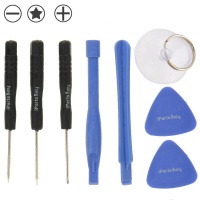
- Heat: Use a heat gun or a thermal mat (at about 80-90°C) to apply uniform heat around the entire edge of the screen. This softens the adhesive holding it to the aluminium frame.
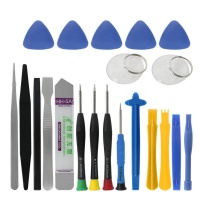
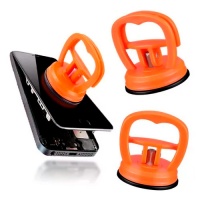
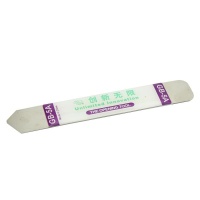
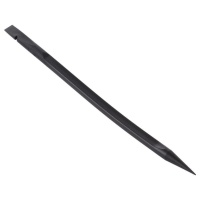
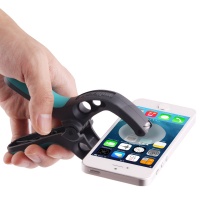
- Opening: With a strong suction cup, pull gently on the screen while inserting a thin plastic pick (spudger) between the glass and the frame. Slide the pick around the entire perimeter to cut the adhesive. Be extremely careful not to insert it too deep and damage the LCD panel.
- Disconnection: Lift the screen like a book. Identify the flex cable connecting it to the motherboard, lift the ZIF connector's tab, and carefully disconnect it.
- Access: You're in! You can now access the battery, motherboard, and other components.
- To change the battery: Disconnect the battery flex. The battery will be stuck with strong adhesive. Use isopropyl alcohol to dissolve it and a wide plastic pry tool to lever it out slowly. NEVER use metal or puncture the battery.
The "Back Cover" Myth: Unibody Aluminium Chassis
The user asked us about "back covers" and their colours. This is a common confusion stemming from phone repairs (like the SM-G770F, which does have a back cover).
The Galaxy Tab S10 Lite has a Unibody "Armor Aluminum" chassis. The back and sides are a single piece of metal. The colours (Gray, Silver, Coral Red) are the finish of this metal. This piece is not a replacement part; it's the tablet's skeleton. If it's severely damaged, the repair would involve a complete transplant of all internal components, which is extremely complex.
What does often get damaged on the back and is easy to repair is the Camera Lens Glass. If your photos are blurry and you see scratches on the small glass protecting the lens, you can replace just that piece.
The 4 Most Relevant Replacement Parts (Besides Screen and Battery)
Based on our technical analysis, these are the components that fail most often due to mechanical use and wear. At iLevante.com, we have the replacements with their original part numbers (Part No.) for a perfect repair.
1. Charging Connector Board (USB-C Port)
Symptoms: The most common failure after the battery. You'll notice intermittent charging, the USB-C cable feels loose, the tablet isn't recognised by your PC, or it simply won't charge at all.
The Part: It's a small PCB (Printed Circuit Board) that contains the USB-C port and often the main microphone. It's a much easier repair than soldering a new port.
Part Number (Part No.): GH82-38172A
2. Loudspeaker Module (Bottom)
Symptoms: Media sound is distorted, "crackly", very low in volume, or there's no sound at all.
The Part: The loudspeaker module that handles the main audio. The Tab S10 Lite has stereo speakers; this is one of them.
Part Number (Part No.): GH82-38173A (Bottom Right)
3. Front Camera Module (5MP)
Symptoms: Essential for video calls. If it fails, the camera app will close unexpectedly, show a black screen when switching to the selfie camera, or photos will be blurry or have strange colours.
The Part: The 5MP camera module that easily connects to the motherboard.
Part Number (Part No.): GH96-20251A
4. Rear Camera Lens Glass (8MP)
Symptoms: This is the part we mentioned as the real "back cover" repair. If your rear photos are blurry, have "halos", or are out of focus, but the 8MP camera module itself is fine, the problem is the external glass which is scratched or broken.
The Part: A small adhesive glass piece that protects the lens.
Part Number (Part No.): GH64-09990A
Advanced Diagnostics: When Software Pretends to be Hardware 💻
From our repair technician's perspective, this is the most valuable advice we can give you: not all problems are physical. Save money and avoid unnecessary part returns by reading this before you buy.
Technician's Perspective: "My Touchscreen Isn't Responding"
A customer with an unresponsive touchscreen will buy a new screen. But what if the new screen doesn't work either? Then the problem was never the hardware.
A freeze in the operating system (Android 15 / One UI) can freeze the touch driver. Before buying anything, do this:
- Force Restart (Soft Reset): Press and hold the Power Button + Volume Down Button simultaneously for 10-15 seconds, until the tablet restarts. This does not erase data and fixes a surprising 50% of "dead touch" problems.
- Safe Mode: If the touch is working erratically, restart in Safe Mode. If the touch works perfectly in this mode, the problem is a third-party app you have installed.
- Touch Sensitivity: If you've just installed a screen protector, the touch might be less responsive. Go to Settings > Display and activate the "Touch sensitivity" option.
If you've tried all this and it still doesn't work, then yes, you need a new screen from iLevante.com.
The Boot Loop: Battery or Firmware?
Symptom: Your tablet restarts constantly, showing the Samsung logo over and over, but never fully boots (this is called a "bootloop"). Your instinct tells you it's the battery.
Software Diagnosis: Often, it's a firmware failure (corrupt software) after a failed update.
- Solution: "Wipe Cache Partition". Boot the tablet into Recovery Mode (with the tablet off, press and hold Power + Volume Up). In the menu that appears, use the volume buttons to navigate to "Wipe Cache Partition" and select it with the power button. This is like a "spring clean" for the system. It does not delete your personal data and often fixes the bootloop.
When it's Hardware: If the tablet turns off instantly as soon as you remove the charger, or if the "Wipe Cache Partition" doesn't fix it, it's much more likely to be a hardware fault, with a defective battery being the prime suspect.
Repair, Don't Replace. Your Galaxy Tab S10 Lite Has a Future with iLevante
Your Samsung Galaxy Tab S10 Lite (SM-X400 / SM-X406) is a powerful device designed to last for many years. An accident doesn't have to be its end. Armed with the knowledge from this guide and the high-quality replacement parts from iLevante.com, you can face any repair with confidence.
From a new INCELL screen that surpasses the original, to the 8000mAh battery that will restore its day-one autonomy, we have everything you need. Explore our catalogue of parts for the Tab S10 Lite, verify your model number, and join the repair movement. Give your tablet a second life! 🚀





