
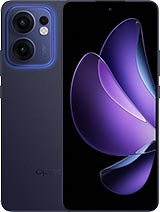
 Repair parts Oppo Reno 13 F


Receive it on monday 19 de october


Give Your Oppo Reno 13 F a Second Wind! 🛠️ Expert Guide to Quality Spare Parts, Screens, and Batteries
Hello to all Oppo Reno 13 F owners! At iLevante.com, we understand that a minor accident or the natural wear and tear of components should not mean the end of an excellent mobile device. In fact, when using a phone with solid specifications like the Reno 13 F, the smartest and most economical decision is to invest in high-quality spare parts to prolong its lifespan. 👍
The Oppo Reno 13 F, identified by its technical models CPH2699 (5G) and CPH2701 (4G), is a mid-to-high-range terminal incorporating powerful hardware. It is driven by the Qualcomm Snapdragon 6 Gen 1 mobile platform, features a generous 6.67-inch AMOLED screen, and has a large 5800mAh battery. Furthermore, its robust construction includes an IP68/IP69 water and dust resistance certification. Therefore, repairing this mobile with appropriate parts is an act of investment. In this guide, we focus on the essential hardware spare parts so you can restore your Oppo Reno 13 F's original performance and aesthetics.
The Complete Screen: The Key Replacement Part for the Oppo Reno 13 F 📱
The screen is, without a doubt, the part most exposed to damage. The original panel of the Oppo Reno 13 F is a technological gem: 6.67-inch AMOLED, with a high resolution of 1080 x 2400 pixels (FHD+) and an ultra-fluid refresh rate of 120Hz. When this component fails, whether due to visible glass breakage, digitaliser failures (the component that registers touch), or the appearance of lines and black spots typical of damaged organic panels, it is necessary to purchase the "Complete Screen Assembly" (Display + Digitaliser).
To maintain the visual and tactile experience the Oppo Reno 13 F offers, it is vital to understand the differences between the replacement options available in the market. 🧐
Buying an Oppo Reno 13 F Screen: Understanding Quality Options (OLED, INCELL, TFT) 🔍
When looking for a screen replacement, you will encounter various names that determine the quality and, fundamentally, the functionality your device will recover:
- AMOLED/OLED Premium or Originals: These screens are the highest fidelity option. They offer the same infinite contrast, vibrant colours, high brightness (up to 2100 nits peak), and energy efficiency as the factory panel. If you are looking for a total restoration of image quality and functionality, this is the correct choice. 💎
- INCELL: This technology is an advanced form of LCD (Liquid Crystal Display) panel. INCELL screens are known for their reduced thickness and immediate touch response, in addition to offering sharp and bright colours. They represent an excellent balance between cost and performance for the average user.
- TFT (Compatible LCD): This is the most economical solution for a repair. Although the image quality is noticeably lower than the original AMOLED, its main advantage lies in the accessible cost, and they are often sold pre-assembled with the phone's frame. This greatly simplifies the installation process by eliminating the need to separate the damaged glass from the chassis. 💸
Crucial Technical Warning: Compatible Screens vs. Biometrics ⚠️
The Oppo Reno 13 F integrates in-display fingerprint technology. It is essential to understand that the operation of this optical biometric sensor is intrinsically linked to the use of an OLED/AMOLED panel, which allows light to pass through to read the print.
Technical experience has shown that when opting for replacement parts based on LCD technology, such as TFT or INCELL screens, the fingerprint reader WILL NOT work after installation. Furthermore, the proximity sensor (which turns off the screen when you bring the phone close to your ear during a call) may also fail or become unstable with these lower qualities. If biometric security and the convenience of the proximity sensor are vital for your daily use, investing in a superior quality AMOLED screen is mandatory. If budget is your biggest limitation and you can do without these functions, compatible options offer a functional alternative.
Table: Comparison of Replacement Screen Qualities for Oppo Reno 13 F (CPH2699)
| Screen Type | Base Technology | Fingerprint Sensor | Proximity Sensor | Main Advantage |
|---|---|---|---|---|
| AMOLED/OLED Premium | OLED | Yes (Functional) | Yes (Functional) | Complete device restoration |
| INCELL | Advanced LCD | Does Not Work | Possibly Does Not Work | Excellent cost/touch response balance |
| TFT (Compatible LCD) | Basic LCD | Does Not Work | Possibly Does Not Work | Most economical and easiest solution to install (with frame) |
The Heart of the Device: Batteries for Oppo Reno 13 F (5800mAh) 🔋
Battery Specifications and Symptoms of Wear 📉
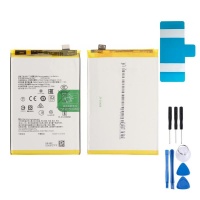
The Reno 13 F is distinguished by its excellent battery life, powered by a large capacity 5800mAh battery, which also supports 45W fast charging. However, no battery lasts forever. Over time and charge cycles, the chemical capacity degrades, and it's time to look for a replacement.
There are several clear signs that the battery is defective and needs replacement: 🚨
- Rapid and Drastic Discharge: Battery life is reduced by half or less, and the phone discharges quickly even without intensive use.
- Erratic Behaviour: The charge percentage rises or falls irregularly, or the phone unexpectedly switches off when still showing a high percentage (e.g., 20%).
- Swelling (WARNING!): If, when gently touching the back of the phone, you notice a bulge or curvature, the battery is swollen. This indicates an internal chemical failure and a safety risk. In this case, the phone must be switched off immediately, must not be charged or handled, and must be taken to a technical service for safe extraction. 🛑
OEM Batteries without Logo: Original-Like Quality ⭐
It is common to find replacement batteries listed as "OEM without logo" in the market. The term OEM stands for "Original Equipment Manufacturer." In the context of batteries for the Oppo Reno 13 F, this implies that the component was produced by an external manufacturer based on the exact specifications provided by the designer (Oppo).
The advantage of an OEM battery is that, although it does not carry the official brand logo, it is designed to replicate the original performance in terms of capacity (5800mAh), voltage, and fast charging support (45W). By purchasing a guaranteed quality OEM replacement part, you get the original performance without incurring the high cost associated with the official brand, thus ensuring the full restoration of the Reno 13 F's battery life. ✅
Basic Guide to Battery Replacement 🔧
Replacing the battery in the Reno 13 F, as in most modern devices, requires opening the device. After removing the back cover (usually by gently heating the adhesive to soften it), it is essential to remove the middle frame and the motherboard cover. The most critical step is to disconnect the battery flex cable before attempting to remove it. Batteries are usually fixed with strong adhesives; using plastic spudgers helps to remove it carefully, minimising the risk of accidental puncture.
The 4 Essential Spare Parts for the Oppo Reno 13 F (Key Hardware) 🎯
Beyond the screen and battery, other modular components are susceptible to damage or wear. Below, we explore the four most requested hardware replacement parts for the Oppo Reno 13 F.
1. USB-C Charging Port Flex Cable (Charging Connector) 🔌
This is a common point of failure due to constant use and exposure to dirt and moisture. The most frequent problems include intermittent charging, the feeling that the USB-C cable is loose, or the total absence of charge. Even if the device has IP certification, physical wear, such as bent, broken, or corroded pins inside the port, remains a primary cause of failure. Replacing the charging port flex cable with a premium version ensures the device regains a stable connection and can safely handle the 45W charging power.
2. Back Cover or Casing (Aesthetics and IP Protection) ✨
Back covers are easily damaged by drops or scratches, affecting the terminal's aesthetics. Replacement covers can be found in Purple, Black, Blue, or Pink colours, allowing you to restore the device's original design. 🌈
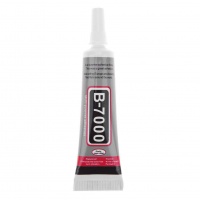
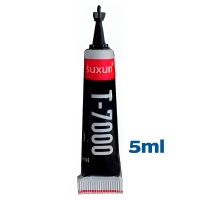
However, replacing the cover goes beyond aesthetics. Since the Oppo Reno 13 F has IP68/IP69 certification, every time the phone is opened for any repair (be it the cover, screen, or battery), the seal is compromised. To attempt to restore splash resistance and protect the interior from dust and moisture, it is essential that the replacement cover is installed with new and specific adhesive (such as T7000). It is important to ensure that the replacement part includes the camera lens cover, guaranteeing a perfect fit and protection for the photographic module.
3. Camera Modules and Lens Glass 📸
The triple rear camera system of 50 MP (wide-angle) + 8 MP (ultra-wide angle) + 2 MP (macro) or the 32 MP front camera may fail, resulting in focus problems, blurry images, or failures when opening the application. In these cases, replacement of the complete camera module is necessary.
Alternatively, if photos look blurry or distorted but the camera module works, the problem may just be the lens protector glass that is broken or scratched. This is a more economical repair that involves only peeling off the small damaged tempered glass and placing a new one, often accompanied by a replacement adhesive sticker. 🤏
4. Lower Speaker (Buzzer) 🔊
If you experience a significant loss of volume or unpleasant distortion in media playback or hands-free calls, the lower speaker (buzzer) may need replacement. This component is modular and is located on the lower board, which facilitates its substitution once the inside of the terminal is accessed.
Quick Technical Guide: How to Approach DIY Repair of the Reno 13 F 👨🔧
Although some repairs (such as charging port soldering) require professional equipment, screen, battery, and back cover replacements are accessible with the right tools and patience. Here is a basic guide:
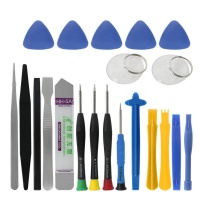
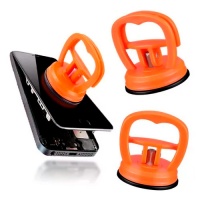
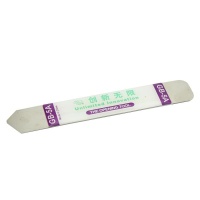
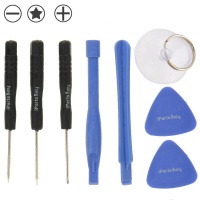
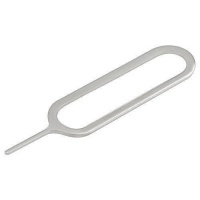
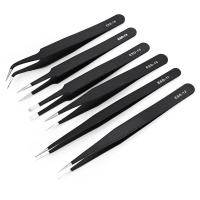
1. Preparation and Disconnection: Always switch off the phone. Remove the SIM tray. Use a precision tool kit, including Phillips 00 screwdrivers, and plastic opening tools (spudgers) to avoid damaging the chassis. 🔩
2. Universal Opening (Back Cover): Most repairs start here. To peel off the back cover, apply moderate heat (around 80°C) to the edges to soften the adhesive. Then, insert a pick or plastic spudger and carefully go around the perimeter. 🔥
3. Priority: Electrical Safety: Once the screws of the board cover are removed, the most important safety step is to disconnect the battery flex cable immediately. This prevents accidental short circuits when handling other components. ⚡
4. Replacement: Substitute the damaged component. If it is the screen, remove the remnants of old glue from the frame. If it is a modular component (like the speaker or charging flex), unplug the connector and remove the associated screws on the lower board.
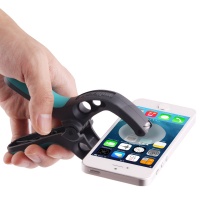
5. Re-sealing and Final Assembly: Before closing, meticulously clean any residual adhesive. Apply new adhesive (such as T7000) to the perimeter of the chassis or the cover. Position the new part and use soft rubber bands or clamps to apply pressure and ensure bonding until the adhesive cures. This process is vital for recovering structural integrity and splash protection. 💧
Hardware vs. Software: ColorOS 15 Faults That Fool the Technician 💻
As repair technicians, we know that not all performance problems are physical failures. The Oppo Reno 13 F uses the ColorOS 15 operating system, based on Android 15, and certain software issues can simulate hardware failures, leading the user to buy an unnecessary replacement part.
Technical Diagnosis: When the Fault Is Not Physical 🧐
Two common areas of conflict are performance and battery stability. Some users have reported RAM management issues that cause constant refreshing of basic applications, or rapid battery drain immediately after a major ColorOS update. 🐢
Furthermore, new artificial intelligence features (AI Eraser, AI Clarity) introduced in ColorOS 15 have presented frequent errors, such as failures in installing plug-ins or "try again" messages due to server or cache issues.
It is important, before purchasing expensive replacement parts due to poor performance, to exhaust the software options:
- For Post-Update Battery/Performance Issues: An effective solution that does not erase data or applications is to reset all system settings. This is done in Settings > System > Backup and Reset > Reset Phone > Reset all settings. ⚙️
- For AI Function Failures: If the editing tools fail, the problem is often related to the artificial intelligence service engine cache. It is recommended to go to Settings > Apps > App Management, search for "AI Service Engine" and clear the storage data and cache to force a clean reinstallation of the plug-in. 🧹
Repair with Confidence and Quality at iLevante.com 💯
The Oppo Reno 13 F is a quality device that offers excellent features thanks to its hardware, including its 120Hz AMOLED screen and its powerful 5800mAh battery. When the hardware fails, the key to a successful repair is the quality of the replacement part. 🔑
At iLevante.com, we offer you the necessary variety, from premium AMOLED screens that preserve the functionality of the fingerprint reader, to economical TFT solutions with a frame to simplify assembly. Furthermore, our OEM batteries guarantee that you recover your device's capacity and charging speed. Trust guaranteed quality replacement parts to ensure your Oppo Reno 13 F continues to offer the performance you expect. Buy your spare parts today and bring your mobile back to life! 🛍️





