
 Repair parts Oppo Find X8 Ultra


Receive it on monday 19 de october


🔍 Definitive Guide to Spare Parts and Components for Oppo Find X8 Ultra: Screens, OEM Batteries, and Hardware Solutions
Welcome, technician or advanced user, to the most comprehensive guide on essential replacement parts for the Oppo Find X8 Ultra. When it comes to repairing an ultra-high-end flagship, the quality of the replacement component is not optional; it is a fundamental requirement to preserve the original performance, ultra-fast charging, and biometric functions. At iLevante.com, we understand this demand, which is why we offer a detailed analysis of which parts to choose and how to approach the most common repairs.
🛠️ The Oppo Find X8 Ultra: Precision Engineering and the Demand for Spare Parts
The Oppo Find X8 Ultra is positioned in the market as a flagship with extreme performance, with a launch scheduled for April 2025. This level of precision engineering necessitates equally high quality standards for any repair intervention. The device integrates cutting-edge components that demand strict compatibility from replacement parts, especially those that interact directly with the performance hardware and biometric features.
The internal architecture is designed around the powerful Qualcomm Snapdragon 8 Elite (SM8750-AB) chipset manufactured on 3 nm, accompanied by RAM configurations of 12GB or 16GB. This combination of high performance dictates that the power modules and user interfaces must be capable of efficiently managing thermal dissipation and electrical demand. The need to support sustained performance is a primary consideration when selecting crucial spare parts, such as the battery and the screen. iLevante.com supports the main variants of the model, identified as PKJ110 and PKU110, ensuring compatibility at the product reference level.
The Philosophy of Repair: Why is Quality Non-Negotiable?
Given that the Oppo Find X8 Ultra is a device whose price easily exceeds €1000, any repair must focus on the complete preservation of the original value and capabilities. Repairing a flagship should not be perceived as an economic compromise that degrades the user experience, but rather as an investment to maintain the longevity and ultra-high-end specifications.
Structural components, such as the frosted glass back cover and the aluminium alloy frame, require expert handling. The replacement of the back cover, for example, demands the correct application of adhesives and the use of precision tools to ensure the perimeter seal. Using replacement parts that do not comply with OEM or high-quality aftermarket standards (such as an Incell technology screen instead of Soft OLED) will result in the loss of key features, effectively turning an ultra-high-end phone into a mid-range device, which leads to significant frustration for the end user and erodes confidence in the technical service.
📱 Screen Replacement Parts for Oppo Find X8 Ultra: Screen Types, Calibration, and the Challenge of the Ultrasonic Sensor
The screen module is the main interface of the Oppo Find X8 Ultra and its repair is the most delicate operation, given the advanced specifications of the original panel.
The original screen is an LTPO AMOLED panel of 6.82 inches with a resolution of 1440 x 3168 pixels (approximately 510 ppi density). This component is fundamental for the device's visual characteristics, including an adaptive refresh rate of 120Hz, a peak brightness capacity of 2500 nits, and native support for high dynamic range technologies such as Dolby Vision, HDR Vivid, and HDR10+. Additionally, the panel protection is provided by an unspecified version of Corning Gorilla Glass or Gorilla Glass Victus 2.
A crucial security and interaction element integrated into the screen is the ultrasonic fingerprint sensor. This type of sensor critically depends on the thickness and composition of the material covering it to function correctly.
The Quality Hierarchy in Spare Parts: AMOLED, OLED, INCELL, and TFT
The selection of the replacement screen's quality will determine whether the device retains its flagship functionalities or if an unacceptable functional degradation occurs. It is vital to know the differences between the technologies:
- Original/OEM Screen: Maximum quality, exactly the same LTPO AMOLED technology that comes from the factory, guaranteeing 120Hz and native ultrasonic operation.
- Soft OLED (Premium Aftermarket): Uses flexible substrates, which allows for a more precise replication of the thickness and resistance of the original AMOLED panel. This is the most recommended option in the aftermarket for maintaining colour fidelity, inherent contrast, and, crucially, full compatibility with the 120Hz refresh rate. The reduced thickness is essential for the functionality of the ultrasonic fingerprint sensor.
- Hard OLED: Uses rigid substrates. Offers good quality, but can be slightly thicker and more fragile on curved edges than Soft OLEDs, potentially affecting the seal and ultrasonic response.
- Incell / TFT (Economical): Incell technology (based on TFT/LCD with the integrated digitiser) is the most economical option available. However, it represents significant technical risks. These screens usually have lower contrast, much reduced maximum brightness, and a high probability of restricting the refresh rate to a maximum of 60Hz. Technical Warning: The greater structural thickness of Incell/TFT panels, compared to AMOLED, directly interferes with the ultrasonic sensor's ability to read the fingerprint through the screen, rendering this fundamental feature inoperable after repair. For a high-end device, Incell quality is not a viable solution.
The comparative analysis is detailed below:
Analysis of Screen Replacement Parts for the Oppo Find X8 Ultra
| Quality Grade | Base Technology | 120Hz Compatibility | Fingerprint Compatibility (Ultrasonic) | Operational Risk |
|---|---|---|---|---|
| Original/OEM | LTPO AMOLED | Native and Adaptive | High (after calibration) | Minimum |
| Soft OLED (Premium) | Flexible AMOLED | High (Needs verification) | High (Best Aftermarket Option) | Requires mandatory calibration |
| Incell/TFT (Economical) | Integrated TFT/LCD | Low (Likely limited to 60Hz) | Very Low (Highly probable to fail) | Degrades the flagship experience |
Post-Replacement Guide: Calibration and the Fingerprint Sensor
The replacement of the Find X8 Ultra screen demands a calibration process. Failure of biometric recognition after installing a replacement screen is a recurring issue.
After installing a quality Soft OLED screen, the strict protocol is as follows: it is essential to restart the device and perform a process of complete re-registration of fingerprints. If the problem persists, a deeper calibration is likely required using specific service tools or touchscreen calibration applications that minimise response time and help standardise pixels.
🔋 The Ultra-Fast Charging Heart: 6100 mAh Si/C Battery for Oppo Find X8 Ultra
Density and Safety: The Si/C Li-Ion Battery
The Find X8 Ultra incorporates a very high-capacity battery of 6100 mAh. The crucial element is the underlying chemistry: the device uses Silicon/Carbon (Si/C Li-Ion) technology. This composition allows for significantly greater energy density. This chemistry is intrinsically linked to the 100W SuperVOOC ultra-fast charging system (wired) and 50W wireless charging.
OEM Batteries without Logo: What are they and why are they Quality?
In the spare parts market, it is common to find OEM batteries without a logo. OEM (Original Equipment Manufacturer) means that the battery is designed and produced with the exact same specifications as the original, ensuring compatibility and optimal performance. A "no logo" or "OEM" battery means that, although it does not display the Oppo brand, it has passed rigorous quality control measures and uses the high-density cell chemistry (Si/C in this case) necessary to safely support and manage the 100W current input.
If you opt for uncertified generic batteries, which typically lack the Si/C chemistry and the manufacturer's rigorous quality controls (QC), two serious risks are incurred:
- Incompatibility with Fast Charging (100W): The phone's power controller (PMIC) will automatically limit the current input to protect the lower quality cell, resulting in drastically reduced charging speeds (slow charging), nullifying the key SuperVOOC functionality.
- Safety Risk: Generic alternatives may lack the protection circuits required to handle 100W, increasing the risk of overheating and swelling.
Therefore, investing in a certified OEM battery is vital to maintain safety and 100W performance.
How to Tell if the Battery is Faulty and Replacement
Indicators of a faulty battery include:
- Poor Battery Life: The phone discharges quickly without intensive use.
- Sudden Shutdowns: The device turns off with a remaining percentage (e.g., at 20% or 30%).
- Swelling: The back cover or screen bulges or separates from the chassis. Warning! A swollen battery is a serious problem that requires immediate attention to avoid safety risks; turn off the device immediately and do not attempt to charge it.
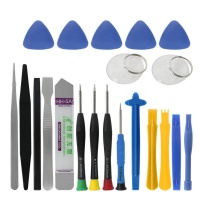
Basic Replacement Guide: Replacing the battery (6100 mAh module, non-removable) requires precision tools and heat to detach the back cover.
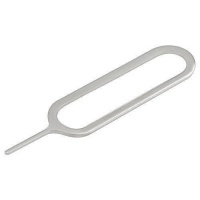
- Power Off and Removal: Turn off the phone completely and remove the SIM tray.
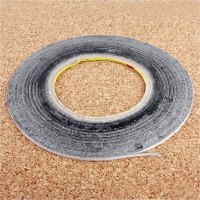
- Heat Application: Apply gentle and uniform heat to the edges of the back cover to soften the adhesive.
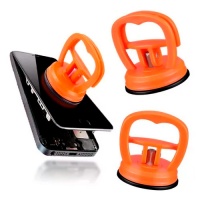
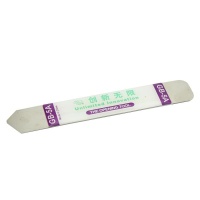
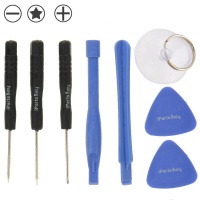
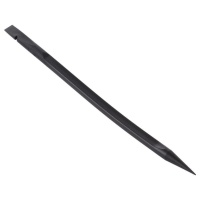
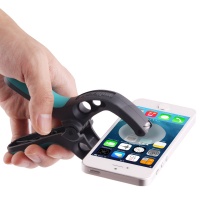
- Opening and Disconnection: Use a suction cup and plastic tools to create an opening and detach the cover. Once inside, remove the screws from the mid-frame and disconnect the battery's flexible connector on the motherboard with a plastic spudger.
- Extraction: Use the adhesive tabs (if they exist) or apply more heat to the back to loosen the glue and extract the old battery with a plastic spudger.
- Installation: Place new double-sided adhesive strips and connect the new OEM battery (6100 mAh) before reassembling the frames and the cover.
✨ Aesthetics and Connectivity: Back Cover and USB-C Charging Module
Structural and Aesthetic Replacements: Back Cover and Colours
The back cover is a structural and aesthetic component that protects the internal electronics. The Oppo Find X8 Ultra has been launched in frosted glass finishes and features at least three key colours:
- Matte Black
- Pure White
- Shell Pink / Morning Light
Replacing the back cover requires the use of a heat source to soften the perimeter adhesive. Once the damaged cover is removed, the critical phase is the cleaning of the frame: it is essential to clean the remains of the old glue with a scraper before applying the new adhesive to ensure a hermetic seal. After placing the replacement cover, uniform pressure should be applied for at least two hours to ensure the adhesive cures correctly.
USB-C Charging Module (Flex Cable) and Slow Charging
The USB-C port, which in the Find X8 Ultra is replaced via a board or a flexible cable (flex), is a common point of failure due to exposure to environmental contaminants and repeated mechanical stress.
The most insidious charging failure is the failure in power negotiation. To achieve 100W SuperVOOC, the charger and the device must communicate. If the replacement charging module lacks quality control micro-components (such as specific resistors or communication chips) to save costs, the phone will not respond correctly to the charger, resulting in the limitation of charging to the default 5V, i.e., slow charging.
OEM quality charging flexes are vital to ensure that all power negotiation circuits are present and correctly calibrated, restoring the full 100W charging capability.
⭐ The 4 Most Relevant Replacement Parts for the Oppo Find X8 Ultra
The catalogue of available spare parts for the Oppo Find X8 Ultra is extensive (including speakers, microphones, and vibrators), but these four components are, without a doubt, the most critical and sought after:
-
AMOLED Full Assembly Screen (Soft OLED):
Relevant Information: It is the most expensive component (estimated at $169.80 or more, for similar models), but essential. Only Soft OLED can guarantee full functionality, including 120Hz and compatibility with the ultrasonic fingerprint sensor. Avoid Incell or TFT qualities at all costs.
-
6100 mAh Si/C Li-Ion Battery (OEM Quality):
Relevant Information: Indispensable for restoring battery life and, above all, the 100W SuperVOOC ultra-fast charging capability. Only a battery with Si/C chemistry and rigorous quality control (OEM) can manage the power demand of this flagship.
-
USB-C Charging Flex Module/Board:
Relevant Information: The most common solution for slow or intermittent charging problems, especially if the battery is new. Ensure the replacement flex is OEM quality so the phone can negotiate the 100W power with the charger. It is a relatively inexpensive part ($9.80 for the X8/Pro series).
-
Back Cover (Frosted Glass):
Relevant Information: Crucial for aesthetics and internal protection. The correct seal is vital to preserve water and dust resistance (IP) certifications. Available in original colours such as Matte Black, Pure White, and Shell Pink. Requires a meticulous cleaning and adhesion process.
⚙️ ColorOS Software Issues on the Oppo Find X8 Ultra (Technical Perspective)
Although as technicians we focus on hardware, the user often comes to us with a problem that simulates a part failure but originates in the ColorOS operating system.
Recent ColorOS 15 updates have generated common complaints in the Find X8 series: heating, reduced performance, and accelerated battery drain. This drain can be confused with a battery failure. Before proceeding with a costly replacement, it is vital to perform a software diagnosis:
- Post-Update Drain: After a major patch, the system may take a day or two to re-index and stabilise. It is recommended to wait.
- Process Optimisation: Often, excessive drain is due to background services being reactivated. Accessing the privacy and security settings to reset the advertising ID and disable personalisation using shared data can solve the problem.
- App Conflicts: Older versions of apps may conflict with the new firmware. Updating all available apps in the Play Store can resolve many rapid drain issues.
If these steps fail and performance remains poor, a factory reset can be used (erasing all data, so a backup is vital). Only if the problem persists after a complete reset should a hardware component failure (battery, motherboard) be confirmed.
At iLevante.com, our commitment is to provide parts that, once correctly installed, restore the total flagship experience of the Oppo Find X8 Ultra. By choosing OEM quality in critical components, we guarantee the durability, 120Hz performance, and 100W charging functionality that the device deserves.





