
 Repair parts Oppo A6 Pro 5G
Now, let's talk about what's going on under the hood. Is your battery dying faster than your morning coffee, or did the camera take a direct hit that ruined your crystal-clear shots? These are just standard bumps in the road. Think of your mobile components--like the motherboard, battery, and camera modules--as the engine and tires of a car. They might wear down or take damage, but finding the right spare parts is a total breeze. You don't need a degree in advanced electronics to understand that swapping out a bloated battery or fixing a scratched lens is a straightforward repair. It is all about pulling out the broken piece and plugging in the new one, restoring your 185g powerhouse to peak performance.
Even if the drop was brutal enough to mess up the structural integrity of your model CPH2781--leaving you with a dented casing, a muffled speaker, a dead microphone, or a busted vibrator motor--it is definitely not game over. We have exactly what you need to fix those annoying quirks. Replacing these smaller internal mechanisms is highly accessible and brings back the full premium feel of your phone. By choosing to fix rather than replace, you are taking control of your tech, reducing e-waste, and keeping your hard-earned cash. Dive into our selection, grab the perfect parts, and let's get your device back to its flawless glory!


Genuine Spare Parts and Components for Oppo A6 Pro: Your Definitive Purchase Guide at iLevante.com 🛠️
Welcome to iLevante.com. If you are the owner of an Oppo A6 Pro and are looking for reliable replacement parts to restore life to your device, you have come to the right place. The Oppo A6 Pro is a robust terminal, known for its durability and upper mid-range performance, but like any mobile phone, it is not immune to accidents or the natural wear and tear of its components.
In this article, we will break down the main replacement parts for this model, from crucial screens to less visible internal elements, offering the necessary technical information so you can make the best purchasing decision. Our goal is for the average user, with or without technical knowledge, to understand exactly what they need to carry out the most common repairs on their device.
Oppo A6 Pro: Key Technical Specs and Most Frequent Repair Reasons
The Oppo A6 Pro stands out as a device built for resilience, boasting certifications such as IP69 (protection against water and dust) and, in some versions, military-grade resistance. Its main technical characteristics, such as the powerful Dimensity 6300 processor and the 80W SUPERVOOC ultra-fast charging system, make it a high-performing daily companion. However, in the world of hardware, there are always vulnerable points:
- Original Screen: 6.57" or 6.7" AMOLED (region-dependent), FHD+ resolution, with an impressive 120 Hz refresh rate and brightness up to 1400 nits.
- Battery: Large capacity, typically between 6500 mAh and 7000 mAh.
- Materials: Plastic frame and a plastic back cover, which facilitates access for repairs but makes it susceptible to scratches and cracks.
The most common issues leading to the need for spare parts (and which we will address in detail) are intrinsically linked to intensive use:
- Screen Breakage: Despite the chassis's robustness, the front glass remains fragile against direct drops.
- Battery Degradation: The constant use of fast charging (80W SUPERVOOC) can, in the long term, reduce the chemical efficiency of the battery.
- Charging Port Failure: Mechanical wear and tear on the USB-C connector due to constant plugging and unplugging.
Replacement Screens for Oppo A6 Pro: Quality Options and Types 📱
The screen is, without a doubt, the most demanded spare part. The Oppo A6 Pro uses a high-quality AMOLED panel in its original configuration. When looking for a replacement, you will encounter various options that define the visual experience and the final price of the repair. It is essential to know the differences.
Original AMOLED Screen: The Benchmark for Colour and Brightness
The AMOLED (Active Matrix Organic Light Emitting Diode) technology is what your phone uses from the factory. Its benefits are undeniable: pure blacks (as the pixel completely turns off), vibrant colours, high contrast, and exceptional brightness (up to 1400 nits on the A6 Pro). By choosing an Original or Service Pack quality screen, you ensure these specifications are maintained, including the fluidity of the 120 Hz refresh rate. These are the premium parts, ideal if visual quality is your highest priority.
Quality Alternatives: OLED, INCELL, and TFT (What You Need to Know)
When budget is a limitation, there are alternatives that, while functional, show noticeable differences compared to the original AMOLED panel. Understanding the technology will help you choose wisely: [Image of Mobile phone screen layers]
- ⭐ OLED (Generic): Uses the same organic light-emitting diode technology as AMOLED, offering good blacks and low power consumption. However, as a generic manufacture, it may have slight variations in colour saturation, maximum brightness, or panel thickness.
- ✅ INCELL: An evolution of LCD (Liquid Crystal Display) screens. The touch technology (digitizer) is integrated into the panel itself, making them thinner than traditional LCDs (TFT). They offer a fast touch response and a very competitive price. The main difference from AMOLED is that black is a very dark grey, as they require a separate backlight.
- 💰 TFT (Thin-Film Transistor): Represent the most economical option. These are LCD panels that require a separate backlight layer, resulting in a thicker assembly. Contrast and viewing angles are inferior to OLEDs, and battery consumption is slightly higher. They are a purely functional and budget-friendly solution for the user who only needs to restore the phone's display without worrying about high colour standards.
Technical Recommendation: Given the high refresh rate (120 Hz) of the Oppo A6 Pro, if you choose a generic screen (INCELL or TFT), you must ensure that the replacement part is compatible with this frequency or, at least, with the 60 Hz setting to guarantee stable operation. Lower-quality parts may not replicate the original fluidity.
Oppo A6 Pro Battery: How to Detect Failure and Safe Replacement 🔋
The Oppo A6 Pro battery, with its impressive capacity and the SUPERVOOC system, is designed to last. However, after eighteen months to two years of charging cycles, it is normal for the maximum capacity to degrade. Changing the battery is one of the most rewarding hardware repairs for the end-user, as it restores the device's original autonomy.
Battery Specifications and Failure Symptoms
The Oppo A6 Pro uses a lithium-ion battery with a nominal capacity of 6500 mAh (or 7000 mAh in some references). Although the specific model code may vary, the replacement must be exactly compatible to ensure functionality with the 80W fast charging system. An incorrect replacement may not support this power, risking the health of the component.
The main indicators that you need to change your battery are:
- 📉 Rapid Drain: The phone's battery life drops drastically, forcing you to charge multiple times a day.
- ⚡ Unexpected Shutdowns: The phone turns off even when it indicates a high battery percentage (e.g., at 20% or 30%).
- 🌡️ Overheating: The device heats up excessively during charging or use, even with light tasks.
- ⚠️ Swelling: The battery is visibly swollen, putting pressure on the screen or back cover. This is a risk, and repair must be immediate.
The Concept of an OEM Battery (Original Equipment Manufacturer)
When searching for battery replacements, you will often encounter the term OEM without logo. This refers to parts manufactured by the same supplier that provides the original brand (Oppo), or that exactly replicate the same standards of quality, materials, and chemistry. The only difference is that these batteries do not carry the commercial Oppo logo. They are considered virtually original in terms of performance and safety but are marketed without the brand to be sold in the spare parts market, offering a high-quality option at a more affordable price than the official "Service Pack."
Quick Guide to Battery Replacement
Changing the battery in the Oppo A6 Pro requires, as in most modern models, heating the back cover to soften the adhesive and remove it. Once the interior is exposed:
- Disconnect the top protective cover and the battery flex cable from the motherboard.
- Remove the screws holding the safety elements.
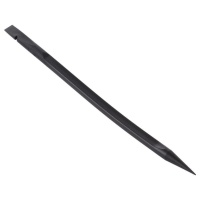
- Using a plastic tool or pick, detach the old battery (they often have easy-to-pull adhesive strips).
- Place the new replacement, secure the flex cables, and screw the protectors back in.
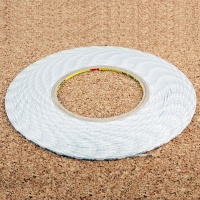
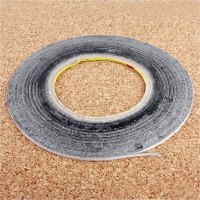
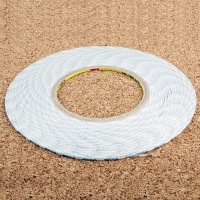
- Reseal the back cover with specialized double-sided adhesive.
Key Replacement Parts for Oppo A6 Pro Maintenance
Beyond the screen and battery, there are other components that suffer high wear or are critical to the device's daily operation. Below, we highlight the four most relevant spare parts in the hardware repair market.
Back Cover (Rear Housing): Colours and Replacement Process
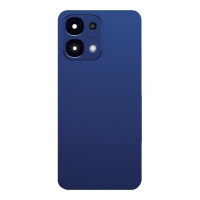
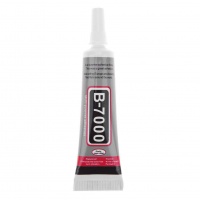
The back cover of the Oppo A6 Pro, being made of plastic (polycarbonate) rather than glass, can be easily scratched or cracked. Replacing it is the simplest way to refresh the phone's aesthetic. The most common replacement colours you can find are Blue, Pink, Red, and Titanium Grey (or similar). Installation is straightforward: once the damaged cover is removed (following the same heating process as for the battery), the chassis surface is cleaned, and the new cover is adhered with specific B-7000 glue or similar, ensuring correct sealing to maintain the IP rating.
USB-C Charging Port Board or Flex Cable
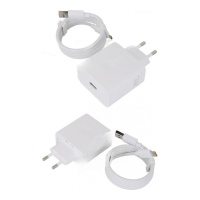
This is one of the fundamental replacement parts. If your phone has intermittent charging problems, or if the cable only works in one position, the USB-C port is most likely internally damaged or the flexible module (Charging Flex Cable) containing it has failed. Replacing this part (which often includes the main microphone and port) is a delicate process that involves dismantling the bottom of the device, but it is crucial for recovering the 80W SUPERVOOC functionality. A quality replacement ensures stable data and power transmission.
Camera Modules (Main 50 MP and Front 16 MP)
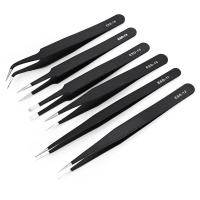
Camera failures (blurry images, slow focus, vibration, or a black screen when opening the app) are generally a hardware issue. The main 50 MP module (Sony IMX480) and the front module (16 MP) can be replaced individually. This is a high-precision repair, as cameras are static-sensitive components and must be handled with anti-static tools to prevent damage to the motherboard.
Loudspeaker and Earpiece (Call Receiver)
The Oppo A6 Pro features dual speakers. If you experience low volume or distortion in calls or multimedia, it is highly likely that one of the two sound modules is dirty or defective. Replacing the loudspeaker modules (bottom part) or the earpiece receiver (top part) is a low-complexity repair but requires care when handling the adhesive and small screws.
Technical Considerations: Basic Guide for Common Hardware Repairs
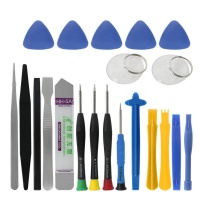
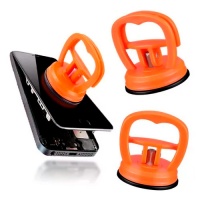
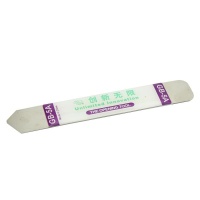
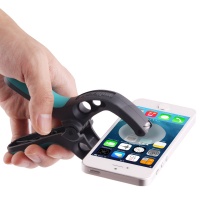
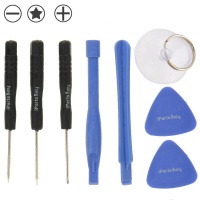
To tackle the most common repairs, such as screen or battery replacement in your Oppo A6 Pro, it is essential to have the right tool kit: plastic picks, precision screwdrivers (usually Phillips and Pentalobe), a suction cup, and a heat gun or heating mat to soften the adhesives. The key to success lies in two technical points:
- 🔌 Battery Disconnection: Always, *always* disconnect the battery from the motherboard as the first step after opening the device. Handling internal components with power flowing can cause a short circuit.
- 🌡️ Heat Control: To remove the screen or cover, apply heat evenly (no more than 80-100°C) to the edges to loosen the seal without damaging internal components, such as the battery itself or the flex cables.
If the repair seems confusing or you don't feel confident, remember that resorting to a professional technical service is always the safest option to protect the integrity of your Oppo A6 Pro.
Software Maintenance: When the Failure is Not Hardware Related
Although as repair technicians we focus on hardware, it is important to recognize that sometimes poor performance does not require a replacement part but rather a software adjustment. The Oppo A6 Pro runs on the ColorOS operating system (based on Android). Issues such as *rapid battery drain* or general *lag* in the system can be caused by a poorly optimised application or a faulty ColorOS update.
From a technical perspective, before replacing the battery, a technician always recommends two software actions:
- Factory Reset (Hard Reset): Wiping all data and configurations often resolves persistent performance or excessive power consumption issues caused by system corruption.
- Battery Calibration: Through complete charge and discharge cycles after a system update.
Only after ruling out software failures should the replacement of a component be proceeded with. This ensures that the customer does not unnecessarily invest in a hardware spare part.
At iLevante.com, we understand the importance of every part for your Oppo A6 Pro. We offer you replacement parts of the highest quality, including OEM options, so your device can return to peak performance. Browse our catalogue and find exactly what you need.





