
 Repair parts Oppo A3 4G
Everyday accidents do not have to mean the end of a highly capable mobile device. Beyond the delicate display, other structural and internal elements like the motherboard, battery, and camera frequently face the brunt of heavy drops. Whether a shattered lens obstructs the photography experience or a deteriorating battery refuses to hold a charge, precise repair methods are readily accessible. Equipping the device with premium spare parts ensures that every internal function, from the crisp audio of the speakers and microphone to the subtle feedback of the vibrator motor, operates exactly as engineered for models CPH2669 and CPH3669.
The restoration process transforms a daunting hardware issue into an enlightening journey about modern technological mechanics. To resolve severe visual or structural damage, choosing to buy a Complete Screen for OPPO A3 4G provides an all-in-one fix that seamlessly integrates with the intricate architecture of the phone. Selecting the appropriate components, whether it is a robust new housing or an authentic Service Pack screen, guarantees that the structural integrity and technological brilliance of the device are perfectly revived.

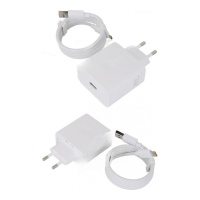
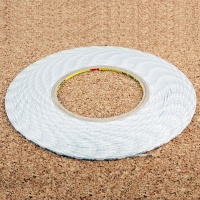
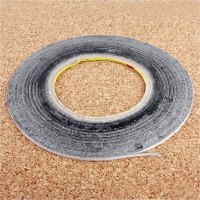
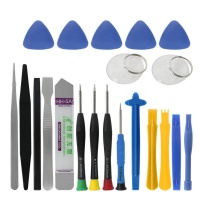
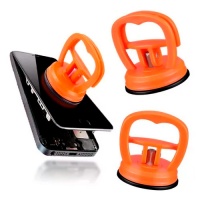
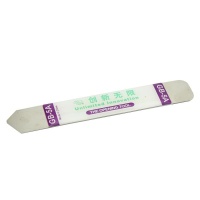
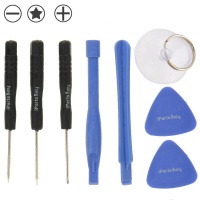
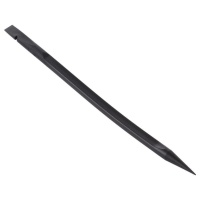
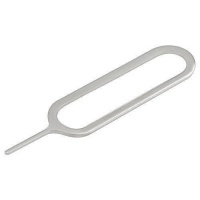

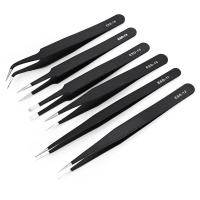
Receive it on monday 19 de october


🚗 Buy Oppo A3 4G Spare Parts: Quick Mobile Solutions
Think of your smartphone like a reliable daily vehicle: driving with a shattered windshield is an obvious safety hazard, just like trying to navigate a phone with a cracked display. A damaged screen not only ruins your user experience but also exposes the sensitive internal components to moisture and dust. When your daily driver takes a massive hit, we know you need a quick, no-nonsense solution. Our practical catalog is designed specifically for this purpose, allowing you to seamlessly buy the exact spare parts required to bring your device back to life.
We focus directly on the hardware that matters. The Oppo A3 4G, known by its technical references CPH2669 and CPH3669, is a solid 2024 release that deserves to be maintained, not discarded. Instead of spending heavily on a brand-new device, investing in precise components is the logical choice. From flex cables and charging ports to high-capacity batteries, we stock the essential elements you need. Our goal is to equip you with the right materials to execute a clean, professional repair right on your workbench, eliminating frustrating repair shop delays.
Every minute your device is out of commission impacts your productivity. That is why we streamline the process of finding the correct replacements. We eliminate the guesswork by providing tested, verified parts that align perfectly with the factory specifications of your mobile. By utilizing our tailored inventory, we help you restore your device's functionality instantly. If you are unsure which component is failing, we encourage you to start with the most obvious physical damage and work your way inward.
📞 Need assistance? Contact our support team to resolve any doubts about component compatibility before you begin your teardown!
📱 Complete Screen for OPPO A3 4G Replacement
Tackling a severely broken display requires a straightforward, practical approach. When the front glass shatters and the touch response fails, the most effective solution is a full panel swap. Instead of attempting risky and complex glass-only separations, we highly recommend replacing the entire module using the Complete Screen for OPPO A3 4G. This direct method minimizes the margin for error and guarantees that both the digitizer and the display panel are perfectly calibrated right out of the box.
By executing this replacement, you instantly recover the impressive visual capabilities of your device. Your phone was built with a stunning 6.67-inch IPS LCD panel, and installing the correct screen ensures you regain that massive 107.2 cm² viewing area. More importantly, our premium screens restore the fluid 90Hz refresh rate that makes scrolling feel buttery smooth, along with the peak 1000 nits brightness essential for clear outdoor visibility under direct sunlight.
The teardown process is highly logical. First, we must apply consistent heat to the edges of the device to soften the factory adhesive. Once the back panel is removed, carefully unscrew the motherboard shield and disconnect the battery to prevent any short circuits. Next, unplug the old display flex cable and gently push the damaged screen out of the mid-frame. Clean the frame meticulously; any leftover glass shards will immediately crack your new Complete Screen for OPPO A3 4G upon installation. Test the new screen before applying glue to confirm touch sensitivity across all areas.
🔋 Battery and Motherboard Repair Guide
Internal hardware failures can be incredibly frustrating, especially when they manifest as random reboots, failure to charge, or complete power loss. A heavy drop does not just shatter exterior glass; the kinetic energy travels through the chassis, potentially dislodging motherboard connectors or damaging the internal logic board. When diagnosing a dead mobile, we always start by inspecting the power flow. Connect a USB ammeter to check if the logic board is drawing current. If it is drawing zero amps, we must open the device and inspect the main flex cables and the battery connection.
If the motherboard appears physically intact but the phone refuses to hold a charge, the lithium-ion battery has likely reached the end of its lifespan or suffered internal cell damage from an impact. We supply the exact replacement batteries designed for the CPH2669 and CPH3669 models. Safely removing the old battery involves pulling the adhesive stretch release tabs slowly. Never puncture a swollen or damaged battery with sharp metal tools, as this presents a severe fire hazard. Use plastic spudgers and a few drops of isopropyl alcohol to dissolve stubborn adhesive.
Once the old power cell is out, installing the new battery is a breeze. Secure it with fresh adhesive strips to prevent it from rattling inside the housing. Reconnect the motherboard flex cables with a firm, satisfying click. By swapping out a degraded battery for a fresh one, we ensure your mobile remains powered throughout your busiest days, effectively resetting the device's stamina back to day one.
📸 Camera Fixes: Replacing Damaged Modules
A direct impact to the rear of your Oppo A3 4G can easily shatter the protective camera lens or, worse, severely damage the internal optical sensors. Dealing with blurry photos, failing autofocus, or an app that simply crashes upon opening requires practical advice. We do not recommend relying on complicated software workarounds or temporary fixes. The only definitive solution to hardware-level camera failure is to safely remove the compromised unit and install a perfectly compatible camera module.
We provide the exact optical spare parts necessary to make your repair clean and successful. When you buy our replacement camera modules, you are investing in hardware that perfectly matches the factory focal length and aperture specifications. The installation involves disconnecting the snap-on flex connectors from the top section of the motherboard. Tweezers are essential here to handle the delicate modules without transferring natural skin oils onto the new lenses.
During this repair, environmental control is key. We must ensure the workspace is completely dust-free. Even a microscopic speck of dust trapped between the new camera sensor and the outer glass lens will show up as a permanent dark spot on all your future photos. After seating the new module, use compressed air to clear the area before sealing the back cover. Your device will immediately return to capturing sharp, vibrant images.
❓ Not sure which camera module is failing? Drop a message to our technical support team to verify the right parts before you make a purchase!
🔊 Structural Spare Parts: Housing, Speakers, and Vibrators
The physical structure of your mobile dictates its durability. The Oppo A3 4G is designed with a sleek 7.7mm profile and a well-balanced weight of 186g. However, a severe drop can bend the mid-frame or warp the back housing. Attempting to install a new flat screen into a bent frame is a guaranteed way to crack the new glass instantly. We provide the logical solution: complete housing replacements that allow you to rebuild your phone onto a perfectly straight, factory-fresh chassis.
Beyond the housing, impacts and liquid exposure often ruin the audio elements. If your speaker sounds muffled, crackles at high volumes, or if your vibration alerts have stopped working entirely, it is time for a hardware swap. We supply precise loudspeaker modules, earpieces, and vibrator motors. Replacing these components usually involves unscrewing the bottom sub-board assembly, lifting out the old acoustic chamber, and dropping the new speaker directly into its designated slot.
By taking the time to replace these structural and acoustic spare parts, we bring the hardware back to a premium condition. Your 186g device will feel solid in the hand again, and every notification sound or media playback will be crisp and clear. Do not tolerate compromised audio or a warped frame when the parts to fix them are readily available and easy to install.
💰 How to Buy the Right Service Pack or Compatible Screen
Navigating the display inventory shouldn't be a complex chore. We believe in a no-nonsense breakdown of your options so you can buy the exact component that fits both your repair budget and your technical requirements. Generally, the market offers two main tiers of display replacements for the Oppo A3 4G: Original Service Packs and high-quality INCELL compatible alternatives. Understanding the difference is crucial for a successful repair.
Original Service Packs are the premium tier. When we talk about a Service Pack, we mean a screen that comes directly from the official manufacturing lines. These parts guarantee zero compromises: they deliver the exact 1000 nits of peak brightness, the flawless 90Hz refresh rate, and the original color calibration. If your device is used for color-sensitive work or you simply demand factory perfection, this is the route we strongly recommend.
On the other hand, INCELL Compatible Screens provide an incredibly practical and budget-friendly alternative. INCELL technology integrates the touch digitizer directly into the LCD layer, making the panel thinner than cheaper aftermarket TFT screens. While they might run slightly dimmer than an Original Service Pack, they offer excellent touch response and durability at a fraction of the cost. They are the ideal replacement if you are looking to recover data or fix a secondary phone without breaking the bank.
To summarize your purchasing decision, consider the following checklist:
- Budget: INCELL is highly cost-effective; Service Packs require a larger investment.
- Performance: Service Packs guarantee exactly 1000 nits and 90Hz; INCELL provides excellent, though sometimes slightly lower, spec parity.
- Fitment: Both options perfectly fit the 165.8 x 76.1 mm dimensions of your mobile.
🛈 Need help deciding? Reach out to our customer service team, and we will guide you on the best screen to buy for your specific situation!
🔧 Final Steps to Complete Your Mobile Repair
The actual hardware swap is only the first phase; the repair is never truly complete until the device is safely and professionally sealed. We must protect your newly installed spare parts from environmental hazards. Because your device is remarkably thin at just 7.7mm, applying the correct amount of adhesive is critical to maintain its sleek profile without leaving gaps where dust or moisture can penetrate.
Here is the exact practical checklist we follow to wrap up the job safely:
- Surface Preparation: Use a flat spudger and isopropyl alcohol to meticulously scrape away every trace of old glue from the frame. The surface must be 100% clean.
- Testing: Before applying any new glue, power on the device. Test the touch screen dead zones, the front camera alignment, and the proximity sensor.
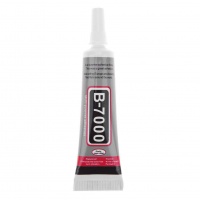
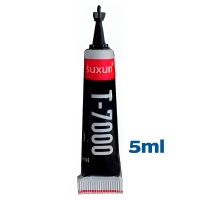
- Adhesive Application: Apply a consistent, thin bead of specialized B-7000 or T-7000 electronics glue around the inner perimeter of the frame. Avoid getting glue near the front camera lens or speaker mesh.
- Sealing: Press the screen or back cover firmly into place.
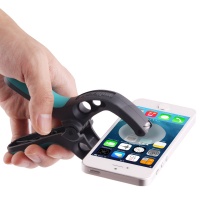
The final and most crucial step is clamping. Use specialized rubber-tipped repair clamps or heavy-duty rubber bands to apply even pressure across the entire mobile. Let the device cure for at least 2 to 3 hours. This guarantees a durable, professional result, ensuring your phone feels solid and that the screen will not lift out of the frame after a few weeks of use.
📊 Hardware Evolution: Oppo A3 4G vs Oppo A38 4G
To provide a truly comprehensive understanding of your device, it is highly useful to compare the Oppo A3 4G with its direct predecessor from the previous year, the Oppo A38 4G. As repair technicians, we look closely at these generational shifts because they dictate how internal layouts change and which repair techniques remain viable. While both devices occupy the same practical budget tier, Oppo has introduced distinct structural and visual upgrades in the newer model.
The most notable upgrade is the screen brightness and overall device dimensions. By pushing the peak brightness to 1000 nits, the Oppo A3 4G becomes significantly more usable outdoors, though this also means the display panel requires a more robust power delivery system via the flex cables. Let's look at the direct specifications to see how the hardware has evolved:
| Specification | Oppo A3 4G (2024) | Oppo A38 4G (2023) |
|---|---|---|
| Release Date | August 20, 2024 | September 2023 |
| Display Tech | IPS LCD, 90Hz, 1000 nits (peak) | IPS LCD, 90Hz, 720 nits (peak) |
| Screen Size | 6.67 inches (107.2 cm²) | 6.56 inches (103.4 cm²) |
| Dimensions | 165.8 x 76.1 x 7.7 mm | 163.7 x 75 x 8.2 mm |
| Weight | 186 g | 190 g |
As you can see, the newer A3 4G is impressively thinner at 7.7mm compared to the 8.2mm of its predecessor, and it sheds 4 grams of weight despite housing a larger screen. For us during a repair, this means tighter tolerances inside the housing. The flex cables are routed with extreme precision, making it vital to buy exact model-specific spare parts (CPH2669 / CPH3669) rather than attempting to cross-fit older components.
⭐ Pro Maintenance Tips for Your Oppo A3 4G
Once your replacement is successfully installed, taking proactive steps will significantly extend the life of your mobile. We have compiled a few expert tips to keep your device running like it just left the factory:
- 🔋 Battery Health Optimization: To prevent your new battery from degrading rapidly, avoid letting the charge drop to 0%. The ideal operating range for lithium-ion cells is keeping them between 20% and 80%. Also, avoid charging the phone while playing heavy games, as excess heat destroys battery chemistry.
- 📱 Screen Protection Protocol: Your new Complete Screen for OPPO A3 4G features gorgeous 1000 nits brightness. Protect this investment immediately by applying a 9H tempered glass protector. Even if the device has an IP rating, avoid keeping it in pockets with keys or abrasive sand.
- 🧹 Acoustic Hygiene: The speaker and microphone meshes at the bottom of the device are prone to gathering pocket lint. Once every few months, use a dry, soft-bristled toothbrush to gently sweep away dust. Never use compressed air directly into the microphone hole, as it can rupture the internal membrane!





