
 Repair parts Motorola Edge 60 Neo
Your Edge 60 Neo (model XT2509-1) is an absolute pocket powerhouse, packing a stunning 6.36-inch LTPO P-OLED screen. What does that technical jargon actually mean for you? It means you get insanely vibrant colors, super-smooth scrolling thanks to its 120Hz refresh rate, and a display so incredibly bright (up to 3000 nits!) that you can read texts perfectly even under the blazing summer sun. If a clumsy moment has left you with dead pixels or spiderweb cracks, you do not have to say goodbye to that premium viewing experience. We have got the exact replacement you need. Grab a Complete Display for Motorola Edge 60 Neo--available in top-tier OLED, INCELL, or original Service Pack options--and you will seamlessly restore that flawless, straight-out-of-the-box look without losing touch sensitivity or brightness.
Of course, screens are not the only casualties of gravity. Maybe your phone took a nasty bump to the back and now your photos look like a blurry mess? No stress, you can easily swap it out with a fresh Rear Camera Lens for Motorola Edge 60 Neo to get those crystal-clear, picture-perfect shots back. From drained batteries and damaged motherboards to dented housings, blown-out speakers, or quiet microphones, finding the right components is easier than ever. Whether you need a simple aesthetic fix or a major internal overhaul, buying the correct replacement gear empowers you to take control of your tech. Roll up your sleeves, fix it up, and keep your trusty device running like an absolute dream!



Receive it on thursday 22 de october


Buy Motorola Edge 60 Neo Spare Parts for Fast Repair
Did you know a single drop can instantly ruin your 3000-nit viewing experience? When gravity takes its toll, you need immediate, practical solutions to get your phone back in working order. Do not waste time with temporary fixes or DIY hacks that risk further damage. Restore your mobile to its factory state with our premium replacement components specifically designed for the XT2509-1 model. We stock everything from delicate motherboards to structural housings, ensuring you can grab exactly what you need to fix your device without unnecessary delays. Stop dealing with a cracked screen or a failing battery; a proper repair is just a component swap away.
The Motorola Edge 60 Neo is a highly sophisticated piece of technology released in September 2025. This device relies on precise internal engineering to maintain its performance and sleek profile. When a component fails, the entire ecosystem of the hardware suffers. Using the correct parts is non-negotiable if the goal is to maintain the original manufacturer specifications. By selecting top-tier replacement modules, the smartphone regains its optimal functionality, ensuring the 120Hz refresh rate and the intricate camera setups operate flawlessly.
When selecting your replacement components, it is crucial to understand the difference between Original (OEM) and Compatible replacement options. Original components are pulled directly from manufacturer supply lines, offering a 100% guarantee of matching the initial specs, which is ideal if you want zero compromises. On the other hand, high-quality compatible alternatives provide a highly cost-effective repair path. These aftermarket options deliver excellent performance—often indistinguishable to the average user—at a fraction of the cost. Whatever your budget, check our catalog and shop the right component to execute a fast, permanent repair.
Get the Complete Display for Motorola Edge 60 Neo Replacement
Why settle for less when your phone packs a stunning 120Hz LTPO P-OLED panel capable of displaying 1 billion colors? If your 6.36-inch screen is shattered, scratched, or plagued by dead pixels, you are completely missing out on the visual capabilities of your device. Buy this exact Complete Display for Motorola Edge 60 Neo to execute a flawless repair. This pre-assembled module perfectly matches the 97.6 cm2 screen area, allowing you to bring your mobile back to life with zero display compromises. Replacing the entire display assembly is the most practical, straightforward approach to eliminate touch responsiveness issues and visual defects in one go.
When executing a screen repair, understanding panel technology is vital. You will generally encounter two main display qualities in the replacement market:
- P-OLED (Original Quality): This is the exact technology your phone shipped with. It supports the massive 3000-nit peak brightness, delivers infinite contrast with true blacks, and allows the in-display fingerprint reader to function perfectly. It is thinner and highly energy-efficient.
- INCELL (Compatible Alternative): A budget-friendly LCD-based technology. While it will restore basic functionality and touch input, it will be slightly thicker, consume marginally more battery, and will not reach the same extreme brightness levels as the OLED counterpart.
The device heavily relies on its sophisticated display to process HDR10+ content and dynamically shift refresh rates to save power. When the screen assembly is compromised, the smartphone cannot deliver the premium user experience it was built for. Replacing a damaged panel with the correct display module ensures the integrated sensors and display controllers communicate flawlessly with the mainboard.
Do not let cracked glass ruin your daily digital interactions or risk slicing your fingers. It is time to take action. Dive into our inventory and shop for the exact screen replacement you need to guarantee a successful, stress-free repair.
High-Capacity Battery Spare Parts to Power Your Mobile
Is your ultra-light 174.5g device suddenly feeling like a worthless paperweight because it refuses to hold a charge? Batteries degrade over time, and if your device shuts down randomly at 20%, it is time for a swap. A quick battery repair will breathe new life into your 2025 smartphone, giving you back your all-day endurance. Buy our guaranteed, safe battery replacement units to ensure reliable, long-lasting power delivery matching the original specs. Forget about carrying heavy power banks everywhere; a simple internal swap is the definitive solution.
The Motorola Edge 60 Neo operates on a finely tuned power management system. The LTPO display and high-performance processors require stable, uninterrupted voltage to function without thermal throttling. When the internal cell degrades, the device will automatically throttle CPU speeds to prevent sudden shutdowns. By installing fresh battery parts, the hardware is allowed to return to its maximum operational speeds, eliminating lag and restoring the snappy performance characteristic of this model.
After installing your new replacement battery, calibrate it for maximum efficiency. Charge the phone uninterrupted to 100%, leave it plugged in for an extra hour, then use it normally until it completely dies and shuts off. Finally, charge it back to 100% without interruptions. This resets the battery management system!
Regain the freedom of leaving your charger at home. Browse our power components and shop for top-tier, safety-tested batteries to power your mobile through the longest days.
Perfect Your Shots: Rear Camera Lens for Motorola Edge 60 Neo Repair
What happens when a deeply scratched lens ruins your perfectly framed shot? The camera system is one of the most expensive and delicate areas of your device. Do not let a shattered external glass cover downgrade your photography capabilities or create blurry, glare-filled images. Buy a direct Rear Camera Lens for Motorola Edge 60 Neo replacement to complete a quick repair. This simple fix keeps your mobile camera module secure from dust, moisture, and pocket debris, which could otherwise permanently destroy the internal sensors.
The smartphone houses a highly advanced optical array that requires absolute clarity to focus correctly and capture light. When the external lens cover is compromised, the autofocus mechanism of the device struggles to lock onto subjects, and the high-megapixel sensors capture the refraction of the cracked glass instead of the actual scenery. Replacing this small but crucial component is vital to maintain the structural integrity and photographic prowess of the terminal.
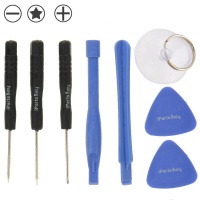
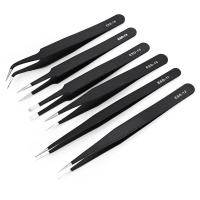
You do not need to be a master technician to replace a camera lens. With a bit of heat to loosen the factory adhesive and a pair of precision tweezers, you can remove the broken shards and apply the new adhesive-backed lens in minutes. Restore your photographic capabilities today and never miss capturing a memory due to damaged hardware.
Essential Motherboard and Internal Replacement Parts
Did a severe impact damage more than just the surface of your phone? Sometimes the damage goes deep. When internal systems fail—like charging ports that refuse to connect, or volume buttons that no longer click—we provide the exact spare parts required for a comprehensive repair. Buy genuine flex cables, motherboard components, signal antennas, and internal shields to restore full mobile functionality seamlessly. Practical repairs require precision, and having the exact internal ribbons is the only way to succeed.
The core architecture of the XT2509-1 relies on delicate flex cables bridging the gap between the main logic board and secondary sub-boards. The device manages everything from USB-C power delivery to cellular network reception through these internal pathways. A drop can easily dislodge or tear these microscopic connections. By utilizing exact-match replacement internal components, the hardware regains its uninterrupted communication, ensuring stable charging, clear signal reception, and fast data transfers.
Do not write off your device just because the charging port is loose or a sensor is failing. These are highly repairable modular components. Check our inventory to shop the specific internal flex cables and sub-boards you need to bring your mobile's brain back online.
Fix Your Mobile Audio: Speaker and Mic Repair Components
Can you barely hear your calls despite owning a top-tier September 2025 release? Audio failures are extremely common after drops, dust accumulation, or accidental liquid exposure. If callers say you sound muffled, or if your media playback sounds distorted and crackly, it is time to intervene. Buy our precision-engineered speaker, vibrator, and microphone replacement modules to execute a fast, hassle-free repair. Swapping a blown speaker is straightforward and yields immediate, crystal-clear results.
The acoustic setup of this smartphone is designed to deliver rich, immersive sound and isolate background noise during voice calls. When a microphone mesh gets clogged or a speaker diaphragm tears, the audio processing chips inside the device cannot compensate for the physical hardware failure. Replacing the earpiece or loud speaker module ensures the device can once again push air correctly, restoring the targeted decibel output and frequency response.
Stop relying on Bluetooth earbuds just to make a simple phone call. Restore your mobile's standalone audio capabilities by installing fresh sound modules. Explore our audio replacement section and shop for the exact mics and speakers needed to hear and be heard perfectly.
Structural Spare Parts: Buy Housings for Your Mobile Replacement
Is the sleek 8.1 mm profile of your device bent out of shape? A damaged chassis is not just a cosmetic issue; it is a serious structural hazard. A warped frame applies uneven pressure to the delicate LCD display and can cause secondary hardware failures over time. Complete your repair perfectly by grabbing the correct housing spare parts to protect the internal core of your mobile. Replacing the mid-frame or back cover ensures your phone remains sealed against environmental hazards and feels solid in the hand.
The external structure of the device serves as both an aesthetic shell and a rigid backbone. The motherboard, battery, and screen all mount directly to the mid-frame. If this frame is compromised, the smartphone loses its ability to dissipate heat effectively, and internal components become vulnerable to micro-flexing during daily use. Installing a new housing restores the original factory tolerances, keeping the internal architecture safe and perfectly aligned.
Whether you need a new back glass cover to fix aesthetic cracks or a full mid-frame to straighten out a bent chassis, we have the solutions. A straight frame is mandatory before installing a new screen. Take a look at our structural components and shop to rebuild your phone from the ground up.
Generation Clash: Motorola Edge 60 Neo vs. Edge 50 Neo
To fully understand the value of repairing your Motorola Edge 60 Neo, it helps to see how much of a technological leap it represents compared to its predecessor, the Edge 50 Neo. While both phones share a similar design language and identical dimensions (154.1 x 71.2 x 8.1 mm), the 2025 release brings massive upgrades under the hood, particularly in display brightness and panel efficiency. Repairing your current device is a smart investment to keep these high-end specs active.
| Feature Specification | Edge 50 Neo (2024) | Edge 60 Neo (2025) |
|---|---|---|
| Screen Technology | 6.4" pOLED, 120Hz | 6.36" LTPO P-OLED, 120Hz |
| Peak Brightness | Up to 2000 nits | 3000 nits (HDR10+) |
| Weight & Dimensions | 171g (154.1 x 71.2 x 8.1 mm) | 174.5g (154.1 x 71.2 x 8.1 mm) |
| Colors & Contrast | Standard P-OLED Array | 1 Billion Colors Panel |
The integration of the LTPO panel in the 60 Neo model means the screen can dynamically adjust its refresh rate, drastically saving battery while pushing a blinding 3000 nits when under direct sunlight. This is exactly why maintaining original specifications and utilizing high-quality parts during repairs is strictly necessary for this model.
Ultimate Device Care & Maintenance Tips
Once you execute a successful repair and restore your device, you want to keep it in pristine condition for as long as possible. Preventive maintenance is far cheaper than buying new parts. Follow these highly effective, practical tips to maximize the lifespan of your freshly repaired smartphone.
📱 Screen Preservation
Never clean your display with alcohol-based glass cleaners. They strip away the oleophobic coating, making your screen a magnet for fingerprints and micro-scratches. Use a dry microfiber cloth, or slightly damp it with distilled water.
🔋 Battery Health
Avoid the 0-100% extreme cycle. Lithium-ion cells prefer to stay between 20% and 80%. Do not leave your phone cooking on the dashboard of your car; extreme heat degrades chemical battery health faster than anything else.
🛠️ Structural Care
Even a perfectly installed housing needs protection. Always pair your newly repaired device with a case featuring raised front lips. This simple structural barrier prevents the screen from absorbing direct shock if dropped flat on the ground.
Protect your investment. Make sure to browse our full catalog of accessories and replacement parts to shop for the ultimate protective gear and keep your device running like it just came out of the box in 2025.





