
 Repair parts Microsoft Xbox Series X


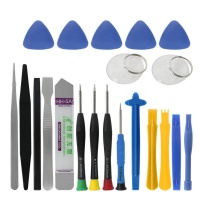
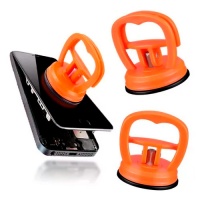
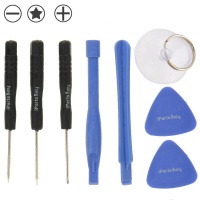

Receive it on tomorrow tuesday 20 october


Why Is Your Xbox Series X Overheating? Discover Essential Cooling Solutions
Hey, if your Xbox Series X is running hotter than a summer day in the desert, you're not alone🔥. Overheating can sneak up on you, especially during those marathon gaming sessions where the console's pushing its limits with high-res graphics and intense processing. Common culprits include dust buildup clogging the vents, poor placement in a cramped entertainment center, or even a worn-out internal fan that's not spinning as efficiently as it should. Before you panic, let's chat about why this happens and how a solid cooling fan replacement can be your best buddy in keeping things chill. Think of it like giving your console a fresh breath of air💨 – essential for preventing shutdowns mid-game and extending the life of your hardware.
When it comes to choosing the right spare parts for repair, you've got options like original manufacturer fans versus compatible third-party ones. Originals match the exact specs, running at around 4,500 RPM with noise levels under 30 dB for that whisper-quiet operation, ensuring seamless compatibility with your Xbox Series X. On the flip side, compatible versions might offer similar performance at a lower cost, but always check for fan speed ratings and heat dissipation efficiency to avoid any mismatches. If you're handy with a screwdriver, replacing it yourself can save bucks, but if not, sourcing from a reliable spot like iLevante makes the process smoother. Remember, a good fan isn't just about cooling; it's about maintaining peak performance without the annoying whirring that drowns out your game audio.
Diving deeper, technical specs matter a ton here. Look for fans with high airflow rates, say 50 CFM or more, to handle the console's thermal demands during 4K gaming. Compatibility is key – ensure it fits the Xbox Series X model precisely, avoiding any voltage issues that could lead to further problems. Comparing original to compatible, originals often come with better warranties, while compatibles might surprise you with enhanced features like variable speed controls for customized cooling. If overheating persists after tweaks like cleaning vents, it's time to buy that replacement and get back to gaming without the sweat.
Ultimately, preventing overheating starts with smart habits, but when repairs are needed, don't skimp on quality. Explore our catalog of cooling solutions to find the perfect match for your setup and keep your Xbox running cool as a cucumber😁.
Troubleshooting Power Issues: Replacing the Power Switch on Your Xbox Series X
Picture this: you hit the power button on your Xbox Series X, and... nothing. Frustrating, right? Power issues often stem from a faulty power switch, maybe due to wear and tear from constant use or an accidental drop that jostled the internals. Before you assume it's a bigger problem like the motherboard, let's troubleshoot step by step. Check for loose connections, test with a different outlet, and if that doesn't cut it, replacing the power switch could be the straightforward fix you've been needing. It's like flipping the switch on your console's reliability💡.
For the tech side, the power switch operates on a standard 5V requirement, ensuring it triggers the console's boot sequence without a hitch. When sourcing spare parts, compare original switches that guarantee exact voltage tolerance and durability against compatible ones that might offer easier installation but vary in build quality. A step-by-step guide? Start by powering down, removing the outer shell, disconnecting the old switch carefully, and slotting in the new one – just make sure it's compatible with the Xbox Series X's circuitry to avoid short circuits. This repair isn't rocket science, but precision tools help a lot.
If you're debating between options, originals shine in longevity, often lasting through thousands of presses, while compatibles can be budget-friendly with similar specs. Always verify the part's pin configuration and resistance levels for a seamless fit. Once installed, test it out in a safe environment to ensure no flickering or delays. Ready to power up your gaming again? Swing by our selection of power switches and grab what you need to get back in the game.
Has Your Xbox Series X Charging Port Failed? Here's How to Fix It
Ever plugged in your controller to charge, only to find it's not juicing up? A failed charging port on your Xbox Series X can turn a fun night into a headache, often from repeated plugging or a bit of dust and debris buildup. These ports are built tough, handling up to 10,000 insertion cycles on average, but they're not invincible. If you're dealing with loose connections or no response at all, it's time to consider a USB Charging Port HDMI 2.1 replacement to restore that seamless connectivity. Think of it as giving your console a new lifeline for all your peripherals🔌.
Specs-wise, the HDMI 2.1 standard supports blazing-fast data transfer rates up to 48 Gbps, perfect for 8K video and enhanced audio return channels. When comparing options, original ports ensure full compliance with these standards, while compatible versions might match in speed but differ in material durability, like gold-plated contacts for better conductivity. Installation involves carefully disassembling the console, swapping the port, and testing for stable connections – always ground yourself to avoid static damage. This repair can make your setup future-proof for next-gen gaming.
Don't forget, if your port's HDMI side is glitchy, showing flickering screens or no signal, a quality replacement addresses that too. Compatibles often come at a steal, but originals provide that peace of mind with exact fit and warranty. Weigh your needs: heavy users might prefer originals for longevity. If this sounds like your issue, check out our catalog for the right spare parts and get charging without interruptions🚀.
Beyond the fix, regular cleaning can prevent failures, but when it's time to buy, we've got you covered with reliable options to keep your Xbox humming.
Boost Connectivity: Upgrading the WiFi and Bluetooth PCB Board
Struggling with laggy online matches or spotty controller connections? Connectivity woes in your Xbox Series X might point to a damaged PCB WiFi and Bluetooth Board, often from overheating or physical knocks. These boards handle the wireless magic, operating on 2.4GHz and 5GHz frequency bands for stable signals. Upgrading or replacing it can boost your setup, turning frustrating dropouts into smooth sailing. It's like upgrading your console's social skills📱.
Technical insights: Look for boards with dual-band support and Bluetooth 5.0 for low-latency pairing. Comparing original to compatible, originals integrate flawlessly with the console's ecosystem, while compatibles might offer extras like improved antenna designs for better range. Installation tips? Disconnect power, remove the old board gently, align the new one on the slots, and secure it – test with a network scan to confirm. This repair enhances everything from multiplayer to streaming.
For those in spotty WiFi areas, a compatible board with enhanced signal strength could be a game-changer over standard originals. Ensure compatibility with Xbox Series X models to avoid integration hiccups. Once done, enjoy uninterrupted gaming. Dive into our catalog for top-notch boards and level up your connectivity today.
Did You Know Your Xbox Series X Has a Hidden Flex Cable Issue? Repair It Today
Fun fact: that tiny power on-off flex cable in your Xbox Series X can wear out faster than you'd think, especially if you've moved your console around a lot. It's the unsung hero connecting the power button to the motherboard, and issues like intermittent startups often trace back to it fraying or disconnecting. If your console's acting finicky on power-ups, this hidden gem might need a swap. Let's uncover how to fix it and keep your gaming uninterrupted🕵️.
Specs highlight its high flexibility with low-resistance conductivity, ensuring signals pass without loss. Original cables boast premium materials for bend tolerance up to 10,000 cycles, while compatible ones provide similar specs at a fraction of the cost, though they might lack in long-term durability. Repair steps: Open the casing, locate the cable, detach carefully, and install the new one with proper alignment to avoid pin damage. This quick replacement can save you from bigger headaches.
Comparing further, if you're a tinkerer, compatibles offer easy sourcing, but originals ensure no compatibility quirks. Check for gold contacts to maintain conductivity. It's a small part with big impact on usability. Ready to tackle this? Our catalog has quality flex cables waiting for you to buy and restore that power flow⚡.
Reviving Your Console: Essential Motherboard Replacements for Xbox Series X
When your Xbox Series X takes a tumble and stops booting, the motherboard might be the victim, housing critical components like the AMD processor and 16GB GDDR6 memory. Failures from impacts can fry circuits or loosen solder points, but don't fret – a motherboard replacement can bring it back to life. It's like performing heart surgery on your console to get it pumping again🚑.
Key to selecting the right one: Ensure compatibility with the console's 8-core CPU at 3.8GHz and storage interfaces. Originals match every spec for flawless operation, while compatible boards might vary in overclock potential but offer cost savings. Sourcing tips include verifying chipset versions and heat sink mounts. Installation requires ESD protection and careful component transfer for a successful repair.
For heavy gamers, originals provide reliability, whereas compatibles could include upgraded capacitors for better stability. Test post-install with diagnostic modes. Revive your setup by exploring our motherboard options and get back to full functionality.
Protecting Your Investment: Structural Spare Parts for Durability
Ever dropped your Xbox Series X and heard that dreaded crack? Structural damage is common, affecting the housing, speakers, microphones, or even vibration motors that give you those immersive rumbles. Protecting your investment means knowing when to replace these for lasting durability. Let's talk about beefing up your console's build to handle life's little accidents🛡️.
Replacements like sturdy ABS plastic housing resist impacts better than ever, while speakers with 8-ohm impedance deliver crisp audio. Compare original structural spare parts for exact color matching and fit versus compatible ones that might use reinforced materials for extra toughness. Vibration motors at 10,000 RPM ensure haptic feedback stays spot-on. Installation is straightforward: Snap in the new parts after removing damaged ones, enhancing overall resilience.
Microphones with noise-cancellation specs improve voice chat clarity. Originals excel in acoustic fidelity, but compatibles often add features like water resistance. This repair keeps your console looking and feeling new. Check our catalog for these essentials and safeguard your gaming rig.
Enhance Performance with a New Cooling Fan: Specs and Benefits
Cooling is the backbone of your Xbox Series X's performance, preventing thermal throttling that slows down those epic games. A new cooling fan can enhance airflow, maintaining optimal temps during intense play. Benefits include longer hardware life and quieter operation – who doesn't love that?😎.
Specs to note: RPM around 4,000-5,000 for efficient cooling with noise under 25 dB. Original fans integrate perfectly, while compatibles might offer variable speeds for customization. Choose based on your setup's needs to boost efficiency without the racket.
This upgrade is a performance game-changer. Browse our fan selections to find the ideal replacement and elevate your experience.
Common Display Problems: Fixing the LCD Screen on Xbox Series X
Did you know over 20% of console issues involve display glitches? For the Xbox Series X, while it connects to external screens, internal LCD indicators or related components can fail, causing no-signal woes. Fixing with a LCD screen replacement (for any modular displays) ensures crisp visuals at 4K resolution and 120Hz refresh rates. It's about getting that picture-perfect output back📺.
Compare original LCDs with full HDR support versus compatible ones that match in specs but might differ in brightness levels up to 1,000 nits. Installation: Align connectors precisely for seamless integration. This repair restores high-fidelity gaming.
Stats show timely fixes prevent escalation. Originals guarantee compatibility, compatibles offer affordability. Head to our catalog to buy and fix those display hiccups today.
For all your spare parts needs, we've got the goods to keep your Xbox in top shape.





