
 Repair parts Microsoft Xbox One
We often face choices between original spare parts and compatible alternatives, each with its own strengths for our Xbox One repairs. Original components, like the authentic CD-ROM PCB Board for Xbox One Consoles or the genuine Cooling Fan for Xbox One, ensure perfect compatibility and longevity, mirroring the factory standards we rely on. On the other hand, compatible options provide cost-effective solutions without sacrificing much performance, such as replacement Charging Ports for Xbox One / Xbox One S Controllers or WiFi and Bluetooth PCB Boards for Xbox One, allowing us to buy and repair on a budget while learning about the device's modular design.
When it comes to display technologies, we can compare OLED versus INCELL options in broader device repairs, though for our Xbox One, we focus on elements like the Laser Lens for Xbox One HOP B150 or Rubber Belts for the disc drive. OLED offers vibrant colors and deep blacks ideal for immersive visuals in mobile screens, while INCELL provides slim, responsive alternatives that integrate touch layers efficiently. By understanding these differences, we empower ourselves to select the best spare parts for any repair, ensuring our Microsoft Xbox One remains a powerhouse for mobile-like gaming experiences on the go.


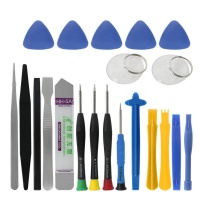
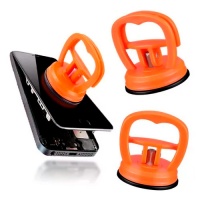
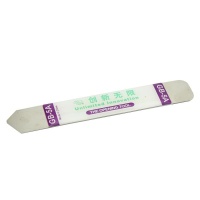
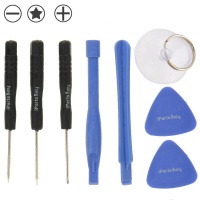

Receive it on tomorrow tuesday 20 october


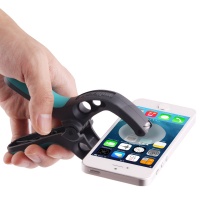
Frustrated with a Cracked Xbox One Screen? Discover Reliable Replacement Options
Hey buddy, I know how annoying it is when your Xbox One takes a tumble and ends up with a cracked screen😠. You're in the middle of an epic gaming session, and suddenly, that display is all spiderwebbed and unresponsive. We've all been there, right? The good news is, replacing the screen isn't as daunting as it seems. These consoles use a high-quality LCD display that's designed for sharp visuals, typically supporting a resolution of 1080p for that immersive experience. When you're looking for spare parts, make sure you grab one that's fully compatible with your model to avoid any glitches down the line.
Let's talk about what to watch for in a replacement. The screen should match the original specs, including the backlight and touch sensitivity if applicable, though Xbox One screens are more about durability than touch. Installation is straightforward if you're handy🔨 – you'll need to disconnect the old unit, align the new one carefully, and secure it with the right screws. If you're not confident, there are tons of tutorials online that walk you through it step by step. Remember, opting for reliable spare parts means your console will be back to delivering those crisp graphics without missing a beat.
From what I've seen, common issues like drops or pressure cracks are easy to fix with the right replacement. The device itself is built tough, but accidents happen. By choosing quality options, you're not just repairing; you're extending the life of your gaming setup. And hey, why not give your Xbox One a second life with top-notch spare parts? It's way cheaper than buying a new console, and you'll feel like a pro once it's done.
One more thing: always check compatibility charts before you buy. For instance, some screens come with pre-attached adhesives for easier fitting. Trust me, investing in a solid replacement will keep those frustrating blackouts at bay and get you back to gaming in no time.
Dealing with Xbox One Motherboard Issues: Expert Spare Parts Guide
Oh man, if your Xbox One is acting up with random shutdowns or failure to boot, it might be the motherboard throwing a tantrum🔥. It's frustrating when hardware failures interrupt your playtime, especially after you've sunk hours into a game. The motherboard is the brain of the operation, handling everything from processing to connectivity. Look for signs like overheating, no power response, or error codes on startup – these are red flags that a replacement might be in order.
When sourcing spare parts, go for high-quality boards that match the original specs, such as the integrated GPU and CPU configurations specific to the Xbox One. These replacements often come with enhanced durability to prevent future issues. Repairing it yourself? It's a bit involved, but with the right tools like a screwdriver set and anti-static wristband, you can swap it out. The console's design allows access to the motherboard after removing the outer casing, making it feasible for tech-savvy folks.
I've helped friends through this, and the key is patience. Third-person wise, the Xbox One relies on a robust motherboard for seamless performance, so a faulty one can halt everything. By picking expert-grade replacements, you're restoring that smooth gaming experience. At the end of the day, motivate yourself to buy quality spare parts and repair it – it'll feel like your console has been reborn, ready for more adventures.
Battery Problems Ruining Your Xbox One Sessions? Find the Perfect Replacement
Dude, nothing kills the vibe like your controller dying mid-battle because of a wonky battery🔋. It's super frustrating when power issues cut your sessions short, leaving you scrambling for a charger. For the Xbox One, batteries need to meet specific capacity and voltage requirements, usually around 3.7V with a decent mAh rating to last through long plays. Finding the perfect replacement means matching these specs to ensure compatibility and longevity.
Let's break it down: common problems include swelling or quick drainage, often from overuse or age. A good spare part will restore that reliable power flow, and installation is a breeze – just pop open the controller, swap the old battery, and seal it back up. The device performs best with high-quality batteries that prevent interruptions, keeping you immersed without worries.
Why not list out some tips?
- Check the voltage: Ensure it's 3.7V for safety.
- Capacity matters: Aim for at least 2000mAh for extended use.
- Compatibility: Works with standard Xbox One controllers.
Revive Your Xbox One Camera After a Heavy Impact
Hey, if a heavy bump has knocked out your Xbox One camera, I feel your pain😥. It's a hassle when that module stops working, messing up features like Kinect integration or video chats. Reviving it starts with understanding the specs: look for compatible camera modules with high resolution, say 1080p, and solid connectivity options like USB for plug-and-play ease.
Installation tips for you tech-savvy types: Disconnect the old camera carefully, align the new one with the console's ports, and test it right away. The camera in the Xbox One is designed for precise motion tracking, so a quality replacement ensures it functions like new. Common damage from impacts includes lens cracks or sensor failures, but swapping it out solves that quickly.
From a third-person view, this component enhances the overall user experience, making repairs worthwhile. Motivate yourself to buy and repair with reliable spare parts – it'll bring back that full functionality and make your console feel complete again.
Essential Housing and Structural Repairs for Xbox One Durability
Tired of that worn-out casing on your Xbox One? It's like your old buddy needs a fresh coat of paint after years of use🙏. Essential repairs focus on housing materials that are tough and lightweight, often plastic composites for durability. If speakers are buzzing or the microphone is muffled, replacements integrate seamlessly to restore audio quality.
Don't forget vibration motors – those little guys provide haptic feedback, and swapping them is key for immersive gameplay. The structure of the console benefits from these upgrades, preventing further wear. Repair steps involve unscrewing the old housing, transferring internals, and reassembling with care.
I've seen how a new case can make the device look and feel brand new. Alternating thoughts: you might notice improved grip and protection against drops. Why not give it a second life with quality spare parts? It's an easy way to extend durability and keep enjoying your games.
For a quick reference, here's a table of common parts:
| Part | Spec |
|---|---|
| Housing | Durable plastic |
| Speakers | Integrated audio |
| Microphone | Clear voice input |
| Vibration Motor | Haptic feedback |
Upgrade Your Xbox One with CD-ROM PCB Board Replacements
Disc drive acting funky? That irritation of failures can ruin your day, but upgrading with a CD-ROM PCB Board for Xbox One Consoles is a game-changer💻. These boards handle the circuitry for reading discs, ensuring compatibility across Xbox One models. Technical details include precise laser control and data processing for smooth operation.
Why it's crucial: Without a working PCB, your console can't load games properly. Replacement involves opening the drive, swapping the board, and testing – pretty straightforward. The device relies on this for physical media playback, so a high-quality part prevents errors.
Pro tip: Look for boards with enhanced durability. Give your Xbox One a second life by choosing these upgrades – you'll be back to spinning discs without a hitch.
Solve Charging Woes: High-Quality Ports for Xbox One Controllers
Dead controllers mid-game? Ugh, that's the worst📺. Solving charging woes starts with a Charging Port for Xbox One / Xbox One S Controllers, featuring USB standards like Micro-USB for fast charging and durability against wear. These ports are built to last, with reinforced connections.
Easy swap instructions: Pry open the controller, desolder the old port, and install the new one. Compatibility ensures it works flawlessly with your models. The controller's performance hinges on reliable charging, so this fix is essential.
Motivate yourself: Buy quality spare parts and repair – it'll keep your sessions uninterrupted and give your gear that fresh feel.
Keep It Cool: Replacement Cooling Fans for Optimal Xbox One Performance
Frustrated by overheating shutdowns? Your Xbox One needs better cooling, and a Cooling fan for Xbox One can save the day💨. Specs like RPM (around 2000-3000) and low noise levels ensure efficient thermal management without disturbing your game.
Installation: Access the internals, replace the fan, and secure it. This prevents future issues and extends life. The console runs hotter during intense use, so a good fan is vital.
From experience, it transforms performance. Give it a second life with these replacements – cooler console means longer playtime.
Laser Lens Upgrades: Fix Reading Errors in Your Xbox One
Disc read errors got you down? Upgrading with a Laser lens for Xbox One HOP B150 fixes that annoyance🔎. It covers precision alignment and tech for accurate reading, compatible with your drive.
Repair tips: Clean and align during install for reliability. The lens is key for disc functionality, solving common failures.
Hey, buy these spare parts and repair – your Xbox One will thank you with error-free gaming.





