
 Repair parts Lenovo Tab Plus
Stop guessing and select your replacement screen based on raw facts. Original Service Packs guarantee the exact 400-nit factory brightness and flawless touch response for T Pen Plus sketches, while compatible alternatives cut repair costs without cutting vital functionality. If you ever compare display technologies, remember that OLED delivers infinite contrast and deep blacks, whereas INCELL integrates the touch sensor directly into the LCD for a noticeably thinner profile and instant tactile feedback. Installing a Complete Screen for Lenovo Tab Plus 11.5 ensures it maintains its precise 7.7-13.6mm variable thickness and splash-resistant structural integrity.
Beyond the display panel, restoring the massive 8600 mAh battery, mainboard, or 8MP autofocus camera is completely straightforward when sourcing exact-fit parts. It handles daily tasks and basic gaming effortlessly thanks to the Helio G99 processor, meaning a cracked housing or a blown speaker shouldn't mean the end of the road. Identify the exact faulty hardware, complete your purchase without unnecessary delays, and get the device fully operational again.

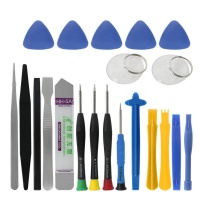
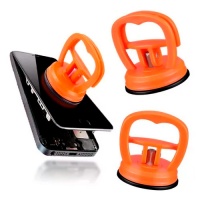
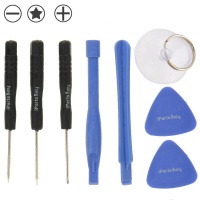

Receive it on wednesday 28 de october


Think of Your Lenovo Tab Plus Like a High-End Vehicle: Why Premium Parts Matter
Imagine owning a breathtaking, top-of-the-line sports car, only to leave it parked in the garage to gather dust simply because it has a flat tire. It sounds absolutely absurd, doesn’t it? Yet, this is exactly what happens when we give up on a premium piece of technology over a single broken component. We truly understand the deep sinking feeling in your chest when your beloved Lenovo Tab Plus gets damaged. However, we want to assure you that a cracked screen or a failing battery is just a minor bump in the road, not the end of the journey. When you use the right parts, you can easily revive your device and keep your digital engine roaring with the same power and elegance it had on day one.
Picture this all-too-familiar scenario: you are finally relaxing on the living room couch after a long, exhausting day, ready to dive into your favorite Netflix series. Suddenly, you lose your grip, and you watch in slow motion as your hefty 650g tablet slips from your hands and hits the hard floor with a sickening thud. The initial shock is overwhelming, and panic immediately sets in. But take a deep breath, because instead of stressing out or browsing the internet for an expensive replacement, you have the power to restore it completely. Fixing your device is a smart, eco-friendly, and incredibly rewarding process that brings your tech back from the brink.
This is where we step in. We are proud to introduce our shop as your ultimate, trusted destination to find reliable, high-quality replacement components for your specific TB351FU model. We know that repairing a large, immersive 11.5-inch tablet might seem intimidating at first glance, but we promise you it is just as manageable and achievable as fixing your everyday phone. By choosing the exact components designed for your device, you ensure perfect compatibility and performance. Don’t let a momentary accident ruin your multimedia experience; explore our premium catalog today and give your tablet the high-end treatment it deserves!
Is Your Window to the Digital World Shattered? The Complete Screen for Lenovo Tab Plus 11.5
Trying to enjoy a movie or read an article through a shattered display is like trying to admire a beautiful landscape through a spider-webbed, dirty window pane. It completely ruins the immersion and strains your eyes. Your Lenovo Tab Plus boasts an absolutely stunning 11.5-inch IPS LCD screen, complete with a silky-smooth 90Hz refresh rate and a bright 400 nits of peak brightness. When this gorgeous digital canvas gets cracked, you lose the brilliant colors, the crisp 2K resolution, and the seamless touch response that makes this device so exceptional for sketching with the T Pen Plus or playing casual games.
We know how accidents happen, especially in a busy household. Perhaps you left the tablet on the kitchen island, and your kids accidentally knocked it off while rushing to get their breakfast. The horrifying sound of glass shattering against the tiles is enough to ruin anyone’s morning. Seeing that intricate web of cracks across your precious screen can make you feel completely defeated. But do not despair! We have been in your shoes, and we know that this temporary setback can be fixed faster than you might think. A broken glass does not mean the tablet is worthless; it just means it needs a little professional TLC.
The perfect solution is waiting for you: by replacing your broken panel with our high-quality Complete Screen for Lenovo Tab Plus 11.5, you will instantly restore its vibrant, true-to-life colors and that buttery-smooth scrolling you fell in love with. The installation of this display will bring back that pristine, out-of-the-box magic, making your device look brand new again. Take a moment to check out our screen replacements in our shop, and get ready to enjoy your digital world through a crystal-clear window once more! 📺✨
The Heart and Brain of Your Device: Motherboard and Battery Replacement
If we look at the anatomy of your tablet, the motherboard acts as the intricate central nervous system, routing every command and thought, while the battery is the powerful beating heart pumping life into every circuit. Without these two vital organs functioning in perfect harmony, the entire body simply cannot operate. The Lenovo Tab Plus launched in June 2024 with an impressive 8600 mAh battery and a robust MediaTek Helio G99 processor. When these internal components start to fail, the entire user experience collapses, leaving you with a lifeless piece of metal and glass.
Imagine you have planned the perfect weekend evening. You are curled up under a blanket, ready to watch a long-awaited movie. You press the power button, but your device suddenly dies, even though it has been plugged into its 45W fast charger for hours. The frustration of dealing with a battery that drains instantly or a logic board that refuses to boot is maddening. You might feel tempted to just grab your phone to finish the movie, but squinting at a tiny screen is no substitute for the cinematic experience your tablet provides.
We are here to help you breathe life back into your device. In our shop, we offer premium replacement parts to fix complex logic board failures or severe battery drainage issues. By replacing the exhausted battery, you can once again enjoy those 13 to 14 hours of uninterrupted multimedia playback. We provide you with the tools and components necessary to ensure that your expansive tablet outlasts your average smartphone, giving you the reliable power you need for work, gaming, and entertainment. 🔋💻
A Scratched Lens is Like a Cloudy Memory: Restoring Your Lenovo Tab Plus Camera
Taking a photograph with a damaged or severely scratched camera lens is exactly like trying to recall a faded, blurry memory from years ago. You know the beauty of the moment is there, but the details are obscured, fuzzy, and frustratingly out of focus. The Lenovo Tab Plus is equipped with a very capable 8-megapixel rear camera with autofocus, and a matching 8-megapixel front camera that is absolutely perfect for high-quality video calls and intelligent AI photo assistance. When the delicate glass covering these lenses gets compromised, your ability to capture reality is severely handicapped.
Let’s paint a picture: you are rushing to a meeting or heading out for a weekend trip, and you quickly pack your tablet into your everyday bag without its protective synthetic leather case. Inside that dark abyss, your heavy house keys scrape forcefully against the camera module, leaving deep, ugly gouges across the glass. The next time you try to scan a document or jump on a crucial Zoom call, you are met with a hazy, distorted image that makes you look like you are broadcasting from a foggy room. It is a highly annoying situation that limits the functionality of your AI-powered assistant.
But rest assured, a scratched lens is one of the easiest issues to restore! We educate our community on how utilizing our exact replacement parts can flawlessly maintain the original capture quality of the TB351FU. By switching out the damaged camera glass or the lens module itself, you can return your tablet’s photographic capabilities to strict factory standards. You won't have to compromise on autofocus speed, lighting adjustments, or image clarity ever again. Browse our camera replacement section and bring your digital memories back into sharp focus! 📸🔍
Armor for Your Digital Life: Housing and Structural Repairs
The sleek, Lunar Gray housing of your tablet serves as the robust knight's armor protecting your digital life. However, even the strongest armor can only take so many hits in the heat of battle before it starts to bend and break. The Lenovo Tab Plus features a very unique, variable thickness design, ranging from an ultra-thin 7.7mm to a thicker 13.6mm at the base, cleverly accommodating its integrated kickstand and massive speakers. This structural integrity is paramount; it keeps the delicate internal circuitry safe from dust, moisture (maintaining its IP52 rating), and daily wear and tear.
Unfortunately, gravity is an unforgiving enemy. Imagine a clumsy moment where you drop the tablet right on the concrete driveway while getting out of your car. The impact severely dents the beautiful metallic frame, making the built-in kickstand jam and leaving the device looking battered and unstable. It is heartbreaking to see such a premium, modern design reduced to a damaged shell. A warped housing doesn't just look terrible; it can also put dangerous pressure on the internal display, leading to worse problems down the line.
Do not let a cosmetic disaster dictate your device's fate. Finding the right structural housing parts in our shop will not only make your tablet look pristine and elegant once again, but it will also effectively protect the fragile internal components from future impacts. Replacing a dented back cover or a bent frame ensures that your tablet sits perfectly flat, allowing you to use the kickstand at any angle for sketching or watching shows securely. Give your device its armor back and keep it safe from the chaos of everyday life! 🚚🛠️
Silence Isn't Always Golden: Reviving Speakers, Microphones, and Vibrators
We often hear the phrase "silence is golden," but when it comes to your primary media consumption device, a tablet without sound is like a grand, majestic concert hall completely missing its musicians. The crowning glory of the Lenovo Tab Plus is undoubtedly its audio system: an incredible array of eight JBL-tuned speakers that deliver a deeply invasive, bass-rich sound experience. Whether you are blasting Spotify or getting lost in a cinematic universe on Disney+, the audio is half the magic. When these acoustic components fail, the magic instantly fades away.
Imagine you are preparing to take a crucial, high-stakes video call for work. You activate the PC Mode, set up your tablet on its kickstand, and join the meeting. But tragedy strikes: the microphone is completely dead, leaving you miming to your boss, and the speakers are crackling uncontrollably, turning your colleagues' voices into harsh static. It is a highly stressful, embarrassing situation that makes you wish you had just used your tiny phone instead. Audio and haptic feedback issues (like a broken vibrator) can severely cripple your ability to communicate and interact with your tech.
We want to teach you that replacing these acoustic components is just as crucial, and just as satisfying, as fixing a shattered screen. The internal anatomy of the audio system is precise, but highly repairable. Our comprehensive shop has exactly what you need to get the crystal-clear sound flowing again. By swapping out blown speakers or a faulty microphone flex cable, you will perfectly restore that booming, immersive JBL audio experience that makes this tablet a true entertainment powerhouse. 🎶📢
📊 Excellence in Evolution: Lenovo Tab Plus (2024) vs. Previous Generations
To truly appreciate why repairing your Lenovo Tab Plus is worth every penny, we must look at how far this technology has come. When we compare the 2024 model with popular mainstream predecessors like the Lenovo Tab P11 Gen 2, the leap in multimedia capability is astounding. The integration of specialized hardware transforms it from a simple browsing screen into a portable home theater.
While previous generations offered adequate performance, the TB351FU introduces features that are hard to live without once you've experienced them. From the dynamic 90Hz refresh rate to the architectural wonder of fitting eight JBL speakers into a portable chassis, this device is a masterpiece of modern engineering. Below is a quick comparison showing exactly why maintaining this specific 2024 powerhouse is a smarter move than downgrading to an older backup device:
| Feature | Lenovo Tab Plus (2024) | Lenovo Tab P11 Gen 2 |
|---|---|---|
| Audio System | 8 JBL Speakers (Hi-Fi immersive sound) | 4 Speakers (Dolby Atmos) |
| Battery & Charging | 8600 mAh with 45W Fast Charging | 7700 mAh with 20W Charging |
| Design Ergonomics | Built-in variable kickstand (7.7 - 13.6 mm) | Standard flat back, requires external folio |
| Bluetooth Audio | Acts as a standalone Bluetooth speaker | Standard tablet Bluetooth streaming |
💡 Pro-Tips for Maintaining Your Restored Device
- 🔋 Battery Care: To maximize the lifespan of your new 8600 mAh battery, avoid letting it drop below 20% frequently. Use the official 45W USB-C charger to safely fast-charge the device in just 90 minutes without overheating the motherboard.
- 📱 Display Protection: After installing the Complete Screen for Lenovo Tab Plus 11.5, immediately apply a 9H tempered glass protector. This absorbs shock and prevents the 400-nit IPS LCD from taking the brunt of future impacts.
- 💧 IP52 Awareness: Remember that IP52 means it is protected against dust and light water sprays, not submersion! When replacing housing parts, ensure all adhesive seals are tight to maintain this crucial factory resistance against kitchen spills.
Don't Let a Broken Component Dictate Your Tech's Lifespan: Shop Smart, Repair Smart
To wrap things up, think about this final comparison: throwing away a slightly damaged, premium tablet is exactly like abandoning a beautiful, expensive house just because one single window got broken in a storm. It makes absolutely no economic or logical sense. Yes, you accidentally dropped your device, and yes, seeing it damaged is incredibly frustrating, but we assure you it is certainly not the end of the road. Your Lenovo Tab Plus is a magnificent machine packed with features like PC mode, AI photography, and top-tier audio, making it way too valuable to end up in a landfill.
We want to empower you to take control of your technology. By choosing to buy the Complete Screen for Lenovo Tab Plus 11.5 and other vital internal components from our dedicated shop, you are making a brilliant investment. You avoid the massive, unnecessary expense of buying a brand-new tablet or trying to force your tiny phone to perform heavy multimedia tasks. Repairing your tech is a statement that you value quality and sustainability, proving that a little bit of effort yields incredible rewards.
Our commitment is to provide you with the exact, high-quality parts needed to flawlessly restore your June 2024 model to its former, out-of-the-box glory. From the LCD display to the logic board, from the camera glass to the JBL speakers, we have everything organized and ready for you. Do not let a broken component dictate the lifespan of your technology. Shop smart, repair smart, and let us help you bring your beloved digital companion back to life today! 🛠🚀





