
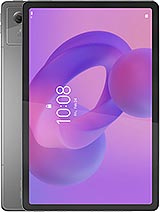
 Repair parts Lenovo Idea Tab
When we dive into choosing the perfect replacement, we have some killer options to weigh together. If we want that guaranteed factory-fresh feel, grabbing an original Service Pack ensures everything is flawless. On the flip side, going for a high-quality compatible option can save us some serious cash while still looking and functioning incredibly well. And while this specific tablet rocks a gorgeous LCD, whenever we repair our devices, we often debate between OLED vs INCELL technologies. OLED gives us those deep, punchy blacks and vibrant contrasts, whereas INCELL integrates the touch sensor directly into the display for a super slim profile and fantastic budget-friendly performance.
Before we lock in that final purchase, let's make sure we have absolutely everything we need for your specific model, whether it is the TB336FU or the TB336ZU. From a flawless Full screen for Lenovo Idea Tab 11" to fresh batteries, housings, speakers, and even micro vibrators, we have got the exact parts to restore its sleek 7mm, 480g lightweight magic. Let's grab our tools, swap out those broken pieces, and get our beloved tech running like it just launched in September 2025 all over again!

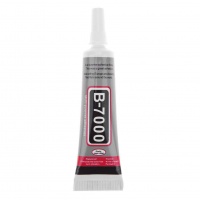
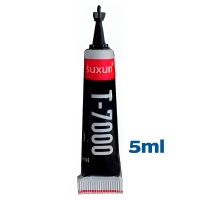
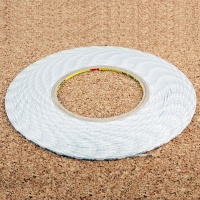
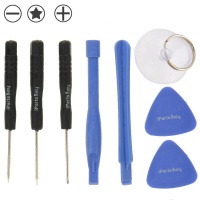

Receive it on wednesday 28 de october


🔧 Fix Your Lenovo Idea Tab Today: Buy Premium Spare Parts and Bring It Back to Life
Hey there! Listen, I completely understand the absolute dread you feel when your prized gadget slips out of your hands and hits the floor. It happens to the best of us! If you are sitting there staring at a broken screen or dealing with a battery that just will not hold a charge anymore, please do not panic. The incredible 2025 Lenovo Idea Tab 11-inch is an amazing piece of technology, but like all modern electronics, it is not indestructible. The fantastic news is that mobile and tablet repair is so much more accessible, straightforward, and cost-effective today than you might ever have imagined.
You might be tempted to just throw in the towel, buy a brand-new tablet, or pay those notoriously high fees at a professional repair shop. But hold on a second! Your specific device, particularly the TB336FU and TB336ZU models, was assembled in a way that makes opening it up and swapping out the damaged components a surprisingly manageable DIY project. By choosing to shop for your own premium replacement parts right here, you take full control of the situation and save yourself a significant amount of hard-earned cash in the process.
Whether you need a pristine new display to bring back those vibrant colors or a tiny internal flex cable to fix a charging issue, the comprehensive catalog at iLevante has exactly what you are looking for. Taking the DIY repair route not only saves you money but also gives you that amazing feeling of being an absolute tech wizard. Are you ready to dive in and restore your beloved gadget to its factory glory? Take a look around and discover the perfect solution for your device today!
📺 Full Screen for Lenovo Idea Tab 11": Original vs Compatible Replacements Explained
Let’s talk about the absolute most important part of your tablet: the face of it. Your Lenovo Idea Tab boasts a genuinely stunning 11.0-inch IPS LCD panel that pushes a buttery smooth 90Hz refresh rate alongside a brilliant 500 nits of peak brightness. Covering an expansive 350.9 cm² surface area, it is a big, beautiful window into your digital world. But when that glass shatters, it can break your heart. If you are hunting for a Full Screen for Lenovo Idea Tab 11", you will quickly notice that you have a couple of different paths to choose from: Original Service Pack replacements and compatible INCELL options.
So, what exactly is the difference, and which one should you choose? Let me break it down for you. An Original Service Pack display is the premium choice for purists. It gives you the exact same IPS LCD quality, flawless color accuracy, and ultra-responsive 90Hz fluidity that the tablet featured when it first launched in September 2025. On the flip side, INCELL compatible screens are a brilliant, cost-effective alternative. INCELL technology integrates the touch digitizer directly into the LCD layer itself, making the panel thinner and far more responsive than standard, cheaper aftermarket LCDs, all while offering excellent brightness at a fraction of the cost.
Now, you might be wondering, "What about OLED?" It is a common question! While OLED technology is famous for its infinitely deep blacks and punchy, vibrant colors, it is typically reserved for flagship mobile phone models or high-end tablet series. Because your specific tablet model was brilliantly optimized by the manufacturer to use a high-quality IPS LCD, sticking to either a genuine Original replacement or a high-grade INCELL compatible option is the smartest way to restore the visual magic without unnecessarily breaking the bank. Ready to banish those cracks forever? Shop our premium screen selection and discover the perfect solution for your device!
🔋 Power Up Again: Buy a Reliable Replacement Battery for Your Lenovo Idea Tab
We all know that awful, sinking feeling when your device drops to 10% battery life just a couple of hours after you unplugged it from the wall. Honestly, it is exhausting! But here is the thing: battery degradation is a perfectly normal, unavoidable chemical process. Even an advanced, well-optimized tablet like the Lenovo Idea Tab will eventually start losing its original stamina after a couple of years of heavy streaming, gaming, and daily productivity tasks. The lithium-ion cells simply lose their capacity over hundreds of charge cycles.
The great news is that you absolutely do not have to live your life tethered to a wall outlet! Swapping out that old, exhausted, and possibly swollen battery for a brand-new, highly reliable replacement is hands down one of the easiest and most impactful ways to breathe new life into your tech. When you install a fresh battery, you instantly restore that glorious, all-day performance you remember from the day you unboxed it. The mechanics are very similar to fixing a modern smartphone; the basic principles of an everyday phone battery replacement apply perfectly to this 11-inch powerhouse.
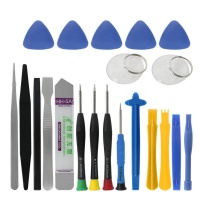
Plus, by taking on this simple repair yourself, you avoid paying those hefty professional labor fees. With a basic set of repair tools, a hairdryer or heat gun to soften the adhesive, and a little bit of patience, you can safely remove the rear panel, carefully disconnect the old power cell, and install your new replacement parts. It is an incredibly rewarding little project that significantly extends the lifespan of your electronics. Don’t let a tired battery hold you back—browse our power options and discover the perfect solution for your device today!
📷 Smashed Camera or Silent Speakers? Complete Repair Solutions for Your Tablet
Let us be completely real for a moment—dropping a solid 480g device onto a hard floor is going to leave a mark. Even if you got lucky and the main screen somehow survived the impact, the sheer force of the drop can still wreak havoc on the smaller, more delicate internal modules. You might suddenly find yourself dealing with a shattered rear camera lens, totally distorted audio coming from your speakers, or a damaged microphone that makes you sound like a robotic alien during your important video calls. These modular hardware problems are incredibly frustrating, but they are also highly fixable.
Here is the best-kept secret of the repair world: you absolutely do not need to replace the entire tablet just because one tiny modular component decided to stop working! The internal architecture of the 2025 Lenovo Idea Tab was actually designed with modularity in mind. Whether you need a crystal-clear new camera module to start snapping crisp photos again, or a fresh, crackle-free set of speakers so you can get back to enjoying your favorite movies in full volume, finding and replacing these specific parts is a breeze.
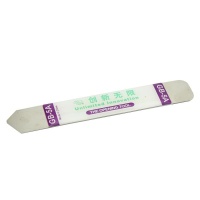
At iLevante, we carry a vast array of high-quality components, ranging from primary microphones to the precise vibrator motors that give you that satisfying tactile feedback. Every single one of these components is perfectly compatible with your specific hardware (the TB336FU or TB336ZU). Repairing these smaller modules is often as simple as unscrewing a protective metal shield, popping out the malfunctioning piece with a spudger, and snapping the brand-new one right into place. Why live with broken features? Head over to our modular components section to shop and discover the perfect solution for your device!
📐 Restore the Perfect 7mm Profile: Casing and Chassis Spare Parts
Did you know that your Lenovo Idea Tab features an ultra-slim, incredibly sleek 7mm profile? It is designed to be comfortably held for hours, looking premium and feeling fantastic in the hands. However, that thinness comes with a slight vulnerability. A severe drop, or accidentally sitting on the tablet while it is tucked into the sofa, can easily bend the outer frame, dent the fragile corners, or completely crack the rear casing. And let me tell you, a compromised chassis is not just an ugly aesthetic nightmare; it is actually a serious structural hazard for all your internal components!
Think about it like this: if the metal or plastic frame is bent out of shape, it applies a constant, uneven pressure directly onto the delicate glass of your display and the sensitive logic board underneath. Over time, this microscopic stress can lead to a sudden, catastrophic failure, like your screen cracking spontaneously or your motherboard shorting out. It is exactly the same logic you would apply to your mobile phone—if the outer armor is broken, everything on the inside is completely vulnerable to the elements and physical stress.
By investing in premium casing and chassis replacement parts, you are effectively buying insurance for your tablet’s internal organs. A straight, perfectly intact frame ensures that your motherboard, battery, and LCD remain fully protected against daily wear and future impacts. Restoring that flawless 254.6 x 166.2 x 7 mm body will make your device look, feel, and protect itself just like it did on day one.
💻 Advanced Repair: Motherboards and Flex Cables Made Simple
I know exactly what you are thinking right now: "Repairing a motherboard? Dealing with tiny, paper-thin flex cables? That sounds way too complicated for me!" But please, trust me on this—it really is not as terrifying as it sounds. While the motherboard is indeed the complex brain of your Lenovo Idea Tab, the way it connects to the rest of the device is remarkably simple. The connections are designed almost exactly like tiny, high-tech Lego bricks that just snap into place.
Very often, an issue that presents itself as a catastrophic system failure is actually incredibly minor. A tablet that refuses to charge might just have a torn charging port flex cable. A screen that randomly flickers might just be suffering from a loose connection between the mainboard and the LCD ribbon. Whether you are dealing with power button cables, volume rockers, or sub-board interconnects, replacing these internal highways of communication is a totally manageable task for anyone willing to try.
When you choose to shop for our premium replacement flex cables and internal motherboard components, you are securing the core functionality of your gadget. All you need to do is take it slow, follow a reliable step-by-step visual guide, use non-conductive tools, and you will restore full connectivity without a single hitch. Are you ready to confidently tackle the internals? Dive into our advanced components category and discover the perfect solution for your device!
📈 Lenovo Idea Tab (2025) vs Predecessor (Lenovo Tab P11 Gen 2): What’s New?
If you are a bit of a tech nerd like me, you are probably wondering exactly how this brilliant 2025 edition stacks up against its highly popular predecessor, the Lenovo Tab P11 Gen 2. You are in exactly the right place! I always find it incredibly fascinating to see the evolutionary leaps these devices take year over year. The newer Lenovo Idea Tab has carefully refined everything we loved about the older generation while consciously keeping the DIY repairability factor refreshingly high.
The comparison table below clearly breaks down the key technical differences between the two models. You will quickly notice how the newer 2025 model maintains a fantastic balance of size and weight while heavily optimizing the internal layout. This subtle interior redesign is a massive win for us DIY fixers, because it means that accessing the battery, replacing the display, and swapping out those tiny modular parts is significantly easier and safer than ever before!
| Feature / Specification | Lenovo Tab P11 Gen 2 (Previous) | Lenovo Idea Tab 11" (2025) |
|---|---|---|
| Screen Size & Type | 11.5 inches, IPS LCD, 120Hz | 11.0 inches, IPS LCD, 90Hz (Optimized for battery life) |
| Peak Brightness | 400 nits | 500 nits (Much better outdoor visibility) |
| Device Weight | 520 g | 480 g (Lighter and more comfortable) |
| Thickness | 7.4 mm | 7.0 mm (Ultra-slim profile) |
| Repairability Focus | Standard modularity | Enhanced snap-in flex cables & isolated modules |
💡 Pro Tips for Maintaining Your Lenovo Idea Tab
Once you restore your device with our premium parts, you will want to keep it in absolute pristine condition. Here are a few expert secrets to maximize your tablet’s lifespan:
- 🔋 The 20-80 Rule for Batteries: To drastically reduce chemical degradation, try to keep your new battery charged between 20% and 80%. Avoid leaving it plugged in overnight if it is already at 100%, as continuous trickle charging generates heat that slowly kills lithium-ion cells.
- 📺 Screen Care: The beautiful 500 nits IPS display loves a clean surface, but absolutely hates harsh chemicals. Never use alcohol-based glass cleaners on the bare screen, as it destroys the oleophobic (anti-fingerprint) coating. Use a slightly damp microfiber cloth instead!
- 💪 Chassis Protection: Because your device is remarkably thin at just 7mm, never travel with it sitting loosely at the bottom of a heavy backpack. Always use a rigid folio case to prevent the aluminum frame from bending under the weight of books or laptops.
🛒 Why Buy Your Lenovo Idea Tab Replacement Parts at iLevante?
Alright, my friend, here is the absolute bottom line: when you make the bold decision to fix your own tech, the actual quality of the components you use is going to make all the difference in the world. At iLevante, we are genuinely, deeply passionate about helping you succeed in your personal repair journey. We specialize heavily in top-tier mobile phone and tablet spare parts, painstakingly ensuring that you get exactly the right fit and function for your specific TB336FU or TB336ZU model.
Why should you choose to shop with us over the countless anonymous sellers out there? Simply put, because we stand firmly behind our entire catalog with strict, uncompromising quality guarantees. Whether you ultimately choose to purchase an Original Service Pack, a remarkably brilliant INCELL compatible display, or top-tier casing and battery components, every single item is rigorously vetted for long-term reliability. Furthermore, our lightning-fast shipping means that you will not have to stare sadly at a broken screen or a dead device for very long!
We also completely understand that diving into the internal guts of a modern electronic device can be more than a little intimidating for first-timers. That is exactly why our friendly, accessible technical support team is always right here to guide you through any unexpected hiccups. When you are finally ready to restore your amazing Lenovo Idea Tab to its former out-of-the-box glory, we are your trusted, go-to partner. Grab your precision screwdrivers, pick out your premium parts, and let us get that magnificent tablet working flawlessly once again!





