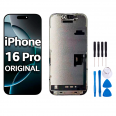
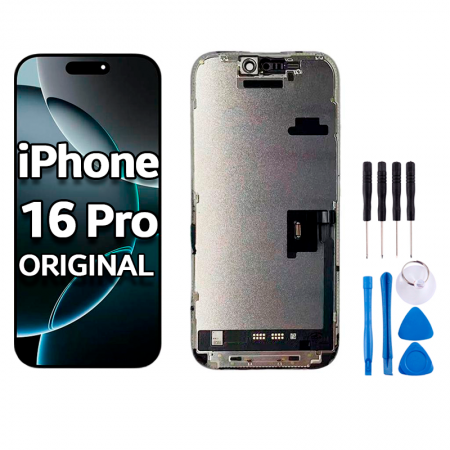
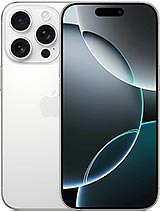
Original screen for iPhone 16 Pro: the same OLED display as day one
It happens more easily than you might think. Your phone slips out of your hand while getting out of the car, lands on its edge and there it is: a diagonal crack, a green spot that keeps spreading or an area that stops responding. If this has happened to you, this original iPhone 16 Pro OLED screen is exactly what your phone needs. It comes complete and ready to install, and it is the same part that Apple fits at the factory.
That is why, after the repair, everything you see will be exactly as it was before. The same colours, the same blacks and the same smooth touch response when sliding your finger.
What you get with this iPhone 16 Pro OLED screen
Let's look at the figures, because they matter here. As this is an original part, the brightness is identical to that of the screen your iPhone came with:
- 1000 nits of maximum brightness during normal use.
- 1600 nits peak brightness when viewing HDR videos or photos.
- 2000 nits in direct sunlight, so you can read WhatsApp messages on the beach without shielding the screen with your hand.
- And at the other end of the scale, just 1 nit, so you can look at your phone in bed without being dazzled.
This is a 6.3-inch Super Retina XDR display with 2622 × 1206 pixels (460 pixels per inch), a 2,000,000:1 contrast ratio and ProMotion technology with refresh rates of up to 120 Hz. In practice, you notice it when scrolling, which feels incredibly smooth, and with the always-on display, which continues to show the time and widgets while the phone is locked without using much battery. On the front, it features the latest-generation Ceramic Shield glass with an oleophobic coating.
One detail: to help the glass last longer, a screen protector is included as a free gift. Apply it as soon as you finish, rather than leaving it until tomorrow.
How to replace the iPhone 16 Pro screen safely
You can carry out the repair at home with patience and good lighting. We will provide you with a free tool kit, so you do not have to search through your drawers for suction cups or picks. Here are some things you should know before you begin:
- Heat the edges with a hairdryer for a few minutes. The adhesive will release much more easily and there is less risk of bending anything.
- Keep the pick shallow at all times. There are very thin flex cables attached along the inside edge.
- Disconnect the battery before touching any screen connector. It is the step most people skip and the one that causes the most problems.
- Before closing the phone, fit the dustproof mesh we provide as a free gift over the earpiece grille. It may seem like a small detail, but it prevents lint from building up and call audio from becoming muffled over time.
- Test the touchscreen, brightness and Face ID while the phone is still open. If anything does not work, you can fix it without having to remove the screen again.
What happens to True Tone and the unknown part warning after installation?
This is what concerns people most, and rightly so. For years, replacing an iPhone screen meant losing True Tone and seeing an “unknown part” message in Settings. With iOS 18, Apple added the Repair Assistant, which recognises original parts and configures them so that automatic brightness, True Tone and all other functions work again.
You simply need to update your iPhone and go to Settings › General › About › Parts and Service History. If prompted, follow the instructions and restart the phone. This does not work with generic screens, which is one of the reasons why choosing an original display is worthwhile.
A useful tip that could save you from replacing the screen
When the iPhone 16 Pro was released, many users complained that the screen ignored touches, especially near the edges and next to the Camera Control button. It looked like a hardware fault, but it was actually a software issue: the system that filters out accidental palm touches was too sensitive. Apple fixed it in iOS 18.0.1.
So, if your screen is intact and you only notice that it occasionally fails to respond at the sides, update the software first. However, if the glass is cracked or there are lines, spots or genuinely dead areas, then it is time to replace the original iPhone 16 Pro screen. With this replacement, your phone will be just as it was when it came out of the box.
• Product Weight: 0.18 kg.The technical specs of Apple iPhone 16 Pro
can help you to choose the correct repair part for your device. Make sure your model reference is the same as this element. Here are some tech specs to help you:
- Brand: Apple
- Apple iPhone 16 Pro Size: 149.6 x 71.5 x 8.3 mm.
- Release date: 2024, September 09.
- Weight: 199 g.
- Screen specs: LTPO Super Retina XDR OLED, 120Hz, HDR10, Dolby Vision, 1000 nits , 2000 nits.
- Screen size: 6.3 inches, 96.4 cm2.
PVP:
SNK.AS162735129.90€ AvailableInStockNewCondition