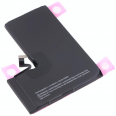
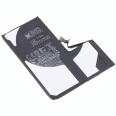
3095 mAh iPhone 13 Pro Battery
The iPhone 13 Pro went on sale in September 2021 and is still in many pockets, with a 120 Hz ProMotion display and an A15 Bionic chip that is more than capable of handling everyday use. The battery, however, does not hold up quite as well. When customers bring their phones to our workshop, the story is often similar: “By mid-afternoon I’m already looking for a socket”, or “It switches off at 20% as soon as it gets cold”. In many cases, the phone is perfectly fine and the only component that has reached the end of its service life is the battery cell.
This iPhone 13 Pro battery has the same capacity as the factory-fitted battery, 3095 mAh (11.97 Wh), and carries reference AP13P0004, equivalent to the A2656 battery fitted in this model. With it, you can get battery life figures close to those announced by Apple at launch: up to 22 hours of video playback, 20 hours of streaming and 75 hours of audio playback. That is an extra hour and a half compared with its predecessor, the iPhone 12 Pro, which had a capacity of 2815 mAh.
A custom-made L-shaped cell
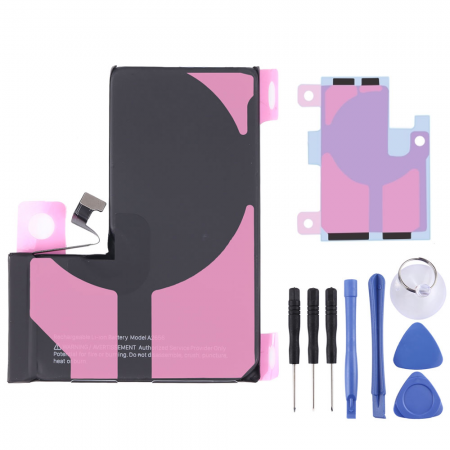
One interesting feature of this model is that the battery is L-shaped. Apple designed it this way to make use of every millimetre of space around the large rear camera module and the logic board. That is why a battery that merely looks similar will not work. It is only compatible with the iPhone 13 Pro, in all of its variants:
- A2638 (international and Europe)
- A2483 (USA)
- A2636 (Canada and Japan)
- A2639 (China and Hong Kong)
- A2640 (Russia)
Be careful not to confuse it with the iPhone 13 Pro Max battery, which is larger and has a capacity of 4352 mAh. They are not interchangeable.
What does it mean for the iPhone 13 Pro battery to be OEM quality?
OEM stands for Original Equipment Manufacturer. These batteries are manufactured to the same technical specifications as the original: the same capacity, nominal voltage and dimensions, together with a battery management system (BMS) that controls charging, temperature and discharge. The difference compared with the battery installed by Apple in its stores is that it does not carry Apple’s logo and is not factory-paired with your logic board’s serial number. In terms of performance, the iLevante team considers it the most sensible middle ground between an official battery and cheap generic alternatives, which often lose capacity after just a few months.
The “unknown part” warning explained clearly
Since iOS 15.2, Apple has linked the battery to each iPhone’s logic board. If you replace it outside Apple’s authorised service, an “Important Battery Message” will appear on the lock screen for a few days. It will then move to Settings > General > About > Parts and Service History. Instead of the battery health percentage, you may see the message “Service”.
What about performance? Nothing changes. Charging, the percentage shown in the status bar, MagSafe and fast charging all work in the same way, and the system does not limit the phone’s speed. It is an informative warning. We mention it because customers ask us about it frequently, and we would rather you knew before buying.
What is included and what you will need
At iLevante, we send the battery with a free screwdriver kit and the adhesive strips needed to secure it to the frame, at no extra cost. The iPhone 13 Pro uses three different types of screw, so the kit saves you a trip to the hardware shop:
- Pentalobe P2 for the two 6.8 mm screws along the bottom edge.
- Tri-point Y000 for the covers over the battery and front sensor connectors.
- Phillips for the loudspeaker and Taptic Engine.
You should also have a hairdryer or heating plate, opening picks, a suction cup, tweezers and high-purity isopropyl alcohol (90% or more) to hand. If you want to preserve the phone’s water resistance, fit a new display seal, as the original one is damaged when the phone is opened.
How to replace the iPhone 13 Pro battery step by step
Let’s be clear: videos make it look like a five-minute job, but it is not. Allow between one and one and a half hours if this is your first time. The battery is located beneath the display, loudspeaker and Taptic Engine. This is the procedure followed by our technical team:
- Discharge the battery below 25% and switch off the phone. A charged lithium cell can catch fire if punctured.
- Remove the two pentalobe screws next to the Lightning connector.
- Heat the display perimeter to around 80°C to soften the adhesive, then use the suction cup to create a small gap.
- Run an opening pick around the edge, without inserting it more than 3 mm. There are very thin cables inside, and the upper sensor cable is particularly easy to damage.
- Open the display like a book, without opening it beyond 90 degrees, and support it securely.
- Remove the connector cover and disconnect the battery before touching any other cable.
- Disconnect the display and sensor flex cables, then remove the bottom loudspeaker and Taptic Engine.
- Slowly pull the four black adhesive tabs (two at the top and two at the bottom) at a low angle.
- Fit the new strips, position the battery, connect it and reassemble everything in reverse order.
The most common problems and how to avoid them
The problem we see most often is the adhesive strips snapping halfway through removal. This usually happens when people rush. The strips stretch gradually and lose their grip as they become longer, so keep them under tension, do not pull sharply and try not to let them crease. If one breaks, a few drops of isopropyl alcohol beneath the cell followed by a one-minute wait will usually be enough. Never insert a metal tool underneath the battery to prise it out.
The second problem is more worrying: Face ID stops working after the replacement. This is almost always caused by a short circuit from disconnecting the display while the battery is still connected, or by bending the TrueDepth module when opening the phone. This module is cryptographically paired with the logic board and cannot be replaced outside Apple’s official service. So, once again, the first step is to disconnect the battery.
What if the phone does not switch on afterwards? Try a forced restart: press volume up, press volume down, then hold the side button. Often, the new battery simply needs this push to start up.
The first few days with your new iPhone 13 Pro battery
We recommend a simple calibration process: charge it to 100%, leave it connected for another couple of hours, use it until it switches off and then charge it fully again. iOS’s Optimised Battery Charging takes about a week to learn your habits, so do not worry if the percentages seem slightly irregular during the first few days.
When is it time to replace it? Batteries from this generation are designed to retain 80% of their capacity after around 500 complete cycles. After that, iOS may start limiting performance to prevent unexpected shutdowns. If you see a figure below 80% in Settings > Battery > Battery Health & Charging, or your phone no longer lasts through the day, it is a good time to replace it. Replacing the battery costs far less than buying a new iPhone and also extends the life of a phone that still has plenty to offer.
• Product Weight: 0.10 kg.The technical specs of Apple iPhone 13 Pro
can help you to choose the correct repair part for your device. Make sure your model reference is the same as this element. Here are some tech specs to help you:
- Brand: Apple
- Apple iPhone 13 Pro Size: 146.7 x 71.5 x 7.7 mm.
- Release date: 2021, September 14.
- Weight: 204 g.
- Screen specs: Super Retina XDR OLED, 120Hz, HDR10, Dolby Vision, 1000 nits , 1200 nits.
- Screen size: 6.1 inches, 90.2 cm2.
PVP:
SNK.AS09630914.70€ AvailableInStockNewCondition