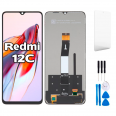
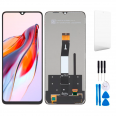
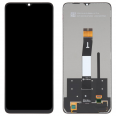
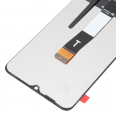
Redmi 12C screen: bring your phone back to life without replacing it
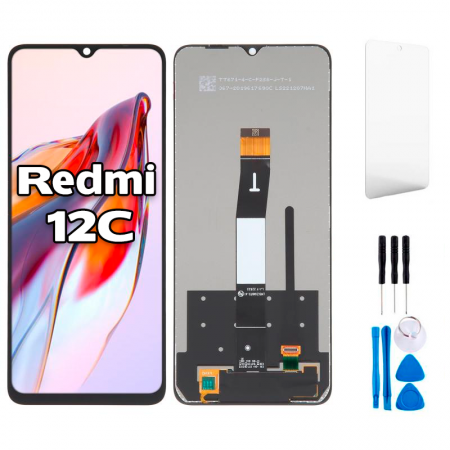
You drop your phone and the screen ends up covered in cracks. Or worse, it looks intact but stays black, or the touchscreen registers taps you never made. This can happen with the Redmi 12C: it’s a large, lightweight phone with a big screen and plastic frame. The good news is that it’s relatively straightforward to repair. This full screen for Xiaomi Redmi 12C is ready to install, with the LCD, touch glass, connecting flex cable and image controller integrated into a single unit. That means no need to glue separate layers together.
It’s compatible with models 22120RN86G, 22120RN86I, 22126RN91Y and 2212ARNC4L. You can find your model number under Settings > About phone > All specifications. It’s also printed on the SIM tray or on the box label. One interesting detail: the 22120RN86G is the global version with NFC. The other three are regional variants without NFC, but they all use the same front panel.
What to expect from your new Redmi 12C screen
At the iLevante workshop, we check every batch before dispatch. Here are the specifications of this Premium quality part:
- 6.71-inch IPS LCD panel with a 20.6:9 aspect ratio
- HD+ resolution of 720 x 1650 pixels, around 268 ppi
- Typical brightness of 450 nits, ideal for comfortable use indoors and outdoors in the shade
- Typical contrast ratio of 1500:1 and 16.7 million colours, with 70% NTSC colour gamut
- 60 Hz refresh rate and 120 Hz touch sampling rate, just like the original phone: scrolling through menus and typing on the keyboard stay responsive
- Wide viewing angles, typical of IPS, with no colour changes when you tilt the phone
Here’s what matters: the phone recognises the screen without any setup, automatic brightness continues to work, and the front camera’s waterdrop notch lines up precisely with the original.
Before you buy: do you really need to replace your Redmi 12C screen?
It’s worth ruling out a couple of other causes first, based on our experience. The 12C is sometimes known to have a touchscreen that freezes for a few seconds, especially while gaming or when starting up with Wi-Fi enabled. Often, there’s nothing wrong with the screen itself.
- Restart your phone and try again. A temporary system issue can cause the touchscreen to stop responding.
- Remove the screen protector and case. A thick or misaligned tempered glass protector, or one with bubbles, can reduce sensitivity, especially around the edges.
- Start the phone in safe mode. If the touchscreen works properly there, a recently installed app may be the cause.
However, if you see visible cracks, black or coloured patches, vertical lines, areas that consistently fail to respond, constant ghost touches, or a black screen while the phone still vibrates and makes sounds, the diagnosis is clear: the screen needs replacing. After a hard drop, the damage is usually to the LCD itself or its flex cable, and software won’t fix it.
How to replace the Redmi 12C screen: advice from the iLevante team
Here’s a detail that many repair guides don’t explain properly. The Redmi 12C is repaired from the back, and the screen connector is underneath the motherboard. Our full screen saves you from the trickiest step: heating and prising a broken LCD away from the frame. Instead, you transfer the components from one assembly to the other. Difficulty: easy to moderate. With patience and a free afternoon, anyone with a bit of practical know-how can do it.
We include a screwdriver kit with your order. All the internal screws in the 12C are tiny Phillips screws (PH000). You’ll also need tweezers, a plastic opening pick and a tray or sheet of paper to keep the screws organised. Don’t use metal tools to pry near the motherboard.
Common mistakes we see in the workshop
- Using too much heat. A heat gun set to 120°C is sometimes recommended, but that’s too hot for an LCD. If you need to soften any adhesive, keep the temperature below around 80–90°C.
- Connecting the flex cable without disconnecting the battery. This is the quickest way to burn out the new screen controller and leave the display black.
- Leaving a screw under the cover. The cover may not close properly, and pressure can cause touchscreen issues.
- Pinching the fingerprint reader flex cable when closing the phone. Make sure it lies flat.
Everything included with your Redmi 12C screen
No surprises when you open the box:
- Premium full screen for Xiaomi Redmi 12C (LCD + touchscreen + flex cable + integrated IC)
- Free screwdriver kit so you can carry out the repair yourself
- GIFT: 1 screen protector, so your new screen is protected from day one
We ship it in rigid, padded packaging to help ensure the glass reaches you intact. If your 12C has had a broken screen for days, order yours today: once you have the part, the repair should take an afternoon.
Why is it worth repairing?
This phone has a Helio G85, a 5000 mAh battery that easily lasts all day, a 50 MP camera and an update to Android 14 with HyperOS. It still has plenty of life left. Replacing the screen costs a fraction of the price of a new phone, and you get to keep your data, photos and settings. A repair shop would charge considerably more for the same part, on top of the labour.
One practical tip for after the repair: use the screen protector included with your order and fit a case with reinforced corners. Most of the broken 12C screens we see have started with a damaged corner.
• Product Weight: 0.20 kg.The technical specs of Xiaomi Redmi 12C
can help you to choose the correct repair part for your device. Make sure your model reference is the same as this element. Here are some tech specs to help you:
- Brand: Xiaomi
- Xiaomi Redmi 12C Size: 168.8 x 76.4 x 8.8 mm.
- Release date: 2022, December 31.
- Weight: 192 g.
- Screen specs: IPS LCD, 500 nits.
- Screen size: 6.71 inches, 106.5 cm2.
PVP:
SNK.EDA00422210615.95€ AvailableInStockNewCondition