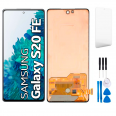
Samsung S20 FE screen: see your Galaxy like new again
We’ve seen it hundreds of times in the iLevante workshop: an S20 FE that still works brilliantly on the inside (processor, cameras and a 4,500 mAh battery that keeps going), but has a screen shattered after a minor fall. This complete Samsung S20 FE screen is designed for exactly that: giving a phone that deserves better a new lease of life.
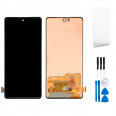
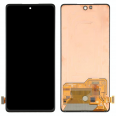
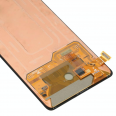
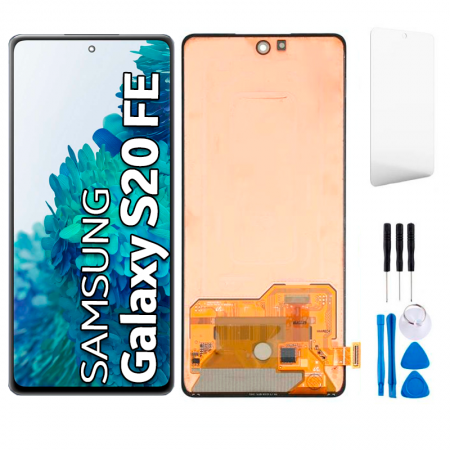
It’s a Premium quality replacement part. The glass, touchscreen and display panel come pre-assembled as a single unit, with the connection flex cable and driver ready to connect to the motherboard. There’s no need to glue separate layers together or improvise. We also include two free gifts you’ll actually use: a screen protector and a tool kit so you can carry out the replacement yourself.
What makes the Samsung S20 FE screen special?
Samsung fitted the Fan Edition with a 6.5-inch panel with FHD+ resolution of 2400 × 1080 pixels (around 407 ppi) and a 120 Hz refresh rate, which was unusual for its price range in 2020. Our replacement maintains the same screen size, resolution and 20:9 aspect ratio. The cut-out for the front camera matches, and the proportions fit the frame precisely.
The iLevante team has set out the brightness figures clearly, so you know what you’re buying:
- Brightness in normal use (manual control): around 364 nits, more than enough indoors and for reading at night without straining your eyes.
- Peak brightness with automatic adjustment: around 741 nits, making the screen easier to read outdoors in bright sunlight.
- Refresh rate: up to 120 Hz, so scrolling through social media and websites remains smooth.
With Incell technology, the touchscreen is integrated into the panel itself. This makes the part more compact and simplifies installation—just what you want when carrying out the repair at home.
Does your Samsung S20 FE screen need replacing? The clearest signs
Sometimes the glass is fine and the problem is underneath. Since its launch, this model has been known for ghost touches: the phone mistakes a tap for a swipe, opens apps by itself or struggles with two-finger zooming. Samsung released several updates to try to fix the issue, and they worked for some users. For others, they didn’t. If updates haven’t solved it for you, the digitiser is damaged and replacing it is the definitive solution.
Another common issue with Samsung panels from that generation is the well-known vertical green line, which can appear overnight. Bear in mind that the manufacturer’s free replacement programmes excluded the FE versions. Here’s the quick diagnostic checklist we use:
- Cracked glass, whether or not the touchscreen still works.
- Growing black spots, coloured lines or dead pixels.
- Areas that don’t respond to touch, especially around the edges.
- The phone vibrates and makes sounds when switched on, but no image appears.
- Faint afterimages of old content that won’t disappear.
Does any of this sound familiar? Then it’s worth getting your replacement screen now. Order yours today and, in just a few days, your phone can be back to full working order.
Samsung S20 FE screen compatibility with the 4G and 5G versions
The Fan Edition came in two versions, 4G and 5G, with different processors but the same screen. This replacement part works with both versions and is compatible with the Samsung S20 FE 5G. Before ordering, check the model in Settings > About phone and make sure it appears on this list:
- SM-G780F
- SM-G780F/DSM
- SM-G780G
- SM-G781B
- SM-G781B/DS
- SM-G781U
- SM-G781W
How to replace the Samsung S20 FE screen: the iLevante team’s guide
We’ll be honest: this is a medium-to-advanced repair, so set aside one to two hours and take your time. One thing that often goes unmentioned is that with the S20 FE, you start from the back. The plastic rear cover is glued around its entire edge and doesn’t handle excessive heat well. Keep that in mind.
- Prepare the phone. Let the battery drop below 25% (a charged lithium battery is more dangerous if damaged) and switch off the phone.
- Remove the rear cover. Gently heat the edges to around 80°C using a hair dryer or a low-power heat gun. Position the suction cup at the bottom, lift slightly and insert a plastic pick, taking care not to go too close to the side buttons.
- Remove the covers and disconnect the battery. Remove the screws holding the shields and wireless charging coil, keeping them in order because they aren’t all the same length. Disconnect the battery connector before touching anything else.
- Disconnect the screen flex cable. Unplug it from the motherboard using the plastic pry tool from the kit, never a metal tool.
- Remove the broken screen from the front. Heat the front again and work the picks through the adhesive. Cover the broken glass with packing tape and wear safety glasses, as shards may fly off.
- Clean the frame thoroughly. Remove all the old adhesive with isopropyl alcohol. Any residue could prevent the new screen from sitting properly.
- Test before gluing. Feed the flex cable through, connect the screen and battery, then switch the phone on. Enter *#0*# on the phone keypad to open the diagnostic menu and test touch across the entire screen.
- Glue the screen in place and close the phone. Apply a suitable adhesive (such as B-7000, not included), press the screen down evenly, reinstall the shields and seal the rear cover.
A workshop tip that can save you a lot of trouble: Samsung’s snap-on connectors have tiny pins. Line them up properly before pressing down, as forcing them in at an angle can cause permanent damage.
Things to know before you get started
Once the phone has been opened, its factory IP68 water resistance is no longer guaranteed, even if you replace the seals. Avoid getting it wet, even if you used to do so without worry. When you’re finished, fit the free screen protector the same day, before the first scratch appears. A case with reinforced corners is also a good idea.
Frequently asked questions about the Samsung S20 FE screen
How much does this replacement part cost?
It costs 20.26€, including taxes. Only delivery charges, which depend on your location, are added. Replacing it yourself saves you the labour costs of a repair shop, which are usually the most expensive part of this repair.
What exactly is included?
- Complete screen: glass, touchscreen and display panel assembled together, with flex cable and driver.
- FREE GIFT: screen protector.
- FREE GIFT: tool kit with screwdrivers, picks, pry tools and a suction cup.
As this screen uses Incell technology, the in-display fingerprint reader will stop working after replacement. Everything else continues to work as usual: touchscreen, image, 120 Hz refresh rate, front camera and calls. You can unlock your phone using facial recognition, your PIN or your pattern.
What if the touchscreen behaves strangely after replacement?
First, check that the flex cable is fully and correctly connected. If everything is in place, update the system: several Samsung software versions improved touch handling on this model. In our tests, a new panel with up-to-date firmware responds normally.
• Product Weight: 0.10 kg.The technical specs of Samsung Galaxy S20 FE
can help you to choose the correct repair part for your device. Make sure your model reference is the same as this element. Here are some tech specs to help you:
- Brand: Samsung
- Samsung Galaxy S20 FE Size: 159.8 x 74.5 x 8.4 mm.
- Release date: 2020, September 23.
- Weight: 190 g.
- Screen specs: Super AMOLED, 120Hz, HDR10+.
- Screen size: 6.5 inches, 101.0 cm2.
PVP:
SNK.SPA243320.26€ AvailableInStockNewCondition