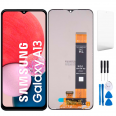
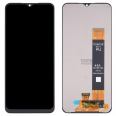
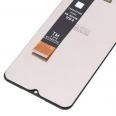
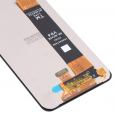
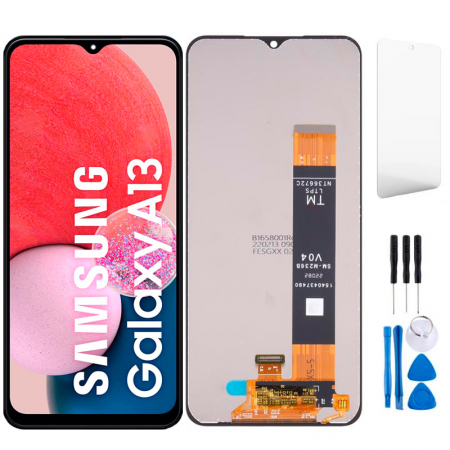
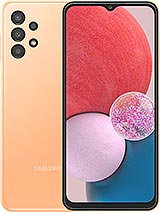
- The touch screen.
- The LCD screen.
- The connection cable that joins to the motherboard.
- An image IC controller.
A tempered glass screen protector is also included, which protects the screen from scratches or light impacts.
To help you carry out the installation by yourself, we include a tool kit containing:
- Screwdrivers.
- A plastic pick.
- Pry tools to detach the screen.
- A suction cup.
We recommend you keep this kit well, as you will need it and it is very useful. The Samsung A13 4G Screen we deliver is fully protected to avoid any fractures during transit.
Easy Screen Replacement for Samsung Galaxy A13
To start, you need the right tools for this job. You need a heat source, the tool kit we send you, and the complete screen which includes all the components to swap your old screen with this new one.
Discover how you can change the Samsung A13 screen and enjoy a phone as good as new! Follow these simple steps to carry out the repair.
- The first step is to carefully remove the screen from the packaging. Make sure to do it with great care to avoid additional damage.
- Before starting, turn off your Samsung A13. Additionally, it is important to check that there is no static electricity in the environment. To prevent any risk, we recommend using an anti-static wristband.
- Remember, it's best to remove the battery before starting the repair. Once removed, proceed with the following steps.
- Proceed to separate the screen. Use a gentle heat source, like a hairdryer, keeping the temperature below 120°C. Apply heat around the screen until you can begin to detach it. You will find picks in the tool kit to help in this process.
- Disconnect the flex cable that connects the Samsung A13 screen to the phone. This will allow you to fully remove the old screen.
- Before installing the new screen, make sure to remove any remnants of glue from the edges of the frame. This way, the new screen will fit correctly.
- Connect the new screen and check its functionality. It is important to ensure everything is in order before proceeding.
- Once verified that the screen works correctly, you can connect the battery and secure the screen to the phone using the appropriate adhesive.
Congratulations! You have completed the repair of your broken screen and your Samsung A13 will be as good as new. Now you can enjoy an uninterrupted visual experience. If you have any other questions, don’t hesitate to ask!
What is the price of this screen?
The price of the screen is 15.90€, which already includes VAT. The shipping cost must be added, and this will vary depending on what best suits your needs at the time of purchase. During the order process, you can select shipping based on your location and urgency.
Do I need to visit an official service?
No. We deliver anywhere in Spain. In the package, we include everything needed for you to perform the repair from home. With this screen, you can easily fix your Samsung Galaxy A13 (model SM-A135, SM-A137).
Repairing the Samsung A13 Screen is Easy
Rest assured that it is! We've outlined the steps to follow quickly and efficiently so that your phone works again.
Some Samsung Tips
To keep the phone in perfect condition, we include a tempered glass to place on the new screen once installed. You can also use a shockproof case to avoid having to repair the screen often.
How to diagnose if the screen is broken
Before changing the screen, we need to know if the tempered glass or the Samsung A13 4G Screen is damaged.
If the touch starts to malfunction, you will notice the top part is chipped. The Samsung A13 4G Screen can be damaged if the phone stops working properly. To check if it needs to be changed, go to settings. Then, "About phone" and tap 7 times on "build number". This will activate the “developer options”.
Within this section, choose “pointer location”, and trace around the screen. If these do not draw, it means it is defective and needs repair.