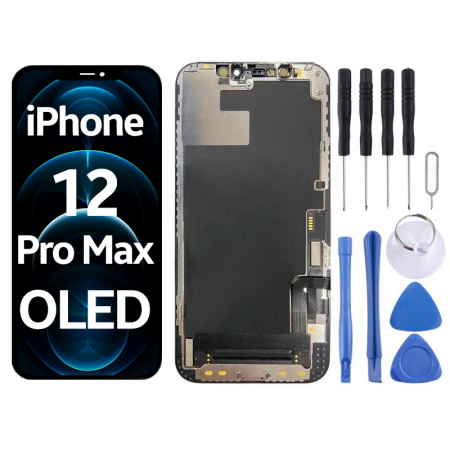
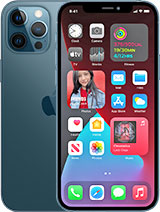
iPhone 12 Pro Max OLED screen
The iPhone 12 Pro Max was released in 2020 with the largest display Apple had put in an iPhone up to that point: 6.7-inch Super Retina XDR. This complete assembly replaces the whole screen. It comes with the OLED panel, touch layer, front glass and connection flex cable already assembled, so there is nothing to glue separately.
With OLED, each pixel produces its own light, so there is no backlight. That is why blacks look truly black and power consumption is lower when you use dark backgrounds. The difference is immediately noticeable compared with an In-Cell (LCD) screen.
iPhone 12 Pro Max OLED screen specifications
The iLevante team has compared it with the factory panel, and the brightness is very similar to the original:
- Typical maximum brightness: 800 nits.
- Maximum HDR brightness: 1200 nits.
- Contrast ratio: 2,000,000:1.
- Resolution: 2778 × 1284 pixels at 458 ppi.
- P3 colour gamut, HDR10, Dolby Vision and HLG, at 60 Hz, just like the original model.
- The screen supports True Tone transfer using a programmer. You can also transfer the original IC if you wish. The screen will work perfectly even if you do not.
In everyday use, ProRAW photos, Dolby Vision videos and Dark Mode look just as they did before the damage.
Compatible models
Check the model number in Settings > General > About or on the inner edge of the SIM tray. This screen is compatible with:
- A2411: international version, commonly sold in Spain and Europe.
- A2342: United States.
- A2410: Canada and Japan.
- A2412: China, Hong Kong and Macao.
Please note that this screen will not fit the standard iPhone 12 Pro (6.1-inch) or the iPhone 13 Pro Max. They look similar, but they use different screens.
How to replace the iPhone 12 Pro Max OLED screen
The package includes a free screwdriver kit with the bits required for this model. We also include one screen protector at no extra cost. We recommend fitting it from day one.
Allow one to two hours if this is your first repair. The difficulty is moderate: patience is what matters; very little force is needed.
- Let the battery drop below 25% and switch off the iPhone. If the glass is badly broken, cover it with packing tape.
- Remove the two 6.7 mm P2 pentalobe screws next to the Lightning connector.
- Warm the edges with a hairdryer until they feel slightly too hot to touch, keeping the airflow moving at all times. More heat will not help and could damage the battery.
- Attach a suction cup at the bottom and slide an opening pick under the plastic frame. Insert it no more than 3 mm along the bottom, right and top edges, and no more than 2 mm along the left edge, where cables are very close to the frame.
- Open the screen from the right-hand side, like the cover of a book. Do not remove it completely: it is still connected by two cables.
- Remove the four 1.1 mm Y000 tri-point screws from the cover plate and disconnect the battery first. Then disconnect the screen cable. The sensor cable has a separate cover plate secured by four screws.
- Transfer the earpiece and front sensor assembly from the old screen to the new one. It is paired with your logic board and contains the Face ID illuminator, so handle it carefully.
- Connect everything, switch on the phone and test the touch function, Face ID and earpiece before gluing anything in place.
- To close the phone, fit the top tabs first and lower the screen towards the connector. Use the adhesive included free of charge to restore the seal.
What our technicians see most often
The questions received by the iLevante team tend to be the same:
- An area does not respond or the screen registers ghost touches. In most cases, the connector is not properly seated or has dust on it. Disconnect the battery, clean it with isopropyl alcohol and press down on each end until it clicks into place. Pressing in the middle can leave it partly disconnected.
- Face ID stops working. Usually, the front assembly flex cable was bent while being transferred, or the adhesive is covering the proximity sensor. Check both before suspecting the screen.
- Unknown Part notification. Since iOS 15.2, the iPhone displays a notification in Settings when the screen is not from Apple. It is informational: touch response, brightness and colours continue to work as normal.
- True Tone disappears. This happens with any screen that has not been calibrated by Apple, even a second-hand Apple screen. True Tone can be restored by copying the data with a programmer.
- The frame does not sit flush. If the phone was dropped on a corner, the chassis may be slightly bent. Straighten it first, as pressing the OLED against a twisted frame can leave marks on the panel.
Interesting fact: in 2020, many iPhone 12 Pro Max owners noticed a slight green tint in dark areas in low light, even with the factory screen. Apple never acknowledged it as a defect. If you noticed this tint before the damage, replacing the panel will usually get rid of it.
How to tell if your screen needs replacing
Cracked glass is easy to spot, but some faults are less obvious. You may see green or purple lines, spreading black spots, a strip of unresponsive touch controls, or a black screen even though the phone still rings and vibrates. These issues come from the OLED panel, and a new screen protector will not fix them. In any of these cases, the complete screen assembly needs replacing.
• Product Weight: 0.22 kg.The technical specs of Apple iPhone 12 Pro Max
can help you to choose the correct repair part for your device. Make sure your model reference is the same as this element. Here are some tech specs to help you:
- Brand: Apple
- Apple iPhone 12 Pro Max Size: 160.8 x 78.1 x 7.4 mm.
- Release date: 2020, October 13.
- Weight: 228 g.
- Screen specs: Super Retina XDR OLED, HDR10, Dolby Vision, 800 nits , 1200 nits.
- Screen size: 6.7 inches, 109.8 cm2.
PVP:
SNK.IP2P001537.75€ AvailableInStockNewCondition