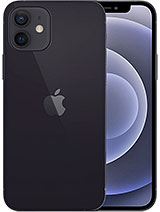
iPhone 12 and iPhone 12 Pro battery: one part for two models
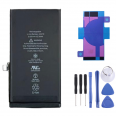
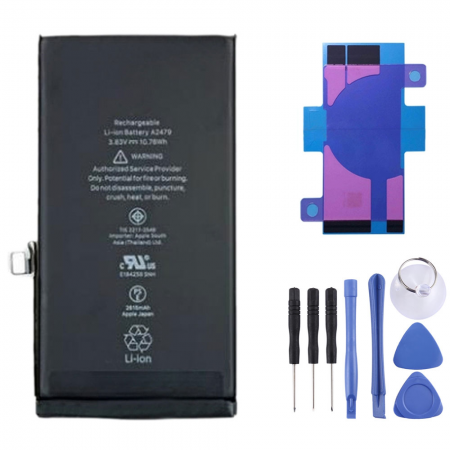
There is one detail that many people discover when they are already looking for a replacement part. The iPhone 12 and the iPhone 12 Pro use exactly the same battery. The finishes and cameras are different on the outside, but inside they share a 2815 mAh, 3.83 V and 10.78 Wh cell. This is the part you are looking at, reference AP120004.
Be careful with the other models in the range. The iPhone 12 mini and iPhone 12 Pro Max have a different size and capacity, so this battery is not compatible with them. To check, look at the model number under Settings > General > About. If you tap the Model Number field once, the code changes to one beginning with A.
- iPhone 12: A2172, A2402, A2403, A2404
- iPhone 12 Pro: A2341, A2406, A2407, A2408
This battery is OEM quality: Original Equipment Manufacturer, meaning it offers quality comparable to the original. It is not an original Apple battery, but it maintains the same exact quality standards as the original.
When should you replace the iPhone 12 battery?
Apple designed the batteries in this generation to retain around 80% of their capacity after approximately 500 complete cycles. One cycle is equivalent to using 100% of the charge, even if you use it in portions: 60% today and 40% tomorrow add up to one cycle. Someone who charges their phone every day will reach this figure in around a year and a half to two years. An iPhone 12 from 2020 has already gone through several cycles of this counter.
The symptoms usually appear in the following order:
- The percentage drops suddenly. It goes from 30% to 5% in a matter of minutes, especially in cold conditions.
- The phone switches off by itself even though it still shows remaining charge.
- iOS activates performance management. The iPhone reduces processor performance to prevent these shutdowns, which you may notice as slower animations and apps taking longer to open.
- A Service warning appears under Settings > Battery > Battery Health.
A very common example: someone with an iPhone 12 Pro at 76% battery health notices that the camera stutters when opening. The camera is fine. The system limits power consumption because the battery can no longer deliver current peaks efficiently. With a new iPhone 12 Pro battery, this limitation disappears and the phone regains its original responsiveness.
What is included with your 2815 mAh iPhone 12 / 12 Pro battery?
Along with the cell, we send you pre-cut adhesive strips as a free gift for this model and a free tool kit. You do not need to buy anything else to carry out the replacement. The box does not include a screen protector, as it is not relevant to this repair.
- Capacity: 2815 mAh (10.78 Wh)
- Nominal voltage: 3.83 V
- Chemistry: lithium-polymer ion
- Reference: AP120004, equivalent to Apple's A2479 cell
- Extras: battery adhesive + tool kit
How to replace the iPhone 12 battery step by step
This is a repair of moderate difficulty. If this is your first time, allow one or two hours and take your time. The phone does not open from the back. It opens from the screen, which is attached to the chassis with a waterproof seal.
Before you start
- Back up your data to iCloud or your computer.
- Discharge the battery below 25%. A full lithium cell stores a lot of energy and may catch fire if accidentally punctured.
- Prepare a clean work surface, good lighting and something to keep the screws organised. A magnetic mat or even a sheet of paper with each step written down works very well.
The process, explained so you do not get lost
- Switch off the iPhone and remove the two 6.75 mm P2 pentalobe screws located on either side of the Lightning connector.
- Heat the edges with a hairdryer until they are slightly too hot to touch. Start with the bottom edge, continue along the sides and finish at the top. This softens the adhesive.
- Place the suction cup near the bottom edge, pull gently and insert a pick into the gap. Run it around the perimeter. Do not insert it more than 2–3 mm, as the screen cables are directly underneath.
- The screen opens like the cover of a book: it turns on the side where the flex cables are located, which act as a hinge. Rest it against something firm and do not put stress on these cables.
- Remove the metal connector cover. It is secured with 1.1 mm Y000 tri-point screws, which are tiny and easy to lose.
- Disconnect the battery first and then the screen flex cables. This order helps prevent short circuits on the motherboard.
- Remove the old battery. It is held in place by four pull-tab adhesive strips, two at the top and two at the bottom, each with a black tab. Pull each tab slowly and almost parallel to the phone. The strip will stretch and come away on its own.
- Apply the new strips, fit the battery, connect it and reassemble everything in reverse order.
Common problems and how to avoid them
The adhesive strip breaks. This happens very often, especially if you pull too quickly or at an angle. Do not worry, it can be fixed. Apply a few drops of high-purity isopropyl alcohol (90% or higher) underneath the battery, wait one minute and lever it out with a plastic card. Never use anything metal or bend the cell: a bent battery is damaged and must not be reused.
The “Unknown Part” message. After the replacement, iOS may warn that it cannot recognise the battery as an original Apple part, and the battery health percentage may take time to appear or may not be displayed. This is because the battery chip is paired with the motherboard. The phone will charge, last and work normally; it is only an informational warning. The iOS 18 Repair Assistant is only used to validate Apple parts. With any other battery, the warning remains, so you can ignore it.
Water resistance. The iPhone 12 has an IP68 rating from the factory. When the screen is opened, the original seal is broken. If you want to restore some of this protection, fit a new seal when closing the phone; even so, do not take it swimming.
Screws put back in the wrong place. The internal tri-point screws measure 1.1 mm and 1.4 mm depending on the area. A long screw in a short hole can pierce the motherboard. This is why it is so important to keep them separated by step.
The first few days with your new iPhone 12 battery
A newly installed cell needs to be calibrated so that the percentage reading is accurate. Charge it to 100% and leave it plugged in for another couple of hours. Then use it normally until it switches off by itself and charge it again without interruption. That is all you need to do. During the first 24–48 hours, it is normal for the iPhone to feel slightly warmer, as it is re-indexing photos and data. This is not caused by the battery.
After that, a couple of habits will help extend its lifespan:
- Enable Optimised Battery Charging.
- Do not leave the phone in direct sunlight inside a car.
- If you are going to store it for a long time, leave it at around 50% charge.
• Product Weight: 0.10 kg.The technical specs of Apple iPhone 12
can help you to choose the correct repair part for your device. Make sure your model reference is the same as this element. Here are some tech specs to help you:
- Brand: Apple
- Apple iPhone 12 Size: 146.7 x 71.5 x 7.4 mm.
- Release date: 2020, October 13.
- Weight: 164 g.
- Screen specs: Super Retina XDR OLED, HDR10, Dolby Vision, 625 nits , 1200 nits.
- Screen size: 6.1 inches, 90.2 cm2.
PVP:
SNK.AS06944311.10€ AvailableInStockNewCondition