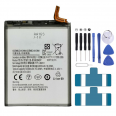
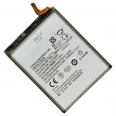
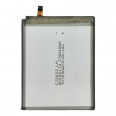
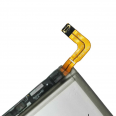
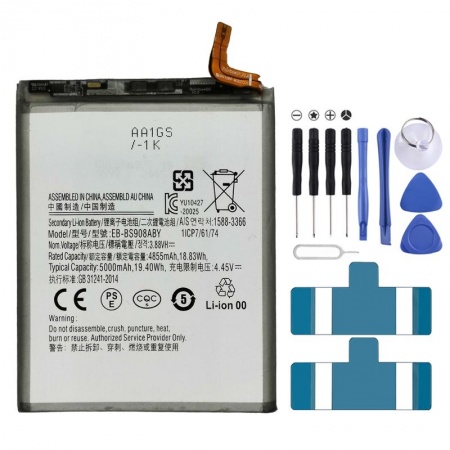
5000mAh Samsung S22 Ultra Battery EB-BS908ABY
Sounds familiar. You took your Galaxy S22 Ultra out of the box and it lasted all day without breaking a sweat, even with the S Pen, 108MP photos and the 120Hz display. Two or three years later, you are looking for a charger by mid-afternoon. It may also switch off while showing 20% battery, or heat up during charging without anything unusual happening. This wear is normal. Lithium-ion cells usually retain around 80% of their capacity after 800–1,000 full cycles, which with normal use works out at roughly two and a half to three years. This Samsung S22 Ultra EB-BS908ABY battery is the exact reference fitted to your phone from the factory. Replacing it is the most straightforward way to make your phone feel like new again.
What is inside the EB-BS908ABY battery?
Let’s start with the figures, as they matter here. It is a 5000mAh lithium-polymer cell, with a nominal voltage of 3.88V and 19.4Wh, compatible with the Galaxy S22 Ultra SM-S908B. The voltage, connector and dimensions are the same as the original. You do not need to change any software or adapt anything inside the chassis.
With a battery in good condition, the S22 Ultra achieved very respectable figures in testing: around 17 hours of Wi-Fi browsing with adaptive refresh rate, nearly 19 hours if you reduce the display to 60Hz, 18 hours of video playback and 32 hours of talk time. It also restores the original 45W fast charging. In testing, it reached 60% in half an hour and charged fully in around 59 minutes.
Here is a detail that hardly anyone mentions: with a 25W charger, the phone took only around 5 minutes longer to reach full charge (64 minutes compared with 59). The 45W peak lasts barely a minute, after which the phone automatically drops to around 30W. If you already have a 25W USB-C PD PPS charger, you do not need to buy another one. 15W wireless charging and 4.5W Wireless PowerShare for charging your earbuds or smartwatch continue to work in exactly the same way with the new battery.
What does it mean for a battery to be OEM?
OEM stands for Original Equipment Manufacturer. This battery is manufactured to the same specifications required by Samsung for this model: the same capacity, voltage, connector and dimensions. That is why it works properly with the phone’s protection circuit and charging management system. Generic copies sometimes advertise a higher mAh capacity than they actually have. They can cause fluctuating battery percentages, temperature warnings or rear covers that do not close properly because the cell is thicker. With an OEM battery, you avoid these problems.
How to tell if your Samsung S22 Ultra battery needs replacing
Before opening anything, it is worth confirming the condition of the battery. Samsung offers a fairly reliable official diagnostic tool:
- Open the Samsung Members app.
- Go to Support, then select Phone diagnostics.
- Tap Battery status and wait a few seconds.
If it shows Weak or Bad, you have your answer. There are other clear warning signs too:
- Unexpected shutdowns when the screen still shows 15–30% charge.
- The battery drains quickly, even when the phone is idle.
- The phone heats up while charging or during light use.
- The rear cover is lifting or forming a slight step along one side.
There are quite a few reports on Samsung forums of S22 Ultra batteries swelling, with some rear glass panels eventually breaking due to the pressure. If this is happening to your phone, stop charging it and replace the battery immediately. Gas from a swollen cell is flammable, and the problem will not resolve itself.
After a major One UI update, adaptive battery management learns your usage habits again, so battery life may drop for 7 to 14 days. One UI 5.1 also had a known issue where the Samsung Keyboard used excessive battery power, which could be fixed by clearing its cache. If the drop in battery life started immediately after an update, give it a couple of weeks before blaming the cell.
Replacing the Samsung S22 Ultra battery: what to expect
This is not like changing the batteries in a remote control, but you do not need to be a technician either. Our guide rates the repair as moderate difficulty and estimates between 45 and 60 minutes, depending on your skill and patience. To make sure you have everything you need, we include a free tool kit with the battery and send you the adhesive strips free of charge to secure it properly in place. In broad terms, the process is as follows:
- Discharge the phone below 25% before starting. A fully charged cell can catch fire if punctured or bent.
- Warm the rear cover around the edges for a few minutes and remove it using a suction cup and picks. The adhesive is stronger around the bottom-right and top-left corners, while the glass is particularly fragile there and around the cameras.
- Remove the 5 screws from the wireless charging and NFC coil, lift the coil and disconnect the battery first of all.
- To remove the old battery, the most effective method is to apply a few drops of over-90% isopropyl alcohol between the battery and the chassis, wait one minute and prise it up carefully. Never apply direct heat to the battery and do not bend it.
- Clean away any adhesive residue, fit the new strips and connect the battery by pressing around the edges of the connector, not in the centre, as this can damage the pins.
- Before closing the phone, test both wired and wireless charging. This saves you from having to open it again.
Please note: opening the phone voids its factory IP68 certification. With good-quality adhesive, which you can buy in our shop by searching for B7000 glue, the rear cover will withstand splashes without any problem.
The first few days with your new Samsung S22 Ultra battery
During the first week, it is a good idea to calibrate the battery so that the percentage reading is accurate. Charge it to 100% and leave it plugged in for another couple of hours. Then use it until it switches off by itself and charge it fully in one go. For a few days, it is normal for the indicator to behave slightly unpredictably while the system adjusts.
To help it last for years, activate Battery protection in Settings > Battery. From One UI 6.1 onwards, there are three modes:
- Basic: once the battery reaches 100%, charging stops and does not resume until it drops to 95%.
- Adaptive: learns your sleep schedule and charges fully just before you wake up.
- Maximum: stops charging at 80%, which helps extend the cell’s service life the most.
Are you going to store the phone or battery for a while? Keep them in a cool, dry place and give them a full charge every three months. A lithium battery left completely discharged for a long time will degrade and may eventually swell. Quite a few S22 Ultra owners on the forums have learned this the hard way. Every part we send is also checked before dispatch, so it arrives ready to install.
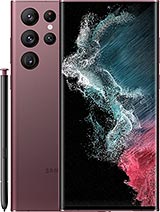
• Product Weight: 0.11 kg.The technical specs of Samsung Galaxy S22 Ultra 5G
can help you to choose the correct repair part for your device. Make sure your model reference is the same as this element. Here are some tech specs to help you:
- Brand: Samsung
- Samsung Galaxy S22 Ultra 5G Size: 163.3 x 77.9 x 8.9 mm.
- Release date: 2022, February 09.
- Weight: 228 g / 229 g.
- Screen specs: Dynamic AMOLED 2X, 120Hz, HDR10+, 1750 nits.
- Screen size: 6.8 inches, 114.7 cm2.
PVP:
SNK.AS12787710.95€ AvailableInStockNewCondition