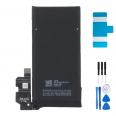
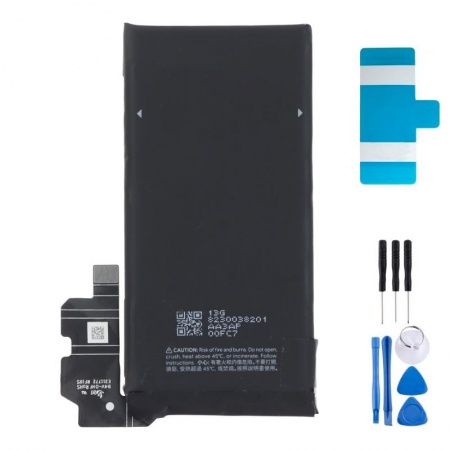
4575mAh Battery for Google Pixel 8 GS35E: Get Your All-Day Battery Life Back
It happens to almost everyone. A Pixel 8 that once comfortably lasted until bedtime starts asking for a charger in the middle of the afternoon a couple of years later. The screen is still perfect, the photos are still some of the best around and the Tensor G3 remains fast. And yet, the phone still lets you down.
In most cases, the culprit is the lithium-ion cell. With every charging cycle, it gradually loses some of its usable chemistry. Google estimates that the Pixel 8 battery retains at least 80% of its capacity for around 800 cycles. Let’s do the maths: if you charge it once a day, you will be approaching that limit after just over two years. Below that level, Google itself recommends replacing the battery.
How to tell if your Google Pixel 8 needs a new battery
Something that surprises many people is that the Pixel 8 does not show battery health or the number of cycles in Settings. The Battery information screen was introduced from the Pixel 8a onwards. So you have to rely on the symptoms. These are the ones the iLevante team sees most often:
- It loses more than 10% overnight with the screen switched off.
- It suddenly switches off while showing 15% or 20% remaining.
- It gets hot during light tasks such as messaging or browsing.
- The screen slightly separates from the frame. This indicates a swollen battery.
Before buying anything, carry out this two-minute check. Go to Settings > Battery > Battery usage and check the breakdown. For example, if a social media app accounts for 40% of the usage and you have barely opened it, the app is the problem. If the usage breakdown looks normal but the phone still does not last, the cell is worn out and needs replacing.
Take great care if the battery is swollen. Do not press down on the screen to try to close it and do not leave the phone charging. Switch it off, place it on a hard surface and replace the battery as soon as possible.
Google Pixel 8 GS35E battery specifications
GS35E is the reference used in the Pixel 8 from the factory. Here are the figures, explained one by one:
- Typical capacity: 4575mAh. You may also see the figure 4485mAh, which is the guaranteed minimum rated capacity. Both figures describe the same battery; manufacturers publish both.
- Voltage: 3.89V, providing around 17.8Wh of energy (4.575Ah × 3.89V).
- Chemistry: lithium-ion polymer, with an integrated protection circuit against overcharging, over-discharge, short circuits and excessive temperature.
- Fast charging remains supported: up to 27W via cable (USB-PD 3.0 PPS), 18W wirelessly with the second-generation Pixel Stand and 12W with standard Qi chargers.
In tests carried out by the iLevante team using a 30W charger, the Pixel 8 reaches 50% in around 27 minutes and charges fully in approximately 77 minutes. If your old battery took considerably longer or got stuck at 80%, that is another useful clue.
OEM quality in the Pixel 8 battery: what does it mean?
OEM stands for Original Equipment Manufacturer. An OEM part comes from the same supplier production line, or meets the same specifications, as the part Google installs at the factory. It has the same cell, connector and dimensions. The difference is the presentation: it arrives without the brand’s box or logo, which is why it costs less. In practice, you get the same battery life and charging speed as on the first day.
Google Pixel 8 models compatible with the GS35E battery
Check the model before ordering. You can find it under Settings > About phone or on the box:
They are often confused because of their names, but this battery is not suitable for the Pixel 8 Pro (its battery is 5050mAh and has a different shape), the Pixel 8a or the Pixel 7 series.
How to replace the Google Pixel 8 battery step by step
The Pixel 8 opens from the front. The screen comes out first, followed by the other components. It is a medium-difficulty repair: you do not need to be a technician, but you do need to take your time. That is why iLevante supplies this battery with adhesive included and a free tool kit, so you do not have to source anything separately. This is the procedure followed by our team:
- Prepare the phone. Discharge it below 25% and switch it off. A battery with little charge is much less dangerous if damaged.
- Heat and lift the screen. Apply gentle heat to the edges for one minute and lift the screen using the suction cup. Insert the pick no more than 3mm. A useful trick is to mark this measurement on the pick with a marker. If you insert it further, you could cut the screen flex cable or damage the OLED panel.
- Disconnect the components in the correct order. Open the screen like a book without forcing the cable. Disconnect the battery first and then the screen flex cable.
- Remove the midframe. It is secured with very small Torx screws (T3). Press firmly downwards while turning to prevent the screw heads from rounding off.
- Remove the battery. Pull the adhesive tabs slowly and almost parallel to the chassis.
- Fit the new GS35E. Apply the new adhesive without stretching it, position the battery and connect it before closing the phone. Check that it switches on and charges.
Common problems when replacing the GS35E battery
The classic problem is that the adhesive tab breaks halfway through pulling. Google improved it on this model, but the adhesive is still very strong. If this happens, do not use anything metal to lever the battery out. Apply a few drops of over-90% isopropyl alcohol to the sides, wait a couple of minutes and push with a plastic spudger from one edge without bending the battery. A bent cell can heat up or even catch fire.
Another issue we often hear about is that the fingerprint reader does not respond after reassembly. On the Pixel 8, it is located underneath the screen and depends on its connector. In most cases, you simply need to reopen the phone and press the connector firmly into place, working from side to side until you hear it click.
There is one more thing you should know from the start. Opening the screen breaks the factory seal, so IP68 protection can no longer be guaranteed. If you plan to use the phone near water, fit a new screen gasket during reassembly. Even then, it is best not to submerge the phone.
Your first few days with the new Google Pixel 8 battery
During the first few days, the battery percentage may jump unexpectedly. This is normal: the system is learning how the new battery behaves. To speed up the adjustment, the iLevante team recommends this simple calibration process:
- Charge it to 100% and leave it plugged in for another two hours.
- Use it normally until it switches off by itself.
- Charge it back to 100% without interruption.
After that, take a little care of it. With Android 15 or later, you will find two options under Settings > Battery > Battery health > Charging optimisation. Adaptive charging learns your schedule and reaches 100% just before you unplug the phone. The Limit to 80% option prevents the battery from charging beyond that level and, once it reaches it, powers the phone directly from the charger. Which one should you choose? If you finish the day with 40% left, the 80% limit is more than enough and will significantly extend the cell’s lifespan. If you regularly run it down to 5%, stick with adaptive charging.
One final tip from many hours in the workshop: heat wears a battery out faster than charge cycles. Avoid gaming while charging and do not leave the phone in direct sunlight on the dashboard. You will notice the difference in a year.
• Product Weight: 0.09 kg.The technical specs of Google Pixel 8
can help you to choose the correct repair part for your device. Make sure your model reference is the same as this element. Here are some tech specs to help you:
- Brand: Google
- Google Pixel 8 Size: 150.5 x 70.8 x 8.9 mm.
- Release date: 2023, October 04.
- Weight: 187 g.
- Screen specs: OLED, 120Hz, HDR10+, 1400 nits , 2000 nits.
- Screen size: 6.2 inches, 91.1 cm2.
PVP:
SNK.AS13448010.95€ AvailableInStockNewCondition