
USB Charging Port for Huawei Nova 13
OUT OF STOCK


No disponible.
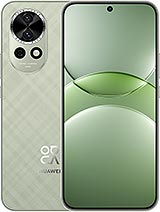
For Huawei nova 13
- Original USB Charging Port for Huawei Nova 13 🛠️
- How to know if your Huawei Nova 13 charging port is broken
- Advantages of changing the USB charging port in your Huawei Nova 13
- Features of the charging port for Huawei Nova 13
- Why replace the charging port and not the entire mobile
- How to change the charging port of the Huawei Nova 13
Original USB Charging Port for Huawei Nova 13 🛠️
With this USB charging port for Huawei Nova 13, you can restore your mobile's full fast-charging power and connection stability as it was when new. It is an original charging board, specifically designed for this model, which fits perfectly and maintains all its functions, from high-speed charging to data transfer via cable.
How to know if your Huawei Nova 13 charging port is broken
The damaged charging port is one of the most common failures in the Huawei Nova 13, especially if you use the mobile intensively or charge it several times a day with its 100 W charger. Some clear signs that you need this part are:
- The mobile only charges if you move the cable or leave it in a certain position.
- It stops charging suddenly even with the original charger.
- The computer does not recognize the Huawei Nova 13 when connected via USB.
- Fast charging disappears, and it charges very slowly.
- You see dirt, rust, or bent pins inside the USB-C connector.
If you experience any of these symptoms, it is most likely that the USB charging port of the Huawei Nova 13 is damaged, and it is time to change this part.
Advantages of changing the USB charging port in your Huawei Nova 13
The Huawei Nova 13 is a very complete phone: 6.7-inch OLED screen at 120 Hz, 50 MP main camera, 60 MP front camera, and a 5000 mAh battery combined with a 100 W charger for very fast charging. All this depends on the USB-C charging connector working perfectly.
By installing this charging port replacement, you will:
- Restore fast charging to take full advantage of the 100 W charger's potential.
- Stable connection to PC for transferring photos, videos, and files without interruptions.
- Longer lifespan for your Huawei Nova 13, avoiding having to change mobile phones prematurely.
- A perfect fit as it is an original part specific to this model.
Features of the charging port for Huawei Nova 13
This charging port board for Huawei Nova 13 is a small, lightweight board (about 8 g), but essential for the device's daily operation. It is designed to withstand the high charging power used by the Huawei Nova 13 and maintain a safe and stable connection.
| Feature | Detail |
|---|---|
| Part type | Charging Port / Charging Port Board |
| Compatibility | Huawei Nova 13 |
| Quality | Original part specific to the model |
| Approximate weight | 8 g |
| Functions | Fast charging and data transfer via USB-C |
Why replace the charging port and not the entire mobile
When the Huawei Nova 13 stops charging properly, it seems like the end of the mobile, but often the problem is limited to this small board. Replacing just the charging port is a much more economical and sustainable solution than buying a new terminal with similar features.
You can continue enjoying its OLED 120 Hz screen, attractive design in dark color, white or green, 12 GB of RAM, and 256 GB of storage, and its high-resolution cameras, simply by restoring its ability to charge quickly and connect to the computer without fail.
How to change the charging port of the Huawei Nova 13
The process of changing the USB charging port in the Huawei Nova 13 involves opening the device, disconnecting the battery, removing the damaged charging board, and installing this new piece. It is important to do this carefully, using the right tools, and following a step-by-step guide to avoid damaging other components like the OLED screen or cameras.
With the correct USB charging port for Huawei Nova 13, your phone will return to charging normally, taking full advantage of its powerful 100 W charger and 5000 mAh battery to last all day without problems.
• Product Weight: 0.05 kg.The technical specs of Huawei nova 13
can help you to choose the correct repair part for your device. Make sure your model reference is the same as this element. Here are some tech specs to help you:- Brand: Huawei
- Huawei nova 13 Size: 161.4 x 75.3 x 7 mm.
- Release date: 2024, October 22.
- Weight: 195 g.
- Screen specs: OLED, 1B colors, HDR, 120Hz.
- Screen size: 6.7 inches, 108.3 cm2.





