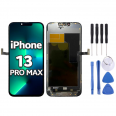
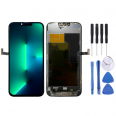
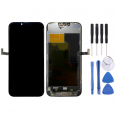
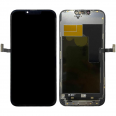
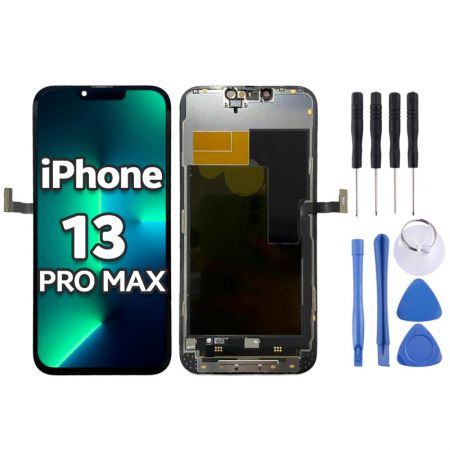
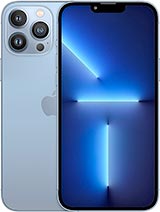
Complete Screen for iPhone 13 Pro Max - Premium Quality
Restore your device to its original look and functionality with our Premium Quality complete screen replacement. This part is brand new and has been specifically designed for perfect compatibility with the Apple models: A2643, A2484, A2641, A2644, and A2645 (Year 2021).
Our screen offers you a visual, tactile, and brightness experience identical to the original. It is an assembled module that integrates the following components in one piece:
- High-strength front glass.
- Premium Quality display with vibrant colors and deep blacks.
- Ultra-resistant Flex cables for connection to the motherboard.
- Integrated IC image controller.
- High-sensitivity touch system with immediate response.
To ensure successful repair, we include a FREE tool kit to facilitate the installation process. This set contains:
- Precision screwdrivers specific to iPhone.
- Plastic picks for safe opening.
- Spudgers to disconnect components without damaging the board.
- A suction cup to remove the display.
*Our screens are shipped in high-security packaging to ensure they reach you in impeccable condition.
Quick Guide: How to Change the iPhone 13 Pro Max Screen
Replacing the screen is a process you can do yourself with patience and our tool kit. Here are the fundamental steps (we recommend searching for a video tutorial to support you):
- Apply heat: Use a hairdryer (no more than 120°C) around the edges of the front screen to soften the water-resistant adhesive.
- Separate the display: Place the suction cup at the bottom of the screen and gently pull while inserting a plastic pick into the edge to separate the screen from the chassis.
- Disconnect the battery and flex cables: Before removing the screen, remove the screws from the inner metal plates. Important! First disconnect the battery flex for safety, and then the screen flex cables.
- Install the replacement: Clean any old adhesive residues, connect the new screen, reconnect the battery, screw in the metal protectors, and seal the phone by gently pressing the edges.
Price, Shipping, and Availability
The total price of the screen is indicated at the top (26.45€) and already includes the corresponding taxes. You will only need to add the shipping cost at the end of the purchase. You can choose between express shipping for faster delivery or standard shipping. In any case, we guarantee your order will arrive in perfect condition.
What colors are available for sale?
This replacement is exclusively sold in black. This is because the front display of the iPhone 13 Pro Max covers the entire front surface, and the integrated frame is always black from the factory, regardless of the color of your phone's back casing.
Why DIY instead of going to the official service?
We know the frustration of breaking the screen and the fear of the high budget of an official technical service. Repairing it on your own allows you to save the entire cost of labor. With the tools we provide and a bit of focus, it's a completely feasible task. You're in control!
Tips to Protect Your New iPhone 13 Pro Max
We wish phones were unbreakable, but a simple mistake can shatter the screen into pieces. To prolong the life of your new replacement, we recommend:
- Invest in protection: Use a good case with raised edges and apply a tempered glass immediately after installing the screen.
- Be careful when charging: When plugging it in, leave it on a wide, secure surface to prevent tripping over the cable that could lead to falling to the ground.
- Loan it with caution: No one will care for your high-end device like you do. Avoid lending it to young children; it’s preferable to offer them toys or other devices suited for them.
How to Diagnose if You Really Need to Change the Screen?
Before making the purchase, check if the damage requires a complete module change:
- Broken glass but functional touch: Check the edges and cracks. Even if the touch works, the chipped glass will worsen over time and can cut your fingers or damage the internal display due to pressure. It is necessary to change the screen.
- Image faults: If you see black spots (spilled ink), colored vertical lines, or the screen flashes and goes black (even if the phone rings), the internal OLED panel is irreversibly broken.
- Touch faults: If the glass has no visible breaks from the fall, but the touch has stopped responding or there are "dead zones" where it doesn't detect your finger, the digitizer is damaged and will require the replacement of the complete module.