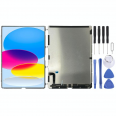
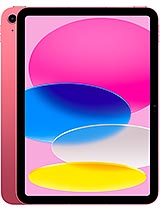
LCD Screen for iPad 2022 10.9 inches – Replacement compatible with iPad 10th generation
The iPad 2022 has become one of Apple's most popular models due to its iPad Air-like design, aluminum body, stereo sound, and A14 processor, which is more than capable for daily tasks, study, light work, and games. However, all of this is compromised if the screen is broken, stained, or simply not displaying anything.
With this Premium quality LCD screen for iPad 10th generation you can:
- Once again enjoy content on a 10.9-inch screen perfect for watching videos, studying, or working.
- Resolve issues such as lines, stains, dark areas, or a black screen.
- Take full advantage of the A14 processor's power and the system's smoothness without the screen ruining the experience.
- Avoid having to replace your iPad when the actual problem is just the screen.
This replacement is ideal for those who want a good quality screen for their iPad 2022 without the headache of technical details or the cost of an official repair.
Compatibility of the LCD Screen for iPad 2022 (models and references)
First and foremost, make sure this LCD screen is compatible with your iPad model. This part is designed for the iPad 10th generation, the 2022 model with USB-C port and reduced bezel design.
The compatible references are:
- A3162
- A2757
- A2777
- A2696
- iPad13,18
- iPad13,19
To verify:
- Go to the back of your iPad.
- Look for the word Model.
- Check if it includes one of these codes: A3162, A2757, A2777 or A2696.
If it matches, this is the screen for iPad 2022 you need. If not, it's better not to risk it and find the specific replacement for your model.
Features of the LCD Screen for iPad 10th generation
This Premium quality LCD screen is designed to offer a very comfortable daily experience, ideal if you use your iPad to study, watch series, work with documents, or occasionally play games.
| Feature | Details of the iPad 2022 LCD screen |
| Replacement type | LCD Screen for iPad 2022 (iPad 10th generation) |
| Size | 10.9 inches |
| Quality | Premium Quality |
| Compatibility | Apple Models A3162, A2757, A2777, A2696, iPad13,18, iPad13,19 |
| Device Type | iPad 2022 / iPad 10th generation |
| Device Brand | Apple |
Being a Premium quality LCD screen, it is designed to offer good clarity, pleasing colors, and a suitable visual experience for daily use of the iPad 10, whether for leisure or work.
When do you need to change your iPad 2022 screen?
It's not always necessary for the glass to be shattered before you need to replace the screen on your iPad 10th generation. There are many signs that indicate the issue lies with the LCD and not just the external glass.
Clear signs that the LCD screen is damaged
- Colored stains (black, purple, blue or drop-shaped) that do not disappear.
- Vertical or horizontal lines crossing the screen.
- Areas where the image is very dark or not visible at all.
- The screen stays black but the iPad rings, vibrates or responds to touch.
- Light leaks at the edges or corners that weren't there before.
- After a bump or drop, the glass appears fine, but the image is distorted.
In all these cases, the issue usually lies with the LCD of the iPad 2022, and the solution is to replace the screen.
Advantages of replacing your iPad 10 screen instead of buying a new one
The iPad 2022 still has a long lifespan thanks to its A14 processor, good battery, and modern connectivity (WiFi 6, 5G, USB-C, compatibility with the first-generation Apple Pencil, etc.). Replacing the screen is a smart way to extend the device's life.
- Savings: a replacement screen is much more economical than a new iPad.
- Less electronic waste: you make use of a device that still performs well.
- Keep using your accessories: case, keyboard, stylus, etc.
- Ideal for study and work: if you use it for classes, notes, or remote work, recovering the screen is key.
If your iPad 10 is only suffering from a damaged screen, it makes no sense to forgo a device that can still perform excellently in daily tasks.
Tips before installing the LCD Screen for iPad 2022
If you're considering changing the screen of the iPad 10th generation yourself, it's important to proceed with care and take into account some details to avoid any mishaps.
What you should have prepared
- A electronics tool kit (plastic levers, picks, screwdrivers, suction cup, etc.).
- A clean, spacious, well-lit workspace.
- Patience and time, without rushing.
- If possible, an anti-static wrist strap to avoid discharges to the board.
General steps to replace the iPad 10th generation screen
This is not an official guide, but it can serve as a general orientation if you have some experience in repairs:
- Completely power off the iPad 2022.
- If the glass is very shattered, you can place clear adhesive tape over it to prevent pieces from coming off.
- Apply gentle heat to the edges of the screen with a hairdryer or heat gun, moving it constantly and not bringing it too close.
- Use a suction cup and plastic picks to gradually lift the screen assembly by the sides.
- Open the iPad carefully, as if it were a book, without pulling too hard on the internal cables.
- Disconnect the battery before handling the screen connectors.
- Disconnect the flex cables of the damaged LCD screen.
- Remove the old screen and carefully clean adhesive residue.
- Place the new LCD screen for iPad 2022, connect the flex cables and ensure they are properly seated.
- Reconnect the battery and turn on the iPad to ensure the image displays correctly.
- If everything works, power it off again, apply the appropriate adhesive, and close the screen by pressing gently along the edges.
If you're not comfortable doing this, you can always take it to a trusted technical service with your own replacement screen for iPad 10.
Why choose a Premium quality LCD screen for your iPad 2022?
The iPad 10th generation is a very balanced device: a good 10.9-inch screen, aluminum design, stereo sound, a full-day battery life, and an A14 processor that performs well in both daily tasks and games. It would be a shame to set it aside just because of a damaged screen.
With a Premium quality LCD screen for iPad 2022, you get:
- A comfortable viewing experience for videos, online classes, and reading.
- A stable response for browsing, writing, drawing, or taking notes.
- A replacement specifically designed for models A3162, A2757, A2777, A2696, iPad13,18, and iPad13,19.
If your iPad 10th generation still performs well but the screen is causing issues, this replacement is an easy way to make it that trusty companion you use for everything once again.
• Product Weight: 0.57 kg.The technical specs of Apple iPad (2022)
can help you to choose the correct repair part for your device. Make sure your model reference is the same as this element. Here are some tech specs to help you:
- Brand: Apple
- Apple iPad (2022) Size: 248.6 x 179.5 x 7 mm.
- Release date: 2022, October 18.
- Weight: 477 g / 481 g.
- Screen specs: Liquid Retina IPS LCD, 500 nits.
- Screen size: 10.9 inches, 359.2 cm2.
PVP:
SNK.IPAD016181.90€ AvailableInStockNewCondition