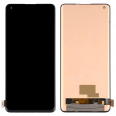
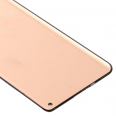
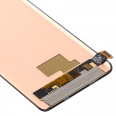
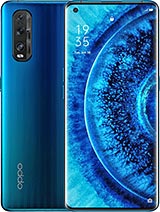
Note: This screen is not compatible with the fingerprint reader.
What is the OPPO Find X2 Pro Screen Like?
The screen we offer for the OPPO Find X2 Pro is not just any screen. It's a Premium screen that guarantees an unparalleled user experience and perfect integration with your device. Here are some key details:- Identical to the original size: At 6.7 inches, this screen has the exact dimensions your OPPO Find X2 Pro requires, so it looks like it has never been replaced.
- Impeccable resolution: The image quality will not be compromised, as this screen has the same resolution as the device's original screen.
- Premium Quality: We are talking about a high-end screen, offering precise touch response and vibrant colors for an optimal visual experience.
Included Components
To make installation as easy as possible, this screen comes with all the necessary components so you can make the change yourself or take it to a specialized technician. The components include:- Screen: The main visual part that will provide you with superior image quality.
- Touch Glass: Integrated for smooth and precise touch response.
- Image Controller IC: The brain behind the image quality, ensuring the screen works perfectly.
- Connection Flex Cable: To connect the screen to the other internal components of your OPPO Find X2 Pro.
Additionally, to make the task even easier for you, we include a gift tool kit to assist you in the installation process.
Signs You Need a New Screen for Your OPPO Find X2 Pro
Not only a broken glass is a reason to change the screen of your OPPO Find X2 Pro. There are other symptoms that may indicate it is time to seek a replacement:- Issues with touch response: If you notice the touch is not working as it should.
- Distorted colors or spots: This indicates damage to the AMOLED panel.
- Light leakage or dark areas: These are signs that the lighting panel might be damaged.
Install It Yourself or Get Professional Help
Although it is possible to change the screen of your OPPO Find X2 Pro by yourself, it is important to consider that it is a delicate process. If you don't feel secure, we recommend going to a professional technical service.
How to Change the OPPO Find X2 Pro Screen?
If you decide to make the change yourself, here is a simplified guide:1. Turn off your OPPO Find X2 Pro to avoid any damage during the process.
2. Discharge any static electricity you might have by using an anti-static wrist strap.
3. Heat the edges of the screen with a heat gun or hair dryer to soften the adhesive.
4. With the provided tools, carefully lift the old screen.
5. Disconnect the flex cable and remove the damaged screen.
6. Clean any adhesive residue and prepare the surface for the new screen.
7. Connect the new screen to the flex cable.
8. Test the screen before sealing it to ensure everything works correctly.
9. Seal the screen and let the adhesive set for a few hours before using the phone.
Dare to change your Find X2 Pro screen at iLevante.com
The screen for OPPO Find X2 Pro that we offer at iLevante.com is the ideal solution to restore your phone's functionality and aesthetics. With our Premium quality screen, you're not only acquiring a replacement, but also the peace of mind of knowing that your device will look and work like the first day. Don't let a broken screen stop you from enjoying your OPPO Find X2 Pro; get your replacement today!