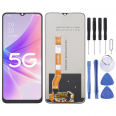
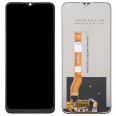
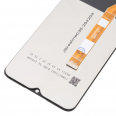
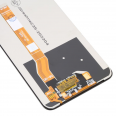
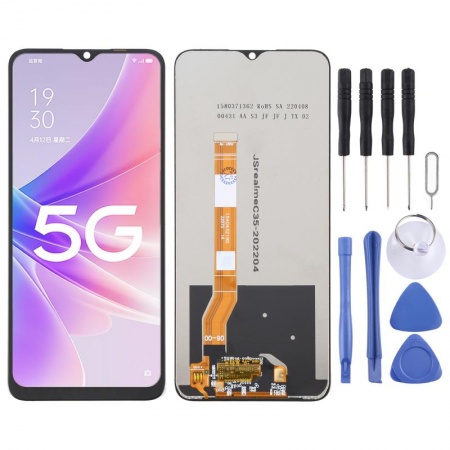
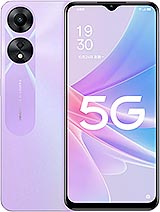
It is not compatible with the fingerprint sensor.
Easy Replacement of Oppo A78 5G Screen
First, you need the right tools for this task. You need a hairdryer, which will be used to remove the broken display from the mobile. On the other hand, you will need a guitar pick to remove the Oppo A78 5G Screen by applying controlled force, ensuring it is neat. And one more thing! You must have a soft cloth.
Moreover, the screen you will receive is perfectly secured, which is why you need to remove it from the package very carefully. Once you have all the tools and the screen, I will show you everything you should do.
- Before starting, it is crucial and also essential that you remove the battery.
- Ensure you are not carrying static electricity. To do this, you should have moist skin and wear footwear that eliminates static.
- To separate the module from the phone, you need something that generates hot air, like a hairdryer or a heat gun at 120°, never use one that exceeds 120° as it will burn the elements.
- You must apply heat to each side to loosen the adhesive. To completely remove the screen, use a pick, which is included in the useful assembly kit.
- Continue applying heat, but in the middle of the mobile, doing it carefully and quickly so as not to damage the battery (it's best to remove it).
- Finish separating the LCD with the suction cup (included in the kit we provide) and carefully disconnect it from the casing. Before removing it, carefully check how the connector attaches to the motherboard, so you don’t break the board where the Oppo A78 Screen is inserted.
- Now, thoroughly remove all adhesive residue with a swab and a liquid recommended for such use. Do not clean the residues with water, as it will dampen the boards.
- The last step is to assemble the flawless screen for OPPO A78 CPH2483. Ensure it turns on and works correctly, both graphically and touch function.
You have finished, now you have a new screen on your smartphone. Don’t forget to put the battery back and check all its functionality.
What’s the cost of buying the screen?
The price is mentioned at the top (17.95€). VAT is included, you just need to add the shipping cost.
What colors are available?
For your OPPO color, the module model you need only comes with black edges, as it is a component that covers the entire area of the smartphone. Therefore, you do not need to search among many colors.
Do I need to go to the original technical service?
No, it is not necessary because you will learn how to install it yourself with all the necessary precautions, and I will show you what tools are essential for you to have. Thus, you will be able to change the display (model CPH248
• in a reliable way and also save yourself a significant amount of your funds.
Can I repair this Oppo A78 screen myself?
Our goal is focused on your satisfaction and helping you with everyday problems. Now, I will help you determine if your screen has suffered a blow and if you need to replace it, and if so, we have already outlined how to fix it in simple steps (with a surprise). Now, pay attention to each step and... get to work!
Original OPPO Recommendations
The first thing you should do is put on a silicone protector that adheres to the module, protecting it from scratches or marks. The thickness of the hydrogel protector generally ranges from 0.3 to 0.5 mm and serves as a protective barrier against any falls from a height of 1 m. Qualities vary, as does their price, but they are still very economical. And you can easily apply them yourself every time it gets scratched or damaged. Thus, only the glass will break, and your OPPO screen will remain unscathed.
Additionally, we recommend applying a silicone protector which reduces the impact of falls preventing the screen from shattering. It protects the edges. One of the most commonly used ones has a border that protrudes above the display so that when it falls on the ground, it does not touch it.
Another popular recommendation is the wallet-simulating case. Not only can we carry our phone with style, but it also prevents theft.
How to know if your screen is damaged
Before concluding that it stopped working entirely, we must determine if it’s the screen protector or the module that is broken.
If the touch function fails, we will notice the exterior chipped but the display continues to work normally. However, the LCD will be damaged if the OPPO A78 5G stops working, meaning if only half is visible, horizontal lines appear, or it is all dark. To further verify if you need to replace it, go to settings. Then, to “Phone Information” and tap 7 times on “build number”. This will give you access to “developer options”.
Inside this section, select “pointer location” and trace the entire area of the screen. If these do not appear, it is assumed that there is an issue, and you will need to repair it.