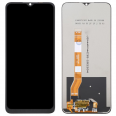
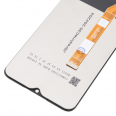
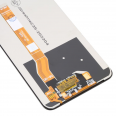
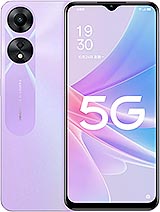
How to Replace the OPPO A58 5G Screen
In this guide, I will explain simply and straightforwardly how to change the damaged module of the OPPO A58 5G in just four steps. But first, make sure you are familiar with the build of your OPPO.
Start by placing the device face down. Open the back cover and the battery, and you'll notice there are screws, remove them.
Secondly, disconnect the screen's flex cable. Do it carefully as the cable can be cut. You can identify it as a small connector. With a plastic lever, apply some pressure, and it will disconnect by itself.
Thirdly, you need to separate the broken module. It will be beneficial to use two tools:
- Heat: For this, use a hairdryer that does not exceed 120°C. Apply around the edges.
- A plastic pick: Apply pressure underneath the touch area.
Finally, fit the new screen (first remove any adhesive residues) and connect the cables in the same way they were. Now, just put the screws back and close the cover.
What is the Price of This Screen?
Despite the increasing costs on e-commerce sites daily, we have maintained the same price of 16.55€, as mentioned at the beginning. This is your chance to take advantage of this offer now. Within the price, taxes are included, and only the shipping cost will be added to the total, which will depend on the country you live in.
Do I Need to Visit the Original Service Center?
Not at all, because we guide you so that you can install it yourself with all the necessary precautions and see which tools are important to have. This way, you can replace the display (model CPH252
• safely and also save a significant amount of money.
Can I Repair the OPPO A58 5G Screen Myself?
Have you already got our display? Now it's all in your hands. You just need to be calm and focus entirely at this moment. Our constant intention is for you to save labor costs.
Don't get frustrated in such a situation. Always keep in mind that you can do it if you carry out the repair of your electronic device with great calmness. This way, you won't damage any essential part of the phone that will cost more to fix or make it impossible to find a replacement.
Alternatives and Recommendations for A58 5G
Now that you have your new display installed, undoubtedly, you want to protect it to avoid repeating the same accident.
There are several screen protectors available to safeguard your device, with the most popular being cases that withstand significant drops, protecting the edges of your smartphone.
Following these are tempered glasses that come with included adhesive, making them super easy to install. They also withstand many accidents, breaking in multiple instances, but keeping the new display of your smartphone safe. A very interesting product we encountered is high-impact liquid, which provides greater resistance to falls and cracks much less than high-impact glass.
Additionally, you can acquire accessories that are very useful. For instance, there is one designed to fit phone cases, allowing you to hold it with a ring around your finger.
How to Determine if You Need to Change the Screen
Before concluding that it is completely broken, it is important to analyze whether it's the glass or the screen that is damaged.
If the touch is faulty, you will notice the exterior is broken, but the display continues to function normally. However, the OPPO A58 5G Screen becomes useless if the OPPO A58 5G stops working, meaning if only a part is visible, horizontal lines appear, or everything is black. To confirm if you need to install a new one, go to settings. Then, to "About Phone" and click 7 times on "Build number." This will give you access to "Developer options."
Within this section, select "Pointer location," and draw over the entire screen area. If it doesn't register, it means there is an issue, and you need to replace it.