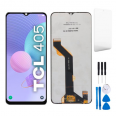
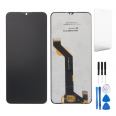
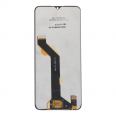
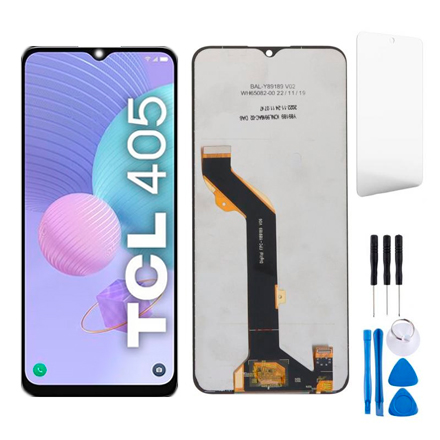
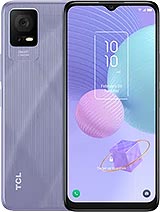
TCL 405, TCL 406 and TCL 408 screen
It usually happens when you are in a rush. Your TCL 405 slips out of your pocket, lands on its edge and, when you turn it over, there it is: a spiderweb of cracks. Sometimes the problem is more unusual: the phone vibrates and messages arrive, but the screen stays black. Or the touchscreen starts behaving on its own and opens apps you have not even touched.
That is exactly what this complete TCL 405 screen is designed for. There is one important detail to know from the outset: on this model, the glass, touchscreen and display panel come from the factory bonded together as a single unit. Even if only the top glass is broken, there is no clean way to replace that layer separately. That is why we send you the entire module, assembled and ready to connect.
What is included with the full screen for TCL 405, TCL 406 and TCL 408?
The box contains the module with everything needed to display the image and make the phone respond to your touch:
- The front glass
- The touchscreen, the layer that detects your touches
- The LCD panel with its backlight
- The flex cable, the ribbon cable that connects the screen to the phone's motherboard
It comes in black, just like the original, and the package weighs approximately 120 g. We also include a screen protector, so the new glass does not get its first scratch from your keys, as well as a tool kit containing everything you need to open the phone without resorting to a kitchen knife (we have genuinely seen it happen).
OEM quality: what does it mean for the TCL 405, TCL 406 and TCL 408 screen?
OEM stands for "Original Equipment Manufacturer". Put simply, the part is made with the same dimensions, connector and performance as the one originally fitted to your phone. The only things missing are the brand logo and its original packaging.
To give you an idea, these are the specifications of the screen fitted to your TCL 405 from the factory, and therefore what you can expect from this replacement part:
- 6.6 inches in an elongated format, with a waterdrop notch for the selfie camera
- HD+ resolution of 720 x 1612 pixels
- Typical brightness of 400 nits, more than enough for reading outdoors without squinting
- 1000:1 contrast ratio and colours that remain consistent even when viewing the phone slightly from the side
Before leaving the warehouse, the iLevante team tests every unit to make sure it displays an image and responds to touch. This means you will not receive a screen that does not work.
Compatible with TCL 405, TCL 406 and TCL 408
Here is a useful detail. The TCL 405 and 406 are practically twins: they have exactly the same dimensions (164.66 x 75.4 x 8.99 mm), weigh 190 g and use the same panel. The differences are found inside, such as the memory, operating system or NFC support on the 406. The TCL 408 also uses this screen, so the same replacement part fits all three models.
Not sure which model you have? Check the model number in your phone's settings, under the information section, and compare it with this list:
- TCL 405: T506D
- TCL 406: T506K
- TCL 408: T507D1 and its T507A and T507U variants
Be careful, as other similarly named models, such as the TCL 40 SE, use a different screen and are not compatible.
How to replace the TCL 405 screen without any unpleasant surprises
TCL designed the 405 as a sealed phone, not really intended to be opened at home. It can be done, of course, but take your time. A quiet afternoon, a clear table and good lighting help more than you might think. The iLevante team has seen many repairs of this model, and almost all the problems come from the same areas. This is the order we recommend:
- Switch off the phone and disconnect the battery before doing anything else. Reconnect it last, once everything else is in place.
- Test the screen before bonding it in place. Connect the flex cable, switch on the phone and check that there is an image and that the touchscreen responds in all four corners. Do this without removing the protective films.
- Handle the flex cable carefully. If you bend it more than 90 degrees, the screen may remain black or show lines in the image. This is by far the most common fault we see.
- Clean the frame thoroughly. Remove any old adhesive, dust and glass fragments. Even a tiny piece can prevent the new screen from sitting flat.
- Use only a small amount of adhesive. A thin line of B7000 or T7000 around the edge of the frame is enough. Leave it for a few minutes to thicken slightly, then press and hold it in place with clamps or elastic bands.
One thing about the adhesive: we know it is tempting to apply extra "just in case". It is better not to. Under pressure, excess adhesive can spread inside and end up on a component. You can use the phone again after a few hours, although ideally you should keep it secured until the following day.
To put it into perspective, a new TCL 405 cost around 100 euros when it was released. With this part, you can restore your own phone for much less, keeping your photos, apps and everything else exactly as you had it.
Your most frequently asked questions after replacing the TCL 405 screen
"It makes sounds and vibrates, but nothing is visible." In most cases, the flex cable is not fully seated. Power may be reaching the screen without the image signal getting through. Disconnect the battery, remove the connector and reconnect it until you hear it click, making sure to press it in perfectly straight.
"There are lines on the screen or it flickers." Check the route of the cable. It has most likely been bent or pinched when the phone was closed.
"The touchscreen is doing things by itself." These are the famous ghost touches. Check three things:
- Make sure no adhesive has spread into the visible area and that the frame is not pressing too hard against the screen
- Make sure the screen protector is fitted correctly, with no bubbles or dust underneath
- Make sure you are not charging the phone with a cheap charger from an unreliable source. It may sound insignificant, but electrical interference can make the touchscreen behave erratically.
If anything does not seem right during the process, stop and contact us before forcing anything. At iLevante, we will be happy to help, and it is usually much easier to solve the problem at that point than after the adhesive has dried.
• Product Weight: 0.14 kg.The technical specs of TCL 405
can help you to choose the correct repair part for your device. Make sure your model reference is the same as this element. Here are some tech specs to help you:
- Brand: TCL
- TCL 405 Size: 164.7 x 75.4 x 9 mm.
- Release date: 2022, November 02.
- Weight: 190 g.
- Screen specs: IPS LCD, 400 nits.
- Screen size: 6.6 inches, 105.2 cm2.
PVP:
SNK.AS11957717.75€ AvailableInStockNewCondition