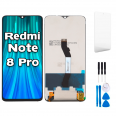
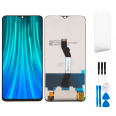
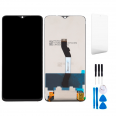
Xiaomi Redmi Note 8 Pro Screen
You’re probably reading this with your phone in your hand and a web of cracks across the screen. Or worse, the display still works but no longer responds when you touch it. Don’t worry, it happens to a lot of people. The Redmi Note 8 Pro was one of the best-selling phones of its time and is still going strong in thousands of pockets. That makes sense: with its processor and four cameras, it still does the job. So replacing the screen is almost always a better idea than retiring the phone.
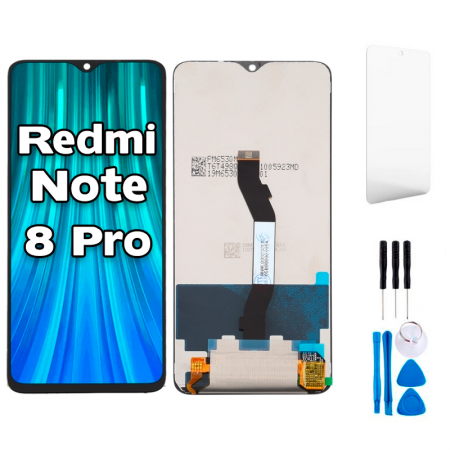
This Redmi Note 8 Pro screen comes as a complete assembly: LCD panel, touchscreen glass, backlight and flex cable, all integrated into one piece. No need to separate the glass or wrestle with laboratory equipment.
First things first: are you sure you have a Redmi Note 8 Pro?
It may sound obvious, but it’s one of the most common mix-ups we see at iLevante. The standard Redmi Note 8 and the Note 8 Pro look very similar from the outside, but their screens are completely different. The Note 8 screen measures 6.3 inches, while the Pro’s measures 6.53 inches. The chassis size and connector also differ, so the screens are not interchangeable.
To check, look up the model under Settings > About phone or on the sticker on the box. This screen is compatible with the following model reference:
- M1906G7G (global version, sold in Europe)
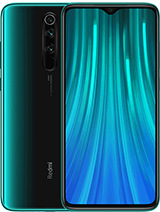
Does your phone have a 64 MP rear camera and a fingerprint reader on the back, just below the cameras? Then you’re on the right track.
What to expect from the Premium-quality Redmi Note 8 Pro screen
This is a Premium-quality screen: a high-end replacement panel designed to reproduce the features of the original. It retains the 2340 × 1080-pixel Full HD+ resolution across its 6.53-inch display, with around 395 pixels per inch, so text looks sharp and photos look the way they should. The small waterdrop notch at the top, which houses the 20 MP front camera, is exactly where it should be.
Let’s talk brightness, which is often the main concern when you’re outdoors. Measurements by the iLevante team put this screen at around 450 nits of typical brightness. At maximum manual brightness, it reaches around 415 nits, and with automatic brightness enabled, it rises to around 575 nits in sunlight. In other words, you can read a WhatsApp message on a terrace in the middle of August without shading the screen with your hand. Colours are vivid and contrast is good, as you’d expect from an IPS panel.
And since we know you’ll be the one fitting it, we’ve included two free gifts in the box:
- FREE GIFT: tool kit to help you open your phone without damaging anything.
- FREE GIFT: screen protector to keep your new screen scratch-free.
Signs your Redmi Note 8 Pro needs a new screen
Sometimes the damage is obvious. Other times, the screen gradually starts to fail, and it’s hard to tell whether it’s a software issue. These are the symptoms we see most often:
- The touchscreen doesn’t respond in some areas, or it acts on its own, opening apps and typing letters without being touched (known as ghost touch). You’ve restarted the phone, but the problem is still there.
- Black spots, coloured lines or an ink-like mark that keeps spreading appear on the screen.
- You can see shadows or moisture-like halos beneath the glass.
- The image is visible but very dim, as if the backlight has given up.
- The glass is so badly cracked that it cuts your finger when you swipe, even though the display still works.
One tip before you order: start your phone in safe mode. If the touchscreen still behaves erratically there, the problem is hardware-related, not caused by an app.
How to replace the Redmi Note 8 Pro screen, step by step
Here’s something many tutorials don’t mention, and it’s cost us more than one afternoon: on the Note 8 Pro, the screen connector is hidden beneath the motherboard, and you can only reach it from the back. That means you need to open the glass back cover, remove the motherboard cover and take out the battery before you can disconnect the screen. It sounds like a lot, but take your time and it’s manageable. Allow between one and a half and two hours if it’s your first time.
- Get everything ready. Let the battery drop below 25%, switch off the phone and remove the SIM tray. Clear a space on your work surface and have somewhere to keep the screws in order.
- Open the back cover. Warm the edges with a hairdryer for a couple of minutes, but don’t overdo it: it should be hot, but still touchable. Lift it with a suction cup and slide opening picks into the gap to stop the adhesive from sticking back together. Be careful: the glass back cover breaks easily.
- Disconnect the fingerprint reader. It connects to the motherboard beneath a small plastic cover. Carefully lift the cover and disconnect the flex cable before removing the back cover completely.
- Remove the motherboard cover. It is held in place by ten small Phillips screws. Then, disconnect the battery first, before touching any other connector.
- Remove the battery. It has two stretch-release adhesive strips. Pull them slowly, keeping them flat, and don’t rush. If one breaks, a few drops of isopropyl alcohol will soften the adhesive.
- Disconnect the screen flex cable and carefully guide it through the slot in the frame.
- Remove the broken screen. Now you can apply heat from the front, use a suction cup and work around the edges with opening picks. Near the front camera, insert only the very tip of the pick, as there isn’t much clearance.
- Clean the frame thoroughly to remove any adhesive residue and transfer any small parts needed, such as the earpiece mesh, to the new panel.
- Connect the new screen and test it before applying any adhesive. Check the touchscreen, brightness and calls—everything. It’s genuinely worth doing.
- If everything works, apply new adhesive, fit the screen, reassemble everything in reverse order and press the back cover into place. (A few books on top for half an hour work wonders.)
Please note that opening the phone yourself will void the manufacturer’s warranty. That said, the warranty on a 2019 Note 8 Pro will normally have expired by now.
Common problems when replacing the Note 8 Pro screen
After seeing so many Note 8 Pro phones come through the workshop, the iLevante team knows the usual stumbling blocks. It’s best to know about them before you get started:
- The screen turns off during calls and won’t come back on. This is almost always caused by the proximity sensor, which on this model is on a separate flex cable next to the earpiece. If it moves or isn’t seated correctly, the phone thinks your ear is against the screen all the time. To check it, dial *#*#6484#*#*, open the proximity sensor test and move your hand towards it: the number should drop from 5 to 0.
- Ghost touches after fitting the screen. This is usually caused by a pinched flex cable, a screw tightened too hard against the panel, or old adhesive that wasn’t cleaned off properly, leaving the screen under pressure. Check that the screen sits flat.
- Bent frame. If the phone took a hard knock, the chassis may have bent slightly. A new screen fitted to a twisted frame can cause problems, so check it against the light before applying adhesive.
- Damaging the battery. Never use a metal tool to pry underneath it. If it’s swollen, replace it while you’re there.
- Too much heat. The screen and battery don’t respond well to a heat gun on full power. Keep the hairdryer moving and don’t leave it pointing at one spot.
If you get stuck at any point, get in touch. We’d rather help you out than have you end up with two broken screens instead of one.
How to make your Redmi Note 8 Pro screen last for years
The original Note 8 Pro glass had Gorilla Glass 5 and still broke, so it’s worth giving your screen some extra protection. First, fit the screen protector included as a free gift as soon as you’re finished, with the screen clean and dust-free. It’s thin and barely noticeable, and it takes scratches from keys and coins instead of your screen.
Second, use a silicone or TPU case with a slightly raised edge around the screen. That way, if the phone lands face down, the case hits the ground instead of the screen. Reinforced corners make a big difference, as most of the breaks we see start right there.
Do you use your phone while walking or on the underground? A case with a lanyard or a ring holder on the back may not seem like much, but it can prevent the usual accidental slip. One more thing: don’t charge your phone with cheap, unbranded chargers. More than one case of a ‘crazy’ touchscreen we’ve seen has stopped as soon as the phone was plugged into a decent charger.
• Product Weight: 0.18 kg.The technical specs of Xiaomi Redmi Note 8 Pro
can help you to choose the correct repair part for your device. Make sure your model reference is the same as this element. Here are some tech specs to help you:
- Brand: Xiaomi
- Xiaomi Redmi Note 8 Pro Size: 161.4 x 76.4 x 8.8 mm.
- Release date: 2019, August 29. Released 2019, September 24.
- Weight: 200 g.
- Screen specs: IPS LCD, HDR, 500 nits.
- Screen size: 6.53 inches, 104.7 cm2.
PVP:
SNK.SP3935B15.90€ AvailableInStockNewCondition