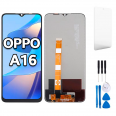
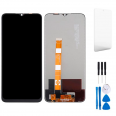
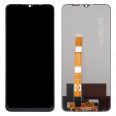
Oppo A16, A16s and A54s screen: the same panel for three phones
The first thing that often surprises people who contact us is that the Oppo A16 screen is also used in the A16s and A54s. Oppo launched all three models in 2021, just three months apart: the A16 in July, the A16s in August and the A54s in October. They differ in features such as the camera, memory and NFC, but their fronts are identical. All three have a 6.52-inch IPS LCD with HD+ resolution of 720 x 1600 pixels, a 20:9 aspect ratio, 269 ppi and a 60 Hz refresh rate. That means one replacement part fits all three.
Not sure which of the three you have? Go to Settings > About phone and check the model number:
- CPH2269: Oppo A16
- CPH2271: Oppo A16s
- CPH2273: Oppo A54s
If the phone is so badly damaged that you can't see anything, you can also find the model number on the original box or SIM tray.
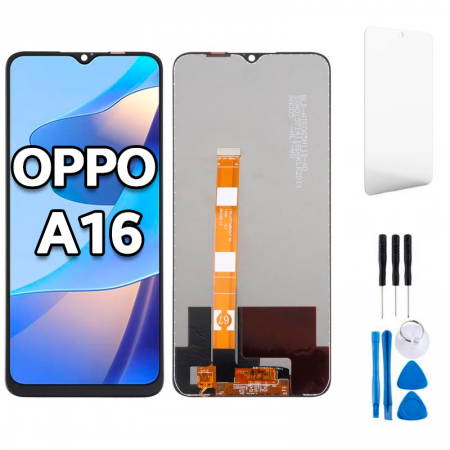
What's included with this full screen assembly for Oppo A16
This is a complete module, so you won't need to separate the glass from the LCD or attempt any DIY lamination. It comes assembled with:
- The touch panel (digitiser).
- The LCD and its backlight.
- The connection flex cable that connects to the motherboard.
- The control IC, which manages the image and touch signals.
The box also includes a free screwdriver kit designed for this repair and, as a GIFT, one screen protector. That protector is more useful than it might seem, and we'll explain why below.
Premium-quality Oppo A16 screen: clear specifications
Our replacement part is Premium quality. It uses the same IPS LCD technology as the original, with the same resolution and dimensions, so it fits properly and delivers the same sharp picture. It offers around 430 nits of typical brightness. In practical terms, that's comfortable for using your phone indoors and outdoors in normal light. The panel retains the original's 60 Hz refresh rate, 269 ppi pixel density and responsive touch performance.
For example, with auto-brightness enabled, you can read WhatsApp on a café terrace or watch a video on the sofa without straining your eyes. If you're spending a long time in direct sunlight, turn the brightness up manually for a few seconds and you're all set.
A useful detail to know
In its official specifications, Oppo states that the front cover on this series is made from PC + PMMA, a combination of polycarbonate and acrylic. This material is commonly used in entry-level phones because it handles knocks well, but it scratches more easily than tempered glass. This explains the fine scratches you often get from carrying your phone in a pocket with keys. It also explains why we include a screen protector: fit it as soon as you've finished the repair.
How to tell if your Oppo A16 screen needs replacing
A cracked screen is the most obvious sign. At the iLevante workshop, however, we see many A16 phones with intact glass but a damaged panel underneath. These are the most common symptoms:
- Vertical or horizontal coloured lines that won't disappear.
- Black spots or areas that look “ink-stained” beneath the glass.
- Ghost touches: the phone opens apps or types by itself.
- Dead zones that don't respond to touch, especially around the edges.
- Flickering or a screen that stays black even though the phone rings and vibrates.
Quick diagnostic tip: call your number from another phone. If the A16 rings but the display stays dark, the screen is almost certainly faulty rather than the motherboard.
How to replace the Oppo A16 screen step by step
The iLevante team has taken apart this Oppo series many times. Here's a guide as if you were at our workbench. Have the kit we send you, a hairdryer, a thin plastic card and a little patience ready. Allow 45 minutes to an hour if this is your first repair.
Before you start
Switch the phone off completely and remove the SIM tray. It might seem like a small detail, but if you forget, the back cover won't come off properly and you could bend the tray. Work on a clean surface and, if possible, touch something metal first to discharge any static electricity.
Disassembly, in order
- Warm the back cover. The A16's cover is attached with adhesive, not clips. Use the hairdryer around the edges until the cover feels warm to the touch, around 50–60°C. More heat won't help and could warp the plastic.
- Open it with a pick. Insert the pick at a bottom corner and slowly slide it around the edge. There's extra adhesive around the camera module, so take your time there.
- Remove the inner cover screws. They're tiny Phillips screws. Keep them organised, for example by sticking them onto a drawing of the phone on a piece of paper, as they aren't all the same length.
- Disconnect the battery first. This is the step most people skip—and the one most likely to damage the motherboard. Lift the connector with a plastic pick, never a metal tool.
- Disconnect the screen flex cable. It's a snap-on connector that can be gently levered up from underneath. Don't pull on the cable.
- Remove the broken screen. Apply heat around the front edges and separate the panel with the pick. If the glass is badly shattered, cover it with packing tape first to stop pieces from flying off.
Fitting and testing (this is where repairs succeed or fail)
Before sticking anything down, connect the new screen, reconnect the battery and switch the phone on. Leave the protective films in place while you test it. Check three things: that the picture is clear, that touch works in all four corners and that the brightness adjusts properly. A good way to test it is to open the keyboard and tap Q, P, A and Ñ. If they respond, the edges are working.
If everything works, switch the phone off, disconnect the battery again, clean any adhesive residue from the frame with isopropyl alcohol and fit the screen. Then replace the screws and back cover. You can warm the cover slightly and press it down to help the adhesive stick again.
Common problems when fitting an Oppo A16 screen and how to avoid them
Almost all the questions we receive after a DIY repair come down to the same few issues. Here are the most common ones and how to fix them:
- “The touch isn't responding”: the connector usually isn't seated properly. Disconnect the battery, press the flex cable back into place until you feel a soft click, then test it again.
- “The screen is black or has lines after I close the phone”: the flex cable may have been bent too sharply while closing the phone. Never bend it more than 90 degrees or pinch it under the cover.
- “Ghost touches when I press the cover”: there may be adhesive residue or a loose screw pressing against the back of the panel. Check and clean the area.
- “The fingerprint sensor doesn't work”: the good news is that this series has its fingerprint reader in the side power button, so the screen won't affect it. If it stops working, check that you haven't moved its flex cable while opening the phone.
Looking after your new Oppo A16 screen
Fit the free screen protector on the first day, while the front is cleaner than ever. A case with slightly raised edges absorbs most edge-first impacts, which are the ones that break screens most often. Also avoid carrying your phone in the same pocket as keys or coins: with a PC + PMMA cover, these are the things most likely to scratch it.
If you get stuck while taking the phone apart, send us a photo of the part you're working on. The iLevante team can usually tell you what to do just by looking at it.
• Product Weight: 0.22 kg.The technical specs of Oppo A16
can help you to choose the correct repair part for your device. Make sure your model reference is the same as this element. Here are some tech specs to help you:
- Brand: Oppo
- Oppo A16 Size: 163.8 x 75.6 x 8.4 mm.
- Release date: 2021, July 17.
- Weight: 190 g.
- Screen specs: IPS LCD, 480 nits.
- Screen size: 6.52 inches, 102.6 cm2.
PVP:
SNK.SPS384014.75€ AvailableInStockNewCondition