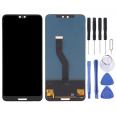
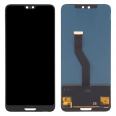
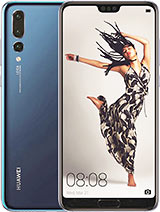
📱 Huawei P20 Pro screen with fingerprint reader: replacement for repairing the front
A drop can leave the glass cracked, cause areas of the touchscreen to become unresponsive or prevent the image from being displayed. This Huawei P20 Pro screen allows you to replace the damaged front assembly and includes the fingerprint reader, located beneath the device's screen.
The replacement also includes a tool kit and a free screen protector. The protector can be fitted once the repair has been completed and the phone's operation has been checked. 🔧
Check P20 Pro screen compatibility before buying
This P20 Pro screen is compatible with the following Huawei P20 Pro model references:
- CLT-L29C, CLT-L29, CLT-L09C and CLT-L09.
- CLT-AL00, CLT-AL01, CLT-TL01 and CLT-AL00L.
- CLT-L04 and HW-01K.
It is advisable to check your phone's model number before ordering the replacement. Huawei P20 Pro screen is a common search term, but identifying the exact variant helps prevent confusing this component with one for another device in the P20 series.
What should you check about the panel?
The Huawei P20 Pro was originally marketed with an OLED screen. Replacement parts with different technologies are available on the market, so you should not assume that all of them reproduce the image exactly like the original panel. If you have been searching for Huawei P20 Pro LCD, check the technology specified for the replacement before comparing it with the screen fitted to your phone.
🔍 When to replace the Huawei P20 Pro screen
Replacing the screen assembly may be necessary when cracks are accompanied by image or touchscreen faults. The most common symptoms include:
- Broken glass that makes the phone difficult to use or leaves exposed edges.
- Unresponsive touchscreen areas or areas that register incorrect touches.
- Lines, spots or no image while the phone remains switched on.
A fingerprint reader fault on its own does not confirm that the screen is the cause. Before replacing it, it is worth ruling out configuration problems, connection issues or damage to other components.
🛠️ How to install the P20 Pro screen with fingerprint reader
The repair requires opening a phone assembled with adhesive and handling delicate connectors. The included tool kit helps with disassembly, although additional materials may be required, such as new adhesive for resealing the device. If you have no experience repairing mobile phones, it is advisable to consult a technician.
- Switch off the Huawei P20 Pro and remove the SIM tray before starting. Work on a clean surface and organise the screws according to their position.
- Open the back cover carefully. Soften the adhesive by applying moderate heat and separate the glass using suitable tools, without inserting them too far.
- Disconnect the battery as soon as you can access its connector. Then locate the screen and fingerprint reader connections; avoid pulling on the flex cables.
- Remove the damaged front assembly and clean any adhesive residue from the contact surfaces without damaging the frame.
- Connect the new screen temporarily before securing it in place. Check the image, touchscreen and fingerprint reader recognition.
- Complete the assembly using suitable adhesive and close the device. Fit the free screen protector once the front is clean and correctly seated.
💡 Important detail: you do not need to remove the battery from the chassis in order to disconnect it. During opening, avoid applying direct, prolonged heat to the battery. After assembly, also check that all connections are properly seated before attributing any fault to the replacement part.
• Product Weight: 0.11 kg.The technical specs of Huawei P20 Pro
can help you to choose the correct repair part for your device. Make sure your model reference is the same as this element. Here are some tech specs to help you:
- Brand: Huawei
- Huawei P20 Pro Size: 155 x 73.9 x 7.8 mm.
- Release date: 2018, March 27. Released 2018, April 06.
- Weight: 180 g.
- Screen specs: OLED.
- Screen size: 6.1 inches, 93.9 cm2.
PVP:
SNK.SP769520.55€ AvailableInStockNewCondition