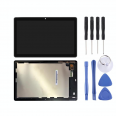
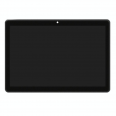
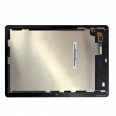
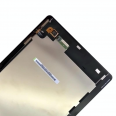
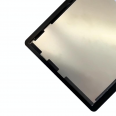
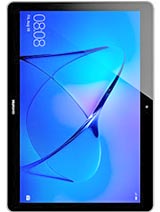
The MediaPad T3 10 screen we offer is the complete front assembly for the Huawei tablet: an IPS LCD panel and touchscreen glass (digitiser), factory-assembled in Original quality. It can be installed in one step, without separating or bonding layers. The Huawei MediaPad T3 10 went on sale in Spain in June 2017, priced at €199 for the Wi-Fi version and €249 for the LTE version. After years of use, cracked glass, spots on the panel and an unresponsive touchscreen are among the most common faults we see in our repair workshop.
The commercial name can be confusing. Although it is called the “T3 10”, the tablet has a 9.6-inch display, not a 10-inch one. It is important to identify the model correctly, as several similar-looking Huawei tablets use screens that are not interchangeable. You can find the model code under Settings > System > About tablet or printed on the back cover. This screen is compatible with:
- AGS-W09: Wi-Fi-only version.
- AGS-L09: LTE (4G) version for the European market.
- AGS-L03: LTE version for other markets.
It is not compatible with the MediaPad T5 10 (AGS2-xxx), MatePad T10s (AGS3-xxx), MediaPad T3 8 (KOB-xxx), T3 7 (BG2-xxx) or MediaPad M3 Lite 10. These models have different dimensions, connectors or chassis designs.
As this is an Original part, the display quality is the same as when the tablet first came out of the box. The factory specifications are:
- Technology: IPS LCD with capacitive multi-touch.
- Diagonal: 9.6" (243.8 mm), 16:10 aspect ratio.
- Resolution: 1280 x 800 pixels (HD), with a density of 157 ppi.
- Typical brightness: 300 nits.
- Contrast ratio: 800:1.
- Replacement part type: complete screen assembly (LCD and digitiser assembled together).
HD resolution was already considered modest in 2017. Even so, the IPS panel offers good viewing angles, vivid colours and better-than-usual contrast for its range. That is why it remains suitable for watching videos, reading and browsing. As this screen has the same specifications as the original part, the automatic brightness sensor and EMUI calibration work just as they did before the damage.
Compared with many current tablets, the T3 10 is easy to open. The front assembly is not heavily glued to the aluminium chassis; instead, it is held in place by clips around the perimeter. An experienced technician can open it in around 15 minutes. To save you from having to source tools, we include a free screwdriver kit with your order. Our team recommends following these steps:
- Turn off the tablet and remove the SIM or microSD tray.
- Use a plastic opening pick around the edge to release the clips gradually. Do not insert the tool more than a few millimetres, as the connectors and the screen itself are very close to the edge.
- Carefully lift the front assembly without pulling, as the flex cables are still connected to the board.
- Disconnect the battery first (model HB3080G1EBW), using a non-metallic tool to avoid short circuits.
- Release the screen flex cable and connect the cable from the new screen.
- Reconnect the battery and turn on the tablet with the front assembly not yet clipped into place. Check the image, brightness and touchscreen across the entire surface, including the corners.
- If everything works correctly, disconnect the battery again, position the screen and press around the perimeter until all the clips engage.
Workshop tip: wear nitrile gloves or an anti-static wrist strap, and avoid touching the flex cable contacts with your fingers. Static electricity and skin oils are behind many touchscreens that “arrive faulty” but were actually damaged during installation.
The most common issue has little to do with the replacement part: it is a warped chassis. A fall hard enough to break the glass can also bend the aluminium frame, especially at the corners. If you force a new screen onto a bent chassis, the glass can come under strain and crack when the clips are secured or even a few days later. Before installation, check that the housing is flat and straighten any dented corners.
Another common problem is ghost touch: the tablet opens apps by itself or types letters without anyone touching it. This is almost always caused by a cracked digitiser, even if the crack is barely visible. Since the LCD and touchscreen are joined in this assembly, replacing it fixes the problem at its source. The same applies to black spots, coloured lines and uneven backlighting, which indicate a damaged LCD panel.
If the touchscreen does not respond in a particular area after installation, first check that the flex cable is properly seated and that no clip is pressing against the active edge of the screen. In our experience, these two details explain almost all the issues customers contact us about after fitting.
We include a free screen protector, sized to fit the 9.6" front assembly. We recommend fitting it as soon as the repair is complete, while the glass is freshly cleaned and dust-free. This helps protect the touchscreen from scratches from day one. As tablets often end up in children’s hands or in a backpack, a screen protector and a folio case are the easiest way to avoid having to replace the screen again.
• Product Weight: 0.40 kg.The technical specs of Huawei MediaPad T3 10
can help you to choose the correct repair part for your device. Make sure your model reference is the same as this element. Here are some tech specs to help you:
- Brand: Huawei
- Huawei MediaPad T3 10 Size: 229.8 x 159.8 x 8 mm.
- Release date: 2017, May. Released 2017, June.
- Weight: 460 g.
- Screen specs: IPS LCD.
- Screen size: 9.6 inches, 9.6, 267.2 cm2.
PVP:
SNK.SP0959B29.75€ AvailableInStockNewCondition