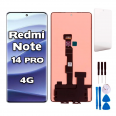
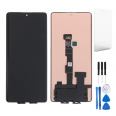
Redmi Note 14 Pro 4G complete screen: give your phone a new lease of life
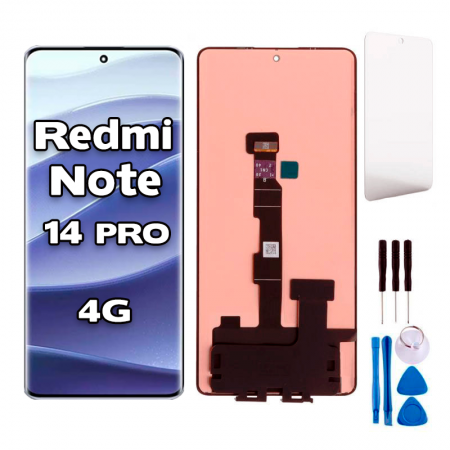
You’ve dropped your phone, the glass is covered in cracks and the touchscreen has a mind of its own. It’s happened to all of us. This complete screen for Redmi Note 14 Pro 4G comes pre-assembled, with the display panel and touchscreen digitiser bonded together as a single piece. So don’t worry: there’s no need to remove the glass or struggle with separate layers.
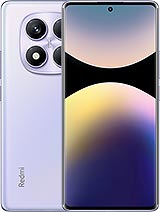
First, an important note: this screen is only for the 4G version. This version features the Helio G100-Ultra processor and has model number 24116RACCG, which you can find under Settings > About phone or on the SIM tray. The Note 14 Pro 5G and the standard Note 14 4G look quite similar, but their screens are not interchangeable.
Original Redmi Note 14 Pro 4G screen specifications
To help you know exactly what you’re replacing, here are the specifications of the screen fitted by Xiaomi. It’s a 6.67-inch AMOLED panel, slightly curved at the sides, with FHD+ resolution of 2400 x 1080 (around 395 pixels per inch) and a refresh rate of up to 120 Hz. It’s protected by Gorilla Glass Victus 2, and its 1920 Hz PWM dimming helps reduce eye strain at low brightness. The fingerprint sensor is optical and sits beneath the display itself.
Even with such durable glass, those curved edges take the brunt of the impact when the phone lands on its side. It’s one of the most common types of damage we see in our repair shop.
Premium quality: brightness specifications
This is a Premium-quality replacement, designed to keep repairs affordable without compromising on image quality. The iLevante team measured it against the factory specifications, and these are the results:
- Typical brightness: around 450 nits, more than enough for indoor use.
- High Brightness Mode (HBM): around 1080 nits for when you’re out in the sun.
- Peak brightness: around 1620 nits for specific content.
For everyday use, whether you’re using WhatsApp, browsing social media, checking maps or watching a video on the sofa, the display offers a sharp image and good contrast. There are two things we want to make clear so there are no surprises: with this replacement, the in-display fingerprint sensor does not work, and the curved edges are not identical to the original. Face unlock and your PIN will still work as usual, so your phone remains fully usable.
When should you replace the Redmi Note 14 Pro 4G screen?
Some issues can be fixed with software, while others require a replacement part. These problems really do call for a complete screen:
- Cracked or chipped glass, especially along the curved edges.
- Black or green spots, coloured lines or areas with no image. With AMOLED panels, damaged areas stay black and cannot be restored.
- Touchscreen failure in part of the display or ghost touches that open apps by themselves.
- A black screen even though the phone rings, vibrates and receives calls.
A tip: if the touchscreen isn’t working but the glass is intact, remove the screen protector first and restart the phone in safe mode. If the problem continues, it’s a hardware issue.
Step-by-step Redmi Note 14 Pro 4G screen installation
This is a more advanced repair. It has a medium difficulty level, and the curved panel needs to be handled carefully. To make sure you have what you need, we include a free tool kit with the basics for opening the phone. Here’s a general overview of how the iLevante team does it:
- Turn off the phone and remove the SIM tray.
- Heat the adhesive with a heat gun or heating mat to around 70 °C for several minutes. Apply gentle, even heat, as the battery can be damaged by excessive heat.
- Open the phone using a plastic pick and suction cup. If the glass is badly broken, the suction cup may not grip, so cover the glass with packing tape first and protect your hands.
- Disconnect the battery before touching any flex cables. Always use non-metallic tools.
- Keep the screws in order: they may look the same, but they aren’t.
- Connect the new screen and test it before sealing the phone: check the image, touch response around all the edges and automatic brightness.
Be careful around water: the phone has an IP64 rating from the factory, which only protects it against splashes. Once you open it, that protection is no longer guaranteed. Apply new adhesive around the entire frame and, even then, it’s best to keep the phone away from water.
Useful things to know
Here’s something useful: Xiaomi has found that some third-party screens in the standard Redmi Note 14 can have issues with HyperOS 3 because of a stricter display controller. So far, there are no confirmed cases for the Pro 4G, but if you update the system just after the repair, check the update details first. Also, even with a replacement screen, the original fingerprint sensor can still be unreliable, with many users needing two or three attempts to unlock their phone. Face unlock may be quicker.
And one more thing: a screen protector is included free. Apply it as soon as you’ve finished the repair, with the glass thoroughly cleaned, and you’ll be less likely to have to repeat the whole process a few months from now.
• Product Weight: 0.13 kg.The technical specs of Xiaomi Redmi Note 14 Pro 4G
can help you to choose the correct repair part for your device. Make sure your model reference is the same as this element. Here are some tech specs to help you:
- Brand: Xiaomi
- Xiaomi Redmi Note 14 Pro 4G Size: 162.2 x 74.9 x 8.2 mm.
- Release date: 2025, January 10.
- Weight: 180 g.
- Screen specs: AMOLED, 1B colors, 120Hz, 1920Hz PWM, 1200 nits , 1800 nits.
- Screen size: 6.67 inches, 107.4 cm2.
PVP:
SNK.AS16003522.95€ AvailableInStockNewCondition