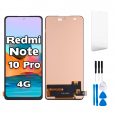
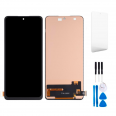
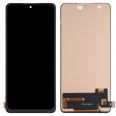
What is the Redmi Note 10 Pro Screen Like?
The
Redmi Note 10 Pro screen we offer measures
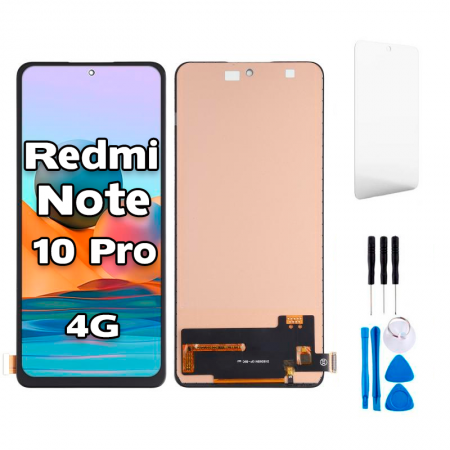
6.67 inches diagonally and perfectly fits the technical reference M2101K6G of the device. This premium quality component ensures that the user experience is identical to what the factory screen provided.
The
Redmi Note 10 Pro 4G screen reproduces vibrant colors and a level of detail that will make you forget you're using a replacement. The touch sensitivity is precise and fluid, allowing for seamless interaction, which is crucial for an optimal user experience.
This replacement is compatible with the 4G version of the Redmi Note 10 Pro, guaranteeing a perfect fit and seamless connection with other components of the phone. Additionally, the assembly of this
Note 10 Pro screen is designed to be as intuitive as possible, facilitating the screen replacement process.
Redmi Note 10 Pro Screen Price
The Redmi Note 10 Pro screen price is competitive and represents a smart investment, as it prolongs the lifespan of your device without sacrificing quality. At iLevante.com, we ensure you get the best value for your money by offering a screen that balances cost and exceptional quality.
How to Replace the Redmi Note 10 Pro Screen
Replacing the Xiaomi Redmi Note 10 Pro screen may seem challenging, but with the right tools and a bit of patience, it's a process you can perform yourself. Below, we provide you a step-by-step guide:
Before starting, make sure you have the necessary tools, which typically include:- Screwdrivers
- Plastic pry tools
- Suction cup
- Tweezers
- Anti-static wrist strap
1. Power off your Redmi Note 10 Pro completely to avoid any damage during the process.
2. Remove the SIM card and microSD card if you have one installed.
3. Disassemble the back cover carefully, using the plastic prying tools to avoid damaging the phone’s frame.
4. Disconnect the battery before proceeding to handle other components.
5. Remove the screws holding the metal plate over the screen connectors.
6. Disconnect the flex cables of the screen using tweezers, ensuring not to apply too much force.
7. Remove the broken screen from the phone's frame, applying heat if necessary to soften the adhesive.
8. Install the new Redmi Note 10 Pro screen, making sure to securely connect the flex cables.
9. Reassemble the metal plate and screw the screws back in place.
10. Reconnect the battery and reattach the back cover of the phone.
11. Turn on the device and check that the screen is functioning correctly.
The Redmi Note 10 Pro screen we offer at iLevante.com is the perfect choice to restore your device’s display quality and touch sensitivity to what it was when new. With a reasonable screen price and the option to perform the screen replacement yourself, this repair option is efficient and cost-effective.
Remember that although the screen replacement process can be done by yourself, you can always choose to take your device to a specialized technician if you do not feel confident performing it on your own. The screen you purchase from us will be the perfect piece for a successful repair, returning your Redmi Note 10 Pro to its functionality and pristine appearance.