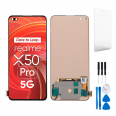
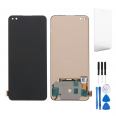
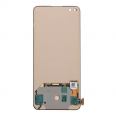
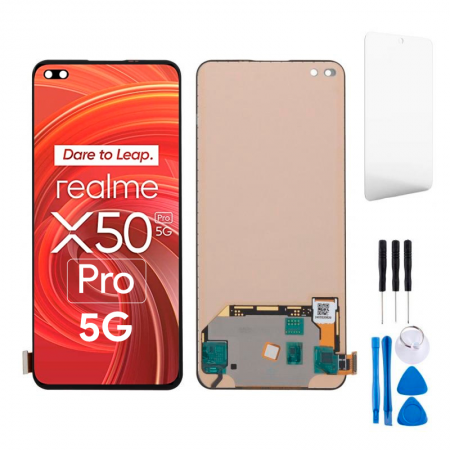
Premium-quality screen for Realme X50 Pro 5G 📱
Dropped your Realme X50 Pro 5G and now its screen has more cracks than a country lane? 😅 Don’t worry, it’s happened to all of us. The good news is that you don’t need to replace your phone: this Premium-quality replacement screen for the Realme X50 Pro will get your phone working again without costing you a fortune.
This 6.44-inch complete screen assembly is compatible with model numbers RMX2075, RMX2071 and RMX2076—the versions of the X50 Pro 5G launched by Realme in 2020. It comes with the display and touchscreen already assembled, so there’s no need to glue layers together or make any awkward fixes: remove the broken screen, fit the new one and you’re all set.
Quick tip: Before ordering, check your phone’s model number under Settings > About phone or on the original box. If it says RMX2075, RMX2071 or RMX2076, this is the screen you need ✅.
Realme X50 Pro screen specifications at a glance
| Feature | Details |
|---|
| 📱 Compatible model | Realme X50 Pro 5G |
| 🔢 Model numbers | RMX2075 / RMX2071 / RMX2076 |
| 🏷️ Device brand | Realme |
| 📅 Release year | 2020 |
| 📏 Screen size | 6.44 inches |
| ⭐ Quality | Premium |
| 🧩 Part type | Complete screen assembly (display + touchscreen) |
Why choose a Premium screen for your Realme X50 Pro? ⭐
There are all kinds of replacement screens available, from very cheap parts that fail within a week to much more reliable options. Premium quality is a high-end option in the replacement parts market, offering good colours, a responsive touchscreen and a carefully finished design. It’s made to help you use your X50 Pro just as you always have: WhatsApp, streaming, games, photos and more.
- 🎨 Bright, clear picture, ideal for everyday media.
- 👆 Responsive touch for typing, swiping and gaming without the frustration.
- 🔧 Complete part to make installation easier.
- 💶 Reasonable price compared with buying a new phone or choosing an official repair.
The Realme X50 Pro 5G was one of the brand’s first phones to go all in on 5G, and its hardware is still more than capable. It would be a shame to retire it just because of a broken screen, wouldn’t it? 😉
Signs your Realme X50 Pro 5G needs a new screen 🔍
The glass doesn’t have to be shattered for you to need a replacement screen. Some issues can indicate that the display is damaged even if it looks almost intact:
- The touchscreen behaves erratically: apps open by themselves, some areas don’t respond or the screen feels slow.
- Black, purple or green spots that spread over time.
- Coloured horizontal or vertical lines that weren’t there before.
- The screen stays black even though the phone rings, vibrates and receives notifications.
- Flickering or flashes, particularly at low brightness.
- After a knock or exposure to water, strange patches or circles appear on the display.
If you’re experiencing any of these issues with your Realme X50 Pro, the display is most likely damaged and replacing it is probably the quickest and most reliable solution.
RMX2075, RMX2071 and RMX2076 screen: which version do I have? 🤔
The Realme X50 Pro 5G was sold under different model numbers depending on the market and configuration. The good news is that this screen fits all three:
- RMX2075: the most common version in Europe and Spain.
- RMX2071: the version intended for the Asian market.
- RMX2076: another variant of the same model, also compatible.
Take care not to confuse it with other similarly named models, such as the Realme X50 5G (without “Pro”), the X50m or the X3 SuperZoom. These are different phones, and this screen is not compatible with them. If you’re unsure, contact us before placing your order and we’ll confirm it for you 💬.
How to replace the Realme X50 Pro 5G screen, step by step 🛠️
If you’re handy and want to give it a go yourself, here’s a general guide. Take your time: the X50 Pro is glued together and precisely assembled, so patience is your best tool.
What you’ll need
- Precision screwdrivers (small Phillips head).
- Plastic opening picks and pry tools.
- Suction cup.
- Heat gun or hairdryer.
- Screen adhesive or adhesive strips (such as B-7000 or similar).
- Anti-static wrist strap (highly recommended).
Replacement process
- Switch off the Realme X50 Pro and remove the SIM tray.
- Carefully heat the edges of the back cover to soften the adhesive. Keep the heat source a few centimetres away and don’t hold it in one place.
- Using the suction cup and opening picks, slowly lift the back cover, working your way around the edges.
- Remove the screws from the protective plate and disconnect the battery first. This is very important to avoid causing a short circuit ⚡.
- Disconnect the screen flex cable from the motherboard.
- Apply heat to the front and carefully separate the broken screen using the opening picks. Don’t insert them too far, as this could damage internal components.
- Clean the frame thoroughly, removing any adhesive residue and pieces of glass.
- Feed the flex cable of the new screen through its opening, connect it and reconnect the battery.
- Switch the phone on and test it before sticking anything down: check the touchscreen, colours, brightness and front cameras.
- If everything works, apply the adhesive, fit the screen, reassemble the back of the phone and leave it to dry for a few hours under light pressure (clips or elastic bands work well).
Workshop tip: Take photos of each step using another phone. You’ll be glad you did when it’s time to put everything back together 📸.
Would you rather have a technician install it? 👨🔧
That’s perfectly fine if you’re not comfortable handling a screwdriver. Many repair shops will let you bring your own replacement part, so you only pay for the labour. It’s a practical way to repair your Realme X50 Pro 5G screen, save money and know exactly which part is being installed.
You can also use the official repair service, although it usually costs more and your phone may take longer to be returned. With this Premium screen for the X50 Pro, you can choose how, when and where to get it repaired.
Tips for looking after your new Realme X50 Pro screen 💡
Since you’re getting a new screen, it’s worth protecting it so it lasts:
- 🛡️ Fit a tempered glass screen protector as soon as the screen is installed.
- 📦 Use a case with raised edges to protect the corners, where cracks often start.
- 🔑 Don’t keep your phone in the same pocket as your keys or coins.
- ☀️ Avoid leaving it in direct sunlight inside a car: heat is bad for both the display and the battery.
- 💧 If it gets wet, switch it off as soon as possible and don’t charge it until it’s completely dry.
Fast delivery so you’re not without your phone for long 🚚
We know that being without your Realme X50 Pro 5G for days is a pain, especially if you use it for work. That’s why we prepare orders quickly, and express delivery is available so your RMX2075 / RMX2071 / RMX2076 replacement screen can reach you as soon as possible and you can get back to using your phone sooner.
• Product Weight: 0.14 kg.The technical specs of Realme X50 Pro 5G
can help you to choose the correct repair part for your device. Make sure your model reference is the same as this element. Here are some tech specs to help you:
- Brand: Realme
- Realme X50 Pro 5G Size: 159 x 74.2 x 8.9 mm.
- Release date: 2020, February 24. Released 2020, March 05.
- Weight: 205 g.
- Screen specs: Super AMOLED, 90Hz, HDR10+.
- Screen size: 6.44 inches, 100.1 cm2.
PVP:
SNK.AS13441025.75€ AvailableInStockNewCondition