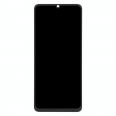
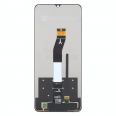
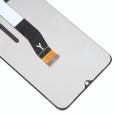
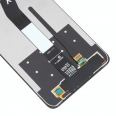
The screen we offer is not just another option in the market; it is a
Premium screen with the technical reference
22041219, specifically designed for the Poco C65 model, released in 2023. With its
6.74 inches, this screen promises not only a wide viewing experience but also unmatched user experience thanks to its superior quality.
Poco C65 Premium Screen Features
The Premium screen for the Poco C65 boasts several features that set it apart from less sophisticated options:- Perfect Size: With 6.74 inches, this screen fits the Poco C65 perfectly, ensuring the device maintains its original design and ergonomics.
- Resolution and Clarity: The Premium quality guarantees that the screen resolution is suitable for enjoying crisp images and vibrant colors, as expected from a next-generation device.
- Touch Response: A Premium quality screen translates into precise and smooth touch response, essential for efficient interaction with your device.
This replacement comes equipped with all the components necessary for installation, including the LCD panel, touch glass, image control chip, and the connection flex cable. We also include a screen protector for extra protection from the first moment.
When to Replace Your Poco C65 Screen?
You may be wondering when it's necessary to change your Poco C65 screen. Here are some signs indicating it's time to consider a replacement:- Visible Damage: The most obvious case is when the screen is visibly damaged, with cracks that can even affect the device's touch functionality.
- Touch Problems: If the screen does not respond adequately to your touches or does so erratically.
- Color Spots: The appearance of unusual spots, especially black or blue, is a sign that the screen may be internally damaged.
- Light Leaks: If you notice light seeping from the edges or certain areas of the screen, the integrity of the screen could be compromised.
- Distorted Colors: A screen with colors that are improperly displayed at the edges or anywhere on the screen may need replacement.
These issues indicate a screen that can no longer function normally, necessitating a replacement.
Screen Installation
While changing a smartphone screen might seem challenging, with the right tools and a bit of patience, it is possible to do it yourself. Below is a simplified guide for replacing the screen on your Poco C65:1. Turn off your Poco C65 and make sure to work in a clean and organized environment.
2. Discharge static electricity from your body using an anti-static wrist strap or by touching a grounded metal object.
3. Heat the screen edges with a heat gun or hairdryer to soften the adhesive that holds it fixed to the phone frame.
4. Use opening tools to carefully lift the damaged screen. Start from the edges and slowly proceed to the center.
5. Disconnect the flex cable that connects the screen to the phone's motherboard.
6. Remove the old screen, clean any adhesive residue, and prepare to install the new screen.
7. Install the new screen, ensuring the flex cable is correctly connected without touching the copper contacts.
8. Test the screen before sealing it to ensure everything works properly.
9. Seal the screen and allow the adhesive to set during the recommended time before using the phone again.
Remember, if you don't feel confident doing the replacement yourself, you can always take your new part to a specialized technical service.
With the Premium screen for the Poco C65 from iLevante.com, you have the opportunity to bring your device back to life with the highest quality component. Don't let a broken screen prevent you from enjoying your smartphone to the fullest. Get your replacement screen today and enjoy your Poco C65 as if it just came out of the box.