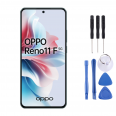
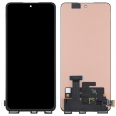
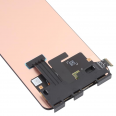
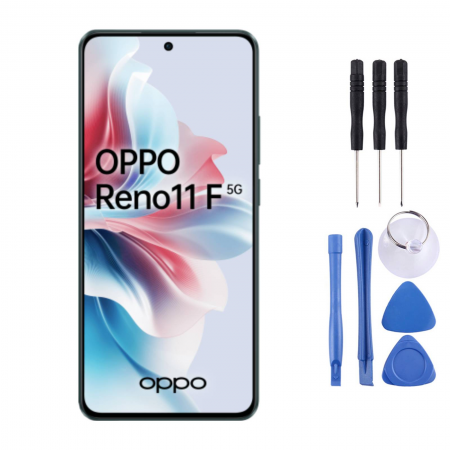
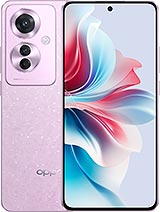
What is the OPPO Reno11 F Premium Screen Like?
This replacement screen is not just any alternative, but a
Premium option that guarantees maximum quality. With identical resolution and size to the original, your OPPO Reno11 F will look as good as new. Unlike other lower quality screens on the market, our Premium screen offers:
- 6.7-inch size, exactly the same as the original model.
- High definition resolution, so you don't miss any detail in your favorite content.
- Perfect compatibility with your OPPO Reno11 F, thanks to its technical reference CPH2603.
Included Components
We understand that a quality screen isn't enough if it doesn't come with the necessary elements for installation. That's why our screen comes with:- High-resolution LCD screen.
- Sensitive and precise touch glass.
- Image controller IC, essential for optimal image quality.
- Flex cable, to ensure seamless integration with your device.
Additionally, as we know installation can be challenging, we include a complimentary tool kit to make the process significantly easier. This kit includes screwdrivers, picks, levers, and a suction cup. It does not include compatibility with under-display fingerprint scanners. This replacement is not compatible with the under-display fingerprint reader.
When Should You Replace the Screen on Your OPPO Reno11 F?
You might need a screen replacement if you experience:- Touch issues: lack of response or erratic behavior.
- Unusual color spots or image distortion.
- Watermarks or spots shaped like circles or drops, especially after the phone gets wet.
- Light leaks in certain areas of the screen.
- Distorted colors or lack of sharpness at the edges.
Any of these symptoms indicate you need a new screen for your OPPO Reno11 F.
OPPO Reno11 F Screen Installation
You might be considering installing the screen yourself, or you may prefer to take it to a technical service. If you decide to do it on your own, we offer a simplified guide to make the process as easy as possible:1. Turn off your OPPO Reno11 F.
2. Discharge your static electricity to avoid damage during installation.
3. Carefully heat the edges of the screen to soften the glue, using a heat gun or hair dryer.
4. With the tools from your kit, carefully peel off the screen, starting from the edges.
5. Disconnect the flex cable and remove the damaged screen.
6. Clean any glue residue and position the new screen.
7. Connect the flex cables to the motherboard and check that everything works correctly before sealing the screen in place.It is important to remember that if at any point you feel unsure about the installation, it is always advisable to consult a professional technician.
Your OPPO Reno11 F is an exceptional device and deserves a screen that matches its performance. Our Premium replacement screen will not only restore the lost functionality but will allow you to enjoy your visual content as if nothing ever happened. Don't let an accident keep you away from the OPPO experience, get your replacement screen at iLevante.com and enjoy your device to the fullest again.