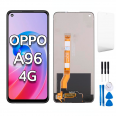
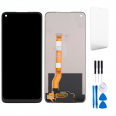
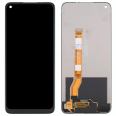
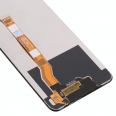
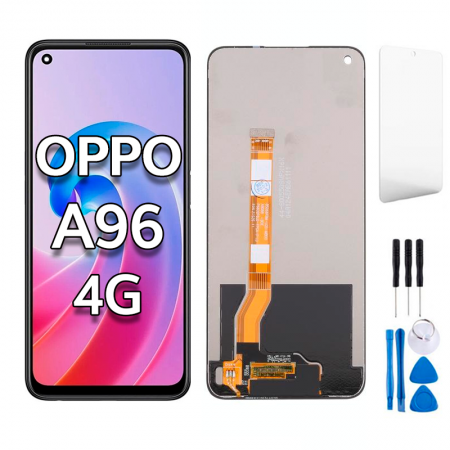
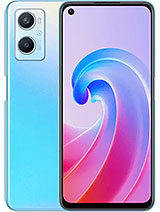
Complete Screen for OPPO A96 4G
Has the screen of your OPPO A96 been damaged? The modules look similar but are not compatible, the one shown in the image works with the OPPO model CPH2333. The display we sell includes each and every part that we will list below:
- The IC that controls the data.
- LCD screen, where we see moving images.
- The flex that connects with the OPPO brand module.
- The touchscreen, which sends the signal of the touches we make with our fingers on the phone.
Additionally, to make disassembly easier, we include a set of tools so you can do it yourself. This set comes with:
- Screwdrivers.
- A plastic pick.
- Lever tools to remove the screen.
- And a suction cup.
Keep this set well, because you will need it. The OPPO A96 Screen we offer is really well-protected, so it does not get damaged during shipping. We provide the best in our products.
Screen also compatible with Realme 8i, Realme 9i, Realme Narzo 50 models.
How can I easily change the Screen for OPPO A96
One option we suggest is that you search YouTube for information on the Screen for OPPO A96 and the tools you need to repair the module, such as a screwdriver kit and a low-temperature heat source. From our side, we suggest sending you the complete original OPPO screen. It will arrive in excellent condition because we send it securely and excellently packaged, preventing any parts from breaking.
When we have all the elements, it is time to assemble everything with patience. The instructions to follow are:
- Before starting, it is essential and very important to remove the battery.
- Make sure you don't have static electricity. For this, it's good to have an anti-static wristband and wear shoes that eliminate static.
- Now with the device turned off, turn on your hairdryer to separate the broken display from the device, as it is stuck with glue. We recommend using hairdryers that do not reach high temperatures because otherwise, you could burn essential modules, and if you haven’t removed the power source, it could overheat and probably break. Then, use the pick to detach the display, do it with a steady and slow motion.
- When removing it, be careful as you will take off the damaged screen from the base board. Pay attention to how the display is held in place, there's a small clip.
- An important step, carefully clean all adhesive residue with a gauze and a recommended liquid for this task.
- Now you must place the flawless Screen for OPPO A96 CPH2333. Check if it turns on and works correctly, both the display and the touch.
That's it, you now have a new screen in your device. Do not forget to put the battery back in and check that everything is working.
How much does the screen cost?
Although prices in stores rise daily, we have maintained it at the same price of 18.90€, which is shown at the beginning. It’s your time to take advantage of this offer. The cost includes taxes, only the delivery fee will be added to the total, which will depend on your needs at the time of purchase.
Do I need to go to the original service center
It's normal to feel apprehensive about something you've never done before, but remember there are no secrets to this task. Many e-books and tutorials have been written on how to replace the module of your OPPO A96 (CPH2333).
In this post, I'll explain how to do it yourself for a minimal cost of 18.90€. Make sure to read it completely, don't skip any part because this will determine the success of your work. If you don't understand it, review it again and again. Therefore, the answer is: It’s not necessary to send it to a specialist. You can do it!
It’s easy to replace this OPPO A96 CPH2333 screen by yourself
Have you bought our display yet? Now everything is in your hands. It is necessary to be clear-headed and completely focused on this precise task. Don’t get discouraged when faced with situations like this. Remember that anything is possible if you repair your phone with a lot of care. This way, you won’t cut any essential plate on the phone that might later be much more expensive to fix.
Original Alternatives and Recommendations from OPPO A96
The first thing you should do is apply a protective glass that adheres to the module and protects it from scratches or scrapes. Its thickness usually ranges from 0.3 to 0.5 mm, acting as a shield against any drop from a meter. The qualities vary, as do their prices, but they are still extremely economical. And you can easily apply them yourself whenever there’s a crack or when it is completely shattered. This way, only the protective film will break and your phone’s display will remain intact.
Additionally, we recommend placing a silicone cover that absorbs the impact of a drop and prevents the screen from cracking. It also protects the corners.
How to determine if the screen is broken
Before concluding that it has completely stopped working, we need to understand whether it's the glass or the OPPO A96 Screen that is broken.
If the touch is faulty, we will notice from the outside being cracked but the lcd still working normally. However, the OPPO A96 Screen will be damaged if the smartphone stops functioning, that is, if only half is visible, horizontal lines appear or everything is dark. To confirm if we need to replace it, go to settings. Then, to "About this phone" and tap 7 times on “build number”. This activates the “developer options”. Within this item, select “pointer location”, and draw lines across the module's area. If they don't draw, it means it's damaged and you need to repair it.
• Product Weight: 0.22 kg.The technical specs of Oppo A96
can help you to choose the correct repair part for your device. Make sure your model reference is the same as this element. Here are some tech specs to help you:
- Brand: Oppo
- Oppo A96 Size: 164.4 x 75.7 x 8.4 mm.
- Release date: 2022, March 16.
- Weight: 191 g.
- Screen specs: IPS LCD, 90Hz, 480 nits , 600 nits.
- Screen size: 6.59 inches, 104.5 cm2.
PVP:
SNK.SPS392718.90€ AvailableInStockNewCondition