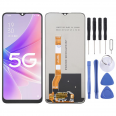
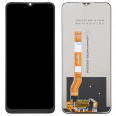
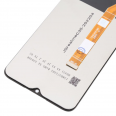
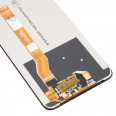
Oppo A57s Screen
If the screen of your OPPO A57s has broken, we show you the most efficient solution to change it with your own hands.
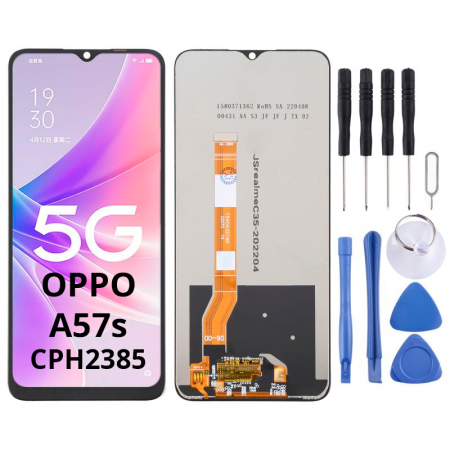
The screen we send you includes all the components mentioned below:- LCD Screen.
- Touch Screen.
- The IC that retains the data.
- The flex cable that connects with the OPPO board.
Additionally, to make things easier for you, we include a toolkit, so you can do it yourself. This kit contains:
- Screwdrivers.
- Various picks.
- Tools to remove the screen.
- A suction cup.
Keep this kit well; it's essential. The Oppo A57s Screen we deliver is well-packaged, ensuring it doesn't suffer any kind of breakage while in transit.
How can I easily replace the Oppo A57s Screen
Here I explain in a simple way how to replace your phone’s LCD in four steps. But first, make sure you understand how your OPPO is assembled.
First, place the phone face down. Remove the back cover and battery, and you will see some screws, unscrew them.
Carefully detach the screen's flex. You will notice it as a small connector. Use the plastic pry tool to gently apply pressure, and it will pop out.
Next, remove the broken part, for which we will use two tools:
- Heat: use a heat gun, not exceeding 120°C. Apply it around the edge.
- A plastic pick: apply pressure underneath the screen.
Finally, place the new screen (previously clean any adhesive residue) and connect the flex as it was. Lastly, insert the screws and the back cover.
What is the price of this screen?
The price is mentioned at the top (15.75€). The cost already includes VAT. The only additional charge is the shipping, which depends on the urgency with which the screen is needed.
Should I send it to the official service center?
It is normal to feel intimidated by something you have never done before; however, remember that there are no secrets to this task. Many books and manuals explain how to replace the module of your A57s (CPH2385).
In this post, I will show you how to do it yourself with a minimal investment of 15.75€. Be sure to read everything, do not skip any part as this will ensure your phone is fixed properly. If necessary, read it repeatedly. So, the answer is: No need to send it to an official representative. Rest assured, it is simple!
It's easy to repair this OPPO A57s screen myself
Next, I will reveal how you'll know if your screen has suffered a hit and needs replacing, and if so, we have already listed how to fix it in simple steps. Without further ado, focus on each item and... get to work!
Find out if I need to change the screen
Before concluding that it has completely stopped working, it is important to check if it's the glass or the Oppo A57s Screen that is damaged.
If the touch function begins to fail, we will notice a cracked top part, yet the LCD continues to display normally. But the LCD will be damaged if the smartphone stops working, that is, if only a section is visible, vertical lines appear, or the screen does not turn on. To verify that a replacement is needed, go to settings. Then, to "About phone" and click 7 times on "build number". This way, you activate the "developer options".
In this section, select "Pointer location", and draw lines all over the screen. If these do not appear, it is assumed there are issues, and you should replace it.
• Product Weight: 0.20 kg.The technical specs of Oppo A57s
can help you to choose the correct repair part for your device. Make sure your model reference is the same as this element. Here are some tech specs to help you:
- Brand: Oppo
- Oppo A57s Size: 163.8 x 75 x 8 mm.
- Release date: 2022, August 31.
- Weight: 187 g.
- Screen specs: IPS LCD, 480 nits , 600 nits.
- Screen size: 6.56 inches, 103.4 cm2.
PVP:
SNK.SPS527215.75€ AvailableInStockNewCondition