
¡¡¡20 YEARS ONLINE!!!
ONLY TODAY: SHIPPING 1€
limited offer to first 120 orders
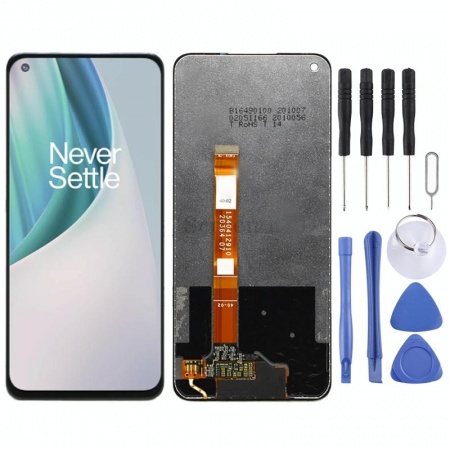
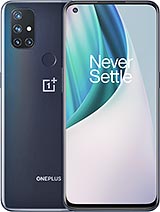
Complete screen for OnePlus Nord N10 5G
OUT OF STOCK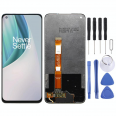
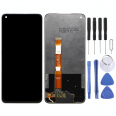
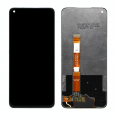
No disponible.
- Includes screen protector for free.
- Gift of 1 Tool Kit.
For OnePlus Nord N10 5G
- OnePlus Nord N10 5G Screen 2020
- Changing the OnePlus Nord N10 5G Screen easily
- How much does this screen cost?
- What color variants can I buy?
- Do I have to go to an official OnePlus service?
- I will be able to replace this screen for OnePlus Nord N10 5G
- OnePlus Nord N10 5G recommendations
- How to know if the screen is broken
OnePlus Nord N10 5G Screen 2020
The screen we sell has all the features that we will show you below:
- The IC that controls the image.
- LCD screen, where we see the images move.
- The flex that connects to the OnePlus motherboard.
- The touch panel, which sends the signal of the touches we make with our hands on the phone.
- Various Screwdrivers.
- Several picks.
- Levers.
- And a suction cup.
Changing the OnePlus Nord N10 5G Screen easily
First step place the phone with the LCD facing down. You must open the back cover, the battery, and you will notice some screws, remove them.
As a second step, carefully remove the screen flex. Do it carefully as it can be damaged. To realize this, you will see that it is a small socket. With a small flat screwdriver, apply a little pressure and it will pop out by itself.
The next thing would be to remove what is broken, for this we will use two things:
- Heat: for this you can use a heat gun, not exceeding 120°C. Do it on the edges
- A plastic pick: apply pressure between the display and the frame.
- Finally, place the screen (previously clean the adhesive residue) and connect the cables in the same way. Now all that remains is to put the screws and the back cover back on.
How much does this screen cost?
What color variants can I buy?
Only black displays come from the factory as the display covers the entire front cover of the smartphone and does not have any kind of line around the phone, no matter if your smartphone is of color .Do I have to go to an official OnePlus service?
It is very common to feel helpless in the face of something you have never done, but do not forget that there are no tricks to this job. Many books and videos have been released on how to replace the screen of your smartphone.In this post, I will explain how to do it yourself for a minimal cost of 39.90€. Make sure to read everything, do not try to skip any paragraph because your success depends on it. If you do not understand it, read it over and over again. So the answer is: Not at all to take it to an official representative. Cheer up!
I will be able to replace this screen for OnePlus Nord N10 5G
OnePlus Nord N10 5G recommendations
Without a doubt, we would be happy if screens were impossible to damage, but that would be incredible the truth is that, or in an oversight, a blow, can end up with our screen shattered.That's why, a wise recommendation is: cover it with a case. The cases fulfill their purpose very well.
There are not a few who are used to lending their phone and there is no doubt that no one will take care of your phone as well as you. If you do not want someone else to damage it, save yourself that anguish and do not lend it unless it is an emergency.
Every time you connect your phone to the electrical current, put it in a safe place where no one can touch it while it is recharging the battery. This way you will avoid unnecessary breaks.
One more thing, if you want to extend the useful life of your phone, we suggest that the little ones do not play with the phone. If they want to have fun, on sales websites they offer at a very good price, technological devices designed for our little ones.
How to know if the screen is broken
Most of the accidents that all mobiles suffer, it could be concluded that they are not serious blows. Generally, only the screen is marked and they do not receive another significant damage. Even so, there are times when your mobile falls in such a way that it permanently damages the screen of our mobile and we do not see any scratch at first sight, but although it is not seen, it did cause problems that fall to our cell phone. That's when you should follow these essential steps to check the functionality of your mobile.If the touch starts to fail we will notice it when noticing the top part broken but the screen continues to be displayed normally. But the OnePlus Nord N10 5G Screen will be unusable if the phone stops working, that is, if only half is seen, horizontal lines appear or the screen does not turn on. To finish verifying that we must repair it, go to settings. Then, to "About the phone" and tap 7 times on "build number". This gives you access to the "developer options".
Within this section, choose "pointer location", and draw lines all over the screen area. If these are not seen, it means that it is broken and you have to change it.
The technical specs of OnePlus Nord N10 5G
can help you to choose the correct repair part for your device. Make sure your model reference is the same as this element. Here are some tech specs to help you:- Brand: OnePlus
- OnePlus Nord N10 5G Size: 163 x 74.7 x 9 mm.
- Release date: 2020, October 26.
- Weight: 190 g.
- Screen specs: IPS LCD, 90Hz.
- Screen size: 6.49 inches, 101.7 cm2.





