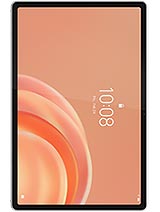
Lenovo Tab Plus Gen 2 Screen 12.1 inches – Premium Replacement for your new Lenovo tablet 2026
Has the screen of your Lenovo Tab Plus Gen 2 broken and now your super tablet from 2026 looks from another decade? Don't worry, you're not alone. At iLevante.com, you can get this screen for Lenovo Tab Plus Gen 2, 12.1 inches in Premium quality, designed specifically for this Lenovo model, so your tablet can look and function like new again.
If you use your Tab Plus Gen 2 for studying, working, watching movies, or gaming, you know that a good screen is everything. With this replacement, you can enjoy your Lenovo as before, with no bizarre lines, no stains, and no crazy touch.
Screen for Lenovo Tab Plus Gen 2 12.1" – Main Specifications
This screen is designed specifically for the Lenovo Tab Plus Gen 2, the Lenovo model released in 2026. It's not a generic screen; it's a replacement made to fit and work with this specific Lenovo tablet model.
| Feature | Detail |
| Compatible Device | Lenovo Tab Plus Gen 2 |
| Device Brand | Lenovo |
| Model Release Year | 2026 |
| Screen Size | 12.1 inches |
| Replacement Type | Complete screen (panel + touch) |
| Quality | Premium |
| Recommended Use | Repair / replacement of damaged screen |
It is a complete screen, meaning it comes with the integrated panel and touch glass to make the repair easier without having to separate pieces.
When do you need to change the screen of the Lenovo Tab Plus Gen 2?
Your Lenovo Tab Plus Gen 2 doesn't need to be shattered to consider changing the screen. There are many signs that your tablet is crying out for a replacement:
- Visible cracks on the glass, even if you can still see the image.
- Black or colored spots that were not there before and are gradually increasing.
- Vertical or horizontal lines crossing the Tab Plus Gen 2 screen.
- Ghost touches: the tablet responds to touches by itself or the touch responds where you haven't touched.
- Dead zones that do not respond to touch, as if they were "dead".
- Light leaks or strange glares at the edges of the screen.
- After a hard fall or a hit, even if the glass seems fine but the panel looks odd.
- After it has gotten wet and spots in the shape of droplets or circles have appeared.
If your Lenovo Tab Plus Gen 2 has one or several of these symptoms, the most practical approach is usually to change the complete screen. Continuing to use the tablet this way only worsens the problem and may end up affecting more components.
Lenovo Tab Plus Gen 2 12.1" Premium quality screen: What can you expect?
This Premium screen for Lenovo Tab Plus Gen 2 is intended for those who want a good quality replacement for their Lenovo tablet without too much hassle:
- Good touch response for writing, drawing, browsing or gaming smoothly.
- Crisp and defined colors for series, videos, and multimedia content.
- Adequate brightness for everyday use indoors and moderate outdoors.
- Specific compatibility with the Tab Plus Gen 2 model by Lenovo.
It is not an original Lenovo screen, but it is a Premium quality option intended to offer a good experience in your daily use with the tablet.
Advantages of changing your Lenovo Tab Plus Gen 2 screen
Opting for a screen replacement for Lenovo Tab Plus Gen 2 has several advantages over enduring a broken screen:
- Prolongs the lifespan of your 2026 Lenovo tablet without having to buy a new one.
- Regains comfort when typing, watching videos or reading without stains or cracks.
- Avoids cuts or issues from continuing to use the broken glass.
- Improves resale value if you want to switch to another tablet in the future.
- Leverage the power of the Tab Plus Gen 2 with a proper screen.
In summary: if your Lenovo Tab Plus Gen 2 still has a lot of performance power, replacing the screen is the smartest way to continue benefiting from it.
Can I install the Lenovo Tab Plus Gen 2 screen myself?
If you like DIY projects and have some skill, you may attempt to replace the Lenovo Tab Plus Gen 2 screen yourself. However, it is a delicate repair, so it's better to proceed cautiously and follow the steps carefully.
Here’s a general guide to help you see the process. Adapt it according to the tools you have and your previous experience:
Basic Steps for Changing the Lenovo Tab Plus Gen 2 Screen
- Completely turn off your Lenovo Tab Plus Gen 2 Do not leave it in sleep mode: switch it off completely before starting.
- Discharge your static electricity Use an anti-static wristband if you can, or touch a grounded metal surface to reduce the risk of damaging internal components.
- Remove the card tray (if present) Take out any cards your tablet has before opening it.
- Carefully open the casing Use plastic picks and an opening tool. Go around the edges of the Tab Plus Gen 2 patiently to avoid marking the chassis.
- Locate and disconnect the battery Before handling the new screen, disconnect the Lenovo battery for safer work.
- Disconnect the screen flex Locate the Tab Plus Gen 2 screen connector and carefully lift the latch or lock, if it has one. Do not pull the cable roughly.
- Detach the damaged screen Apply moderate heat with a heat gun or hair dryer (at a distance) along the screen edges to soften the adhesive. Use picks to gradually separate the glass.
- Remove the broken screen Once detached, lift it carefully. If there are glass remnants, proceed with caution not to cut yourself or damage the interior.
- Clean the frame Remove old glue residues and dirt from the Lenovo tablet frame. The cleaner it is, the better the new screen will stick.
- Present the new Lenovo Tab Plus Gen 2 screen Before attaching it completely, connect the Premium screen flex to the motherboard connector.
- Connect the battery and do a quick test Turn on the Tab Plus Gen 2 and verify that:
- The image displays correctly.
- The touch responds across the entire surface.
- There are no strange areas, spots, or lines.
If everything is fine, switch off the tablet again. - Attach the new screen Apply the suitable adhesive to the frame and set the 12.1-inch screen in place, pressing gently around the edges.
- Close the tablet and finish assembly Ensure everything fits well, reattach the casing and place the card tray back if you removed it.
If you find the process overwhelming or prefer not to risk it, you can always take your Lenovo Tab Plus Gen 2 to a trusted technical service and have this Premium screen installed for you.
Tips for taking care of your new Lenovo Tab Plus Gen 2 screen
Once you have your Lenovo Tab Plus Gen 2 12.1" screen installed, you’ll want it to last a long time. Here are some quick tips:
- Use a screen protector from day one to prevent scratches.
- Get a case that protects the corners and the front adequately.
- Avoid drops and impacts (especially from the bed or sofa, the classics).
- Do not leave your Tab Plus Gen 2 in direct sunlight for hours.
- When cleaning it, use a slightly damp microfiber cloth, without harsh products.
With this replacement screen for Lenovo Tab Plus Gen 2 in Premium quality, your 2026 Lenovo tablet becomes that giant 12.1-inch screen that accompanies you in everything: work, study, series, games, and more to come.