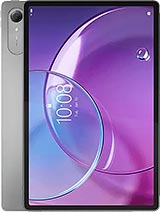
Screen for Lenovo Idea Tab Pro Gen 2: Get Your Tablet Back in a Flash! 🚀
Hey, friend! Imagine this: you're in the middle of a series marathon on your Lenovo Idea Tab Pro Gen 2, and suddenly, boom! The screen shatters. Don't worry, at iLevante.com we have just what you need: a Premium quality replacement screen for your Lenovo TB390FU. This beauty of 13.0 inches is similar to the original in many aspects and is designed to bring your tablet back to life without any drama. Launched in 2026 by Lenovo, the Idea Tab Pro Gen 2 is a powerful machine, and this screen ensures you continue to enjoy its futuristic vibe. 😎
Why choose this screen? Well, it's Premium quality, which means it offers a crisp and responsive visual experience, perfect for browsing, gaming, or working on your Lenovo Idea Tab Pro Gen 2. It's not the original factory one, but it comes very close in performance and durability, making your tablet feel brand new. And hey, with the technical reference TB390FU, you know it fits perfectly in this specific model. No more generic screens that don’t fit!
Key Specifications of the Lenovo TB390FU Screen 😍
This 13.0-inch screen comes with everything you need for a smooth repair. It includes the LCD panel, the touch glass, the image controller, and the flex cable. Oh, and let's not forget an extra screen protector to start on the right foot! It's ideal for your Idea Tab Pro Gen 2, ensuring colors pop and touch response is instant. If you’re looking for 2026 Lenovo tablet replacements, this is your top option.
- Size: 13.0 inches – Perfect for full immersion on your Lenovo Idea Tab Pro Gen 2.
- Quality: Premium, with robust construction that withstands daily use.
- Reference: TB390FU – exclusive to this Lenovo model.
- Included Components: Everything needed for hassle-free installation. 👍
Does Your Lenovo Idea Tab Pro Gen 2 Need a New Screen? Find Out Here! 🔍
Let's get to the point! It's not always obvious when your Lenovo TB390FU is crying out for help. Sure, a giant crack is a clear sign, but there are more subtle clues that it’s time for a change. If your 2026 tablet is acting weird, this premium screen could be the lifesaver. Here are some common signs:
- Touch Issues: Is the touch unresponsive or going crazy? As if your finger is dancing on its own. 😅
- Weird Spots: Black, blue, or multicolored spots appear that weren’t there before.
- Moisture Effects: If it got wet, circles or drops could appear on the screen – a classic!
- Light Bleeding: Edges that shine too much or irregular dark spots.
- Faded Colors: Especially on the edges, where everything looks washed out or distorted.
These issues can ruin your experience with the Idea Tab Pro Gen 2. But hey, with our premium quality screen, say goodbye to them and get back to enjoying that Lenovo tablet you love so much. It's like refreshing your favorite gadget without spending a fortune.
Premium Quality for Your Lenovo Idea Tab Pro Gen 2: What Makes It Special? 🌟
At iLevante.com, we focus on replacements worth having, and this screen for the Lenovo TB390FU is a perfect example. Of Premium quality, it offers optimal thickness and quick touch response, ideal for intensive use of your 2026 tablet. We don’t mention exclusive Lenovo tricks, but we do tell you it’s a solid alternative that keeps the essence of your device. Compared to cheaper options, this stands out for its reliability and visual clarity.
Did you know you can vary between qualities? While Premium is our star, there are options for all budgets. But if you're looking for the best for your Idea Tab Pro Gen 2, this is the one that shines. And with fast delivery, you'll have it at home soon!
Quick Comparison of Screens for Lenovo Idea Tab Pro Gen 2 | Aspect | Premium Quality | Other Qualities |
| Touch Response | Fast and precise 😃 | Good, but less fluid |
| Thickness | Optimal for perfect fit | May vary |
| Durability | High, withstands daily use | Medium |
| Price | Accessible with discounts | More economical |
Go to Lenovo Service Center or DIY? You Decide! 🛠️
Many fans of the Lenovo Idea Tab Pro Gen 2 prefer DIY to save time and money. Replacing the screen at home is feasible, especially with the tool kit we include as a gift: screwdrivers, picks, levers, and a suction cup. All so you can be the hero of your own repair! If you don’t feel confident, take it to a local technician – many accept replacements like this premium one for the TB390FU.
Of course, Lenovo’s official service is an option, but it could take longer. With our screen, you have flexibility: do it yourself or let the pros handle it. It's your tablet, your choice!
Easy Guide to Replacing Your Lenovo TB390FU Screen 📱
Ready for action? If you decide to replace the screen of your Idea Tab Pro Gen 2 on your own, here’s a simple and friendly step-by-step guide. Remember, be careful – it’s a delicate part of your 2026 Lenovo tablet. Here we go:
- Turn off the tablet: Ensure your Lenovo Idea Tab Pro Gen 2 is completely turned off to avoid shorts. 🔌
- Discharge static: Use an anti-static wrist strap or touch something metallic to not damage components with static electricity. Safety first! ⚡
- Apply heat: With a hairdryer or heat gun, heat the edges of the screen about 5 cm away, no more than 2 seconds per spot. This softens the adhesive.
- Insert picks: Use picks from the kit to slide them along the sides, moving them gently to detach the old screen. Do this on all sides. 🌀
- Use the suction cup: Briefly heat the center and pull with the suction cup to lift the complete screen.
- Disconnect and remove: Carefully remove the flex cable and take out the damaged screen.
- Clean the frame: Remove adhesive residue from the chassis of your Lenovo TB390FU for a clean fit.
- Install the new one: Place the premium screen, connect the flex without touching copper contacts.
- Test: Turn on the tablet and verify everything works: touch, colors, all of it. Yay! 🎉
- Glue and wait: Apply new adhesive and let it sit for 3-4 hours to set properly.
And voila! Your Lenovo Idea Tab Pro Gen 2 is back in action. This guide is to empower you, but if something goes wrong, a technician is always a good idea. With this premium quality screen, the process is easier than you might think.
More Tips to Keep Your Lenovo Idea Tab Pro Gen 2 Screen in Shape 💪
Once installed, take care of your new screen to make it last. Use protective cases, avoid drops, and clean with soft cloths. For your 2026 tablet, this keeps that premium vibe. If you’re a gamer or use the TB390FU a lot for work, this screen withstands daily use without problems.
Explore variations of the name: whether it’s Lenovo Idea Tab Pro Gen 2, Idea Tab Pro Gen 2, or simply TB390FU, they all lead to this stellar replacement. At iLevante.com, we are here to make your experience epic. Keep enjoying your gadget! 🌈
• Product Weight: 0.20 kg.The technical specs of Lenovo Idea Tab Pro Gen 2
can help you to choose the correct repair part for your device. Make sure your model reference is the same as this element. Here are some tech specs to help you:
- Brand: Lenovo
- Lenovo Idea Tab Pro Gen 2 Size: 296.5 x 191.9 x 6.2 mm.
- Release date: 2026, March 02.
- Weight: 598 g.
- Screen specs: IPS LCD, 144Hz, Dolby Vision, 800 nits.
- Screen size: 13.0 inches, 490.0 cm2.
PVP:
SNK.LNVTABP13189.00€ AvailableInStockNewCondition