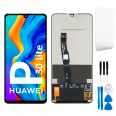
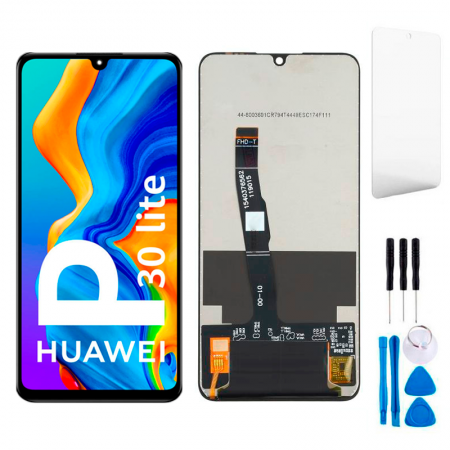
Complete Huawei P30 Lite screen: LCD and touchscreen
This Huawei P30 Lite screen comes with the LCD panel and touchscreen digitiser already bonded together. There’s no need to separate layers or glue glass: connect it, test it and install it. This is a Premium-quality replacement that reproduces the phone’s original display. It measures 6.15 inches and features IPS LTPS technology, a 2312 x 1080 (FHD+) resolution, around 415 pixels per inch and a waterdrop notch for the front camera.
The box also includes a free screen protector and a tool kit for opening the phone. A repair shop may charge around €200 for this repair, so replacing it at home with this part can be well worth it.
Brightness and colour on the Premium P30 Lite screen
Here are the figures measured by the iLevante team:
- Maximum brightness: around 430 nits in manual mode and approximately 450 nits with automatic brightness.
- Minimum brightness: close to 1 nit, making it comfortable to read at night without glare.
- Aspect ratio: 19.5:9, 16.7 million colours and 2.5D edge glass.
A tip: the phone is set to Vivid colour mode by default, which tends to make whites look bluish. For more natural colours, go to Settings > Display > Colour mode and temperature and select Normal. Eye Comfort mode also works with this panel and is useful if you read a lot at night.
Huawei P30 Lite screen compatibility
The model number is printed at the bottom of the back cover and can also be found under Settings > About phone. The P30 Lite New Edition (MAR-LX1B) only differs in its RAM, storage and front camera. It uses the same screen and body, so this part is compatible with it too.
- MAR-LX1M, MAR-LX1A, MAR-LX1B, MAR-LX2, MAR-LX2J, MAR-LX3A
- MAR-AL00, MAR-TL00
- Marie-L21A, Marie-L01A, Marie-L21MEA, Marie-L22A
Replacing the P30 Lite screen: what’s inside
The P30 Lite opens from the back. The screen is the last component to come out, with the motherboard and battery mounted on top of it. The iLevante team estimates 60 to 90 minutes for a first-time repair. It’s a repair of medium difficulty, but it can be done at home if you take your time.
- Back cover: heat it to between 50 and 80°C, place a suction cup at the bottom and insert a pick into the gap. Don’t lift it suddenly: the fingerprint reader is on the cover and its flex cable is still connected to the motherboard.
- Midframe: remove the screws (around ten) and disconnect the battery first.
- Inside the phone: remove the speaker, USB-C sub-board, coaxial cable and cameras, then disconnect the screen. Remove the motherboard afterwards.
- Test before closing: connect the new screen and battery, switch the phone on and check the touchscreen, brightness and calls.
The screen is bonded to the frame from the factory, and the battery is also attached to it. To remove the old screen, apply heat from the screen side only, never directly to the battery, and don’t bend the battery as you remove it. The flex cables are very thin: lift them with the kit’s plastic pry tool rather than pulling on the cable. If the screen connector is stuck, a little heat can help loosen it.
Common issues after replacement and how to avoid them
- The screen goes black during calls. The proximity sensor is soldered to the motherboard and isn’t included with the screen. This issue is almost always caused by the motherboard not being seated correctly or by forgetting the small black rubber gasket that covers the sensor. Transfer it from the old screen to the new one.
- Ghost touches. Before blaming the panel, try using an original charger and uninstall any third-party lock-screen apps, as these are two common causes. Also check that the screen flex cable is connected properly.
- Some areas of the touchscreen don’t respond. Here’s a quick test: tap Build number seven times under About phone, open Developer options and enable Show taps. When you slide your finger across the screen, the line should appear continuous. The HiCare app also includes a screen diagnostic.
Apply the included screen protector as soon as you finish, making sure the glass is clean and dust-free. This model isn’t certified as water-resistant, so avoid getting it wet straight after closing it while the adhesive sets.
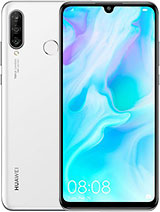
• Product Weight: 0.12 kg.The technical specs of Huawei P30 lite
can help you to choose the correct repair part for your device. Make sure your model reference is the same as this element. Here are some tech specs to help you:
- Brand: Huawei
- Huawei P30 lite Size: 152.9 x 72.7 x 7.4 mm.
- Release date: 2019, March 27. Released 2019, April 25.
- Weight: 159 g.
- Screen specs: IPS LCD.
- Screen size: 6.15 inches, 93.6 cm2.
PVP:
SNK.SP4606B16.46€ AvailableInStockNewCondition