
¡¡¡20 YEARS ONLINE!!!
ONLY TODAY: SHIPPING 1€
limited offer to first 120 orders
Recommended by iLevante.com
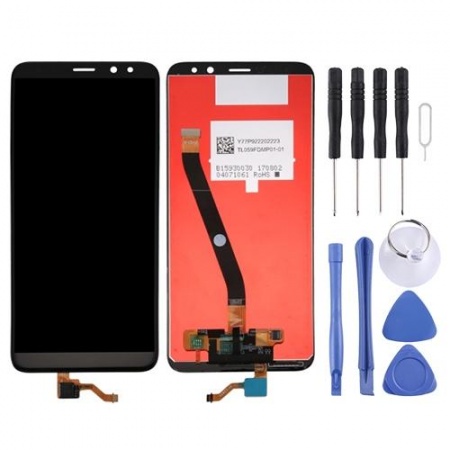
Complete screen for Huawei Mate 10 Lite
OUT OF STOCK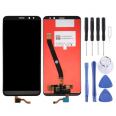
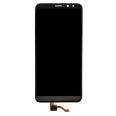
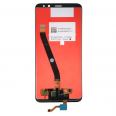
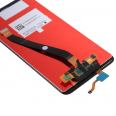
No disponible.
For Huawei Mate 10 Lite
For Huawei Maimang 6
For Huawei Maimang 6
- Complete Huawei Mate 10 Lite screen
- Quick Huawei Mate 10 Lite screen replacement
- What is the price of the Huawei Mate 10 Lite screen?
- What color variants does the screen have?
- Do I have to go to the original Huawei service?
- Is it easy to repair this screen of the Huawei Mate 10 Lite myself?
- Huawei options and recommendations
- How to find out if I have a broken screen
Complete Huawei Mate 10 Lite screen
If your Huawei Mate 10 Lite screen has shattered, we offer you the most economical and efficient way to replace it yourself with your skills.The screen we provide contains all the connectors that we will show you now:
- The IC that controls the image.
- LCD screen, where we see the moving images.
- The flex that connects with the Huawei module.
- The touch, which sends the signal of the lines we make with our hands on the phone.
- Enough screwdrivers.
- Various plastic picks.
- Levers.
- As well as a suction cup.
Quick Huawei Mate 10 Lite screen replacement
First, you need the right tools for this job. You need a hairdryer which will be used to separate the useless display from the smartphone. At the same time, you must have a guitar pick to do the job of separating the Huawei Mate 10 Lite screen by applying precise force, keeping in mind that it must be neat. And one more thing!, you need a velvet cloth.Also, the screen you will purchase will arrive very well packaged, so you have to take it out of the package very carefully. Once you have all the tools you need and the display, I will show you everything you need to do.
- Before starting, it is essential and considerable that you remove the battery
- Make sure you have no static electricity. A good way is to have moist skin and wear sneakers that disperse static electricity.
- To separate the Huawei Mate 10 Lite screen from the smartphone, you need something that generates hot air, like a hairdryer or heat gun at 120°, never use one that exceeds 120° because otherwise, you will burn very important parts.
- You should heat each side so that the adhesive separates. To completely remove the module you can use a pick, which is part of the necessary toolset for changing.
- The next step is to continue heating, but in the central part of the smartphone, do it carefully and quickly so as not to damage the battery (it is ideal to remove it).
- When you finish removing it, be very careful, as you will disconnect the broken screen from the motherboard. Look very carefully at how the screen is retained, there should be a small connector.
- When removing it, clean the surface as best as you can with the velvet cloth to remove all the adhesive that has remained. You can use liquids that have been made for this purpose, but if you don't have them, don't use water as it will damage most of the buttons, just use the soft cloth.
- Only now should you assemble the impeccable RNE-L21, RNE-L22, RNE-L01, RNE-L02, RNE-L11, RNE-L23, RNE-L03, RNE-AL00. Check if it turns on and if it is working correctly, both the LCD and the touch.
What is the price of the Huawei Mate 10 Lite screen?
The price is the one mentioned at the top (19.90€). In addition, this price is special because it has a special discount, so take advantage of this promotion that is for a limited time. Another detail to consider is that taxes are included in the price, so you don't have to do any calculations.What color variants does the screen have?
For your Huawei color, the module model it uses only has black edges, because it is a component that covers the entire surface of the smartphone. For this reason, you don't have to be looking among so many tones.Do I have to go to the original Huawei service?
Not at all, because you will learn how to change it yourself with all the care that is needed and I will reveal to you what tools are crucial to have. This way you can exchange the screen (model RNE-L21, RNE-L22, RNE-L01, RNE-L02, RNE-L11, RNE-L23, RNE-L03, RNE-AL0• safely and also save a significant amount of money.Is it easy to repair this screen of the Huawei Mate 10 Lite myself?
Be sure that yes! We have already detailed the steps that must be carried out quickly and efficiently so that your smartphone works again. Now, we will show you how to know if the screen of your smartphone is damaged.If you follow the steps you will have no problems. You will be able to solve the problem without going to an official service and quickly.
Huawei options and recommendations
We would certainly like the phone to be unbreakable, but that would be incredible the truth is that, or in a neglect, a blow, can end with our screen in a thousand pieces.That's why we always say, that a wise recommendation is: spend on a case. The cases fulfill their purpose very well.
There are not a few who are used to lending their smartphone and the truth is that no one will protect your phone like you. If you don't want someone else to damage it, save yourself that trouble and don't lend it unless it's an emergency.
Every time you connect your smartphone to the electrical current, place it in a safe place where no one can make it fall while it is charging. This way you will avoid fractures that you will later cry about.
One last tip, if you want to preserve the useful life of your mobile phone, it is better that children do not play with the phone. If they want to have fun, on sales platforms they offer at a very good price, video game consoles designed for our children.
How to find out if I have a broken screen
Before concluding that it is completely damaged, we must check if it is the tempered glass or the LCD that is damaged.If the touch is damaged we will notice when seeing the top cracked but the screen continues to work normally. But the screen will be shattered if the smartphone stops working, that is, if only a fragment is visible, horizontal lines appear or the screen does not turn on. To finish checking that we must put another one, go to settings. Then, to "Phone information" and tap 7 times on "build number". This activates the "developer options".
Inside this item, select "pointer location", and outline the entire screen. If these are not represented, it means that it is broken and you must change it.
• Product Weight: 0.10 kg.
The technical specs of Huawei Mate 10 Lite
can help you to choose the correct repair part for your device. Make sure your model reference is the same as this element. Here are some tech specs to help you:- Brand: Huawei
- Huawei Mate 10 Lite Size: 156.2 x 75.2 x 7.5 mm.
- Release date: 2017, October. Released 2017, November.
- Weight: 164 g.
- Screen specs: IPS LCD.
- Screen size: 5.9 inches, 89.8 cm2.





