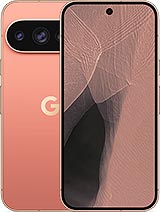
Complete Screen Google Pixel 11 Pro XL 6.8" Premium Quality
Has your Google Pixel 11 Pro XL turned from your best friend into an expensive paperweight because of the screen? 😅 Don't worry, at iLevante.com you have this 6.8-inch screen for Google Pixel 11 Pro XL in Premium Quality, ready to bring your high-end Google 2026 mobile back to life.
If the glass is broken, the touchscreen is acting up, or you can't see anything on the screen, this is the screen replacement for Pixel 11 Pro XL you are looking for. It's designed so you can use your Pixel 11 Pro XL as usual: social networks, photos, games, work… without having to change your phone.
| Feature | Google Pixel 11 Pro XL Screen Details |
|---|
| Compatible Model | Google Pixel 11 Pro XL (2026 range) |
| Device Brand | Google |
| Screen Size | 6.8 inches |
| Replacement Type | Complete screen (assembled display + touch) |
| Quality | Premium |
| Technical References | G4HCD, GBC0H |
Google Pixel 11 Pro XL 6.8" Screen: What does this replacement include?
This complete screen for Pixel 11 Pro XL is ready to install, with the necessary elements already factory-assembled to make the installation as easy as possible. The pack includes:
- Screen panel for Google Pixel 11 Pro XL.
- Integrated glass touch with display.
- Touch digitizer (the part that detects your touches and gestures).
- Connection flex prepared to connect to the Pixel 11 Pro XL board.
Since everything is assembled, you don't have to separate the glass, touch, and display: simply remove the damaged screen from your Pixel 11 Pro XL and place this new one.
When to change the screen of the Google Pixel 11 Pro XL?
You don't need your screen to look like a Roman mosaic to need a change. There are several clear signs that your Pixel 11 Pro XL is crying out for a new screen:
- Visible cracks or breakage on the glass, even if the touch is still working.
- Phantom touches (the phone presses itself) or areas where the touch doesn't respond.
- Color spots, shadows, or black areas on the image.
- Vertical or horizontal lines that do not disappear even if you restart the phone.
- Black screen but the phone is still on (rings, vibrates, etc.).
- Very low or irregular brightness without it being a software setting.
If any of these things happen to you, it's most likely that your Google Pixel 11 Pro XL screen module is damaged and you need a screen replacement like this one.
Google Pixel 11 Pro XL Premium Quality Screen: What does it mean?
When we talk about a Premium screen for Pixel 11 Pro XL, we refer to a good quality replacement designed for those who want their phone to remain comfortable to use daily without reaching the price of a new terminal.
Some interesting points of this Premium Quality:
- Good touch response for typing, scrolling, and gaming without frustration.
- Balanced colors and brightness for daily use, social media, video, etc.
- Specific compatibility with the Google Pixel 11 Pro XL model.
- Flex and connectors adapted to the interior of the Pixel 11 Pro XL (references G4HCD, GBC0H).
It's an ideal option if you want to revive your Pixel 11 Pro XL without much hassle and maintaining a comfortable user experience.
Compatibility: Only for Google Pixel 11 Pro XL 2026
This replacement is specifically designed for the Google Pixel 11 Pro XL, the large model of Google's Pixel range released in 2026. It's important to verify:
- That your mobile is the Pixel 11 Pro XL (not Pixel 11, nor 11a, nor "normal" 11 Pro).
- That your screen size is 6.8 inches.
- That the technical references match or are compatible: G4HCD, GBC0H.
If you have doubts, you can check the model in the phone settings or the original device box before ordering the Pixel 11 Pro XL screen.
Advantages of changing the Pixel 11 Pro XL screen and not the whole phone
Changing the Google Pixel 11 Pro XL screen is usually one of the most profitable repairs:
- Savings: a screen replacement is much cheaper than a new Pixel.
- Reusing your phone: you keep your data, apps, and settings as they are.
- Less electronic waste: you extend your device's lifespan.
- Flexibility: you can repair it yourself or take it to a trusted technician.
If your Pixel 11 Pro XL works well in terms of battery, camera, and performance, this Premium screen means you'll have your phone for a long time.
How to change the Google Pixel 11 Pro XL screen step by step
If you want to try the handyman mode, here is a guide to change the Pixel 11 Pro XL screen. Keep in mind it's a high-end mobile, and opening it requires patience and care.
- Precision screwdrivers for mobiles.
- Plastic picks or thin cards.
- Suction cup for lifting the screen.
- Plastic pry tools (spudgers).
- Heat gun or hairdryer.
- Isopropyl alcohol and a lint-free cloth.
- Specific adhesive for screens or pre-cut adhesive strips.
Basic steps for the Pixel 11 Pro XL screen change
- Turn off the Google Pixel 11 Pro XL completely before starting.
- Remove the SIM tray to avoid obstruction when opening the device.
- Apply gentle heat around the screen Use a dryer or heat gun at a safe distance to soften the front adhesive. Do not keep the heat fixed in one spot for too long.
- Lift the damaged screen Place the suction cup at a lower corner and gently pull while inserting a plastic pick along the edge. Slide the pick all around the contour to release the adhesive.
- Carefully detach the screen As it loosens, do not pull abruptly: inside are connection flexes that are still attached to the board.
- Open the Pixel 11 Pro XL like a book When the screen is loose, open it gently and locate the screen connectors on the motherboard.
- Disconnect the battery (if accessible) It is highly recommended to disconnect the battery first before touching any screen flex.
- Disconnect the screen flex Use a plastic tool to lift the connectors and completely separate the broken screen from the device.
- Clean adhesive residues Carefully remove old adhesive from the Pixel 11 Pro XL frame. You can use isopropyl alcohol and a plastic tool.
- Prepare the new Pixel 11 Pro XL screen Place the new Premium quality screen module near the phone without removing all the protective plastics yet.
- Connect the new screen flex Ensure the connectors fit well in their place. Do not force anything; they should click smoothly.
- Reconnect the battery and do a quick test Turn on the Google Pixel 11 Pro XL and check:
- That there is an image all over the screen.
- That the touch responds in all areas.
- That there are no strange flickers or stains.
- Turn off the mobile again and finish assembly If everything works fine, turn off the Pixel, apply new adhesive on the frame, and place the screen in its final position.
- Gently press the edges Run your fingers around the contour to ensure the screen is well attached to the chassis.
- Turn on the Pixel 11 Pro XL and make final checks Test brightness, touch, keyboard, gestures, etc. All set, new screen!
If at any point you feel unsure, you can always take your Google Pixel 11 Pro XL and this screen to a trusted technical service for assembly.
Tips for taking care of your new Pixel 11 Pro XL screen
- Place a screen protector immediately after mounting it.
- Use a case with a good front edge to protect it from falls.
- Avoid storing the Pixel 11 Pro XL with keys or coins.
- Do not expose the mobile to extreme heat or unnecessary hits.
With this 6.8-inch Premium quality screen for Google Pixel 11 Pro XL and references G4HCD / GBC0H, your Google 2026 mobile can continue to accompany you for much longer, without broken screens or rebellious touchscreens.
• Product Weight: 0.20 kg.The technical specs of Google Pixel 11 Pro XL
can help you to choose the correct repair part for your device. Make sure your model reference is the same as this element. Here are some tech specs to help you:
- Brand: Google
- Google Pixel 11 Pro XL Size: 162.7 x 76.5 x 8.5 mm.
- Release date: 2026, August 12.
- Weight: 226 g.
- Screen specs: LTPO OLED, 120Hz, HDR10+, 2400 nits , 3600 nits.
- Screen size: 6.8 inches, 111.5 cm2.
PVP:
SNK.AS184423209.95€ AvailableInStockNewCondition