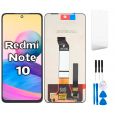
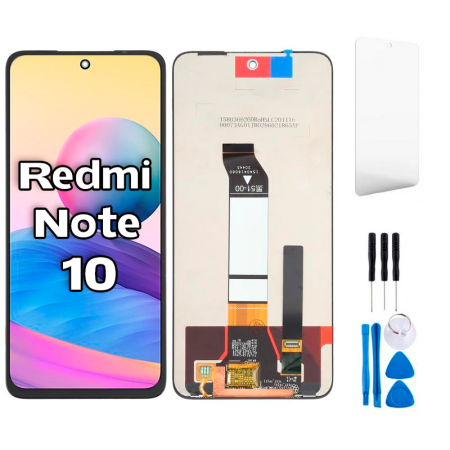
Xiaomi Redmi Note 10 5G screen: what you need to know before replacing it
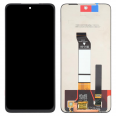
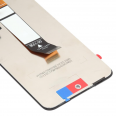
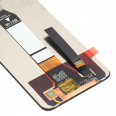
This Redmi Note 10 5G screen is a complete assembly: the glass, LCD panel and touchscreen come pre-assembled. The touchscreen is integrated with the panel, so if your phone stops responding to touch, you need to replace the whole assembly, even if the image still looks fine. At iLevante, we see this with many phones that arrive with intact glass but a faulty touchscreen.
The Redmi Note 10 5G launched in 2021 with a Dimensity 700 chip and a 6.5-inch IPS LCD. Note that it is completely different from the Redmi Note 10 (without 5G), which has an AMOLED display. This is the most common mistake people make when buying this replacement part.
Technical details of this Premium Redmi Note 10 5G screen
- Size and resolution: 6.5-inch FHD+ (2400 × 1080 px), 20:9 aspect ratio, approximately 405 ppi.
- Technology: IPS LCD, just like the original panel.
- Refresh rate: up to 90 Hz. The system automatically switches between 30, 50, 60 and 90 Hz depending on what is on the screen.
- Touch sampling rate: 180 Hz.
- Brightness: 360 nits typical and up to 450 nits in High Brightness Mode in direct sunlight.
- Contrast ratio: 1500:1.
Our technician sums it up in one sentence: in the shade, indoors or on the underground, the screen looks great. Under the midday August sun, High Brightness Mode does its job. This Premium replacement is made by an alternative manufacturer and offers the same resolution, touchscreen and 90 Hz refresh rate as the original. You also get a free screen protector so you can protect your new screen from the very first moment.
Redmi Note 10 screen compatibility: models and part numbers
Xiaomi sold this same phone under several names. Check the model number in Settings > About phone or on the SIM tray.
- Xiaomi Redmi Note 10 5G: M2103K19G, M2103K19C
- Xiaomi Redmi Note 10 4G: also compatible.
- POCO M3 Pro 5G: M2103K19PG
- Redmi Note 10T 5G: M2103K19I
- Redmi Note 11SE (the Chinese version of the same phone).
Signs that your Xiaomi Redmi Note 10 screen is damaged
Impact damage is the obvious cause, but there are less noticeable faults too:
- Ghost touches: apps open or text is typed by itself.
- Unresponsive areas, usually in a specific strip of the screen.
- Lines, black spots or light leaks around the edges. Light leaks are common with LCDs after a hard impact.
- Black screen while the phone is still on: it vibrates and makes sounds, but nothing is visible.
There is one issue worth ruling out before you buy a replacement. If the screen turns on during calls and you end up hanging up with your ear, the screen is not to blame. This model uses an ultrasonic proximity sensor that emits through the earpiece, and it has had software issues. You can test it by dialling *#*#6484#*#* and selecting “Proximity sensor”. The fingerprint reader is not in the screen either: it is built into the power button, so replacing the screen will not affect it.
How to replace the Redmi Note 10 5G screen
A word of warning: the screen cannot be replaced from the front alone. The flex cables connect to the motherboard from the back, so you need to open the phone from the rear and remove the battery. In our workshop, the repair takes about an hour to an hour and a half. If it is your first time, allow longer. The included tool kit contains the basics: opening picks, a suction cup, a pry tool and a screwdriver.
iLevante team's repair guide
- Discharge the battery to below 25% and switch off the phone. This is safer in case the battery is accidentally punctured.
- Back cover: heat it for a couple of minutes, insert an opening pick at the bottom edge and work your way around the perimeter.
- Mid-frame: remove the camera cover (4 screws) and the 13 mid-frame screws. Take out the SIM tray and disconnect the button flex cable before releasing the plastic clips.
- Battery: disconnect it first. Then slowly pull the adhesive strips. If one breaks, a few drops of isopropyl alcohol can help.
- Screen flex cables: there are two, one for the display and one for the touchscreen. Disconnect them and remove the loudspeaker, which covers one of the cables.
- Remove the screen from the front: the adhesive on this model is very strong, so you may need to heat it several times. Near the front-facing camera, insert the pick only 2–3 mm.
- Carefully feed the flex cables through the frame opening and remove the old screen.
- Thoroughly clean the frame to remove any adhesive residue. If it is bent, replace it: a screen fitted to a warped frame will eventually crack on its own.
- Connect and test the screen before applying adhesive. Check touch response across the entire surface, brightness, colour and the front-facing camera.
- Apply pre-cut adhesive, reassemble in reverse order and leave the phone under light pressure for a few hours.
Common mistakes we see in the workshop
- Ghost touches after replacement: these are usually caused by static electricity or a flex cable bent more than 90°. Discharge any static by touching metal and do not force the cables.
- Damaging the front-facing camera by inserting the pick too far when removing the screen.
- Blue-tinted colours: this is a settings issue. Go to Settings > Display > Colour scheme and select “Standard”, the most accurate mode on this phone.
- A reused battery that is swollen or bent: if it looks deformed when you remove it, do not reinstall it.
One interesting fact: because it has an IPS display, this phone does not have an Always-On Display. If you miss this feature after the repair, the replacement part is not to blame: this model never had it.
• Product Weight: 0.22 kg.The technical specs of Xiaomi Redmi Note 10 5G
can help you to choose the correct repair part for your device. Make sure your model reference is the same as this element. Here are some tech specs to help you:
- Brand: Xiaomi
- Xiaomi Redmi Note 10 5G Size: 161.8 x 75.3 x 8.9 mm.
- Release date: 2021, March 04.
- Weight: 190 g.
- Screen specs: IPS LCD, 90Hz, 400 nits , 500 nits.
- Screen size: 6.5 inches, 102.0 cm2.
PVP:
SNK.SPS225319.75€ AvailableInStockNewCondition